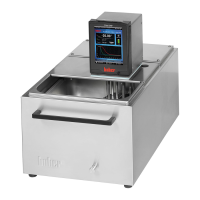
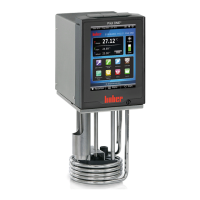
Comfort menu
Here one can switch to the whole range of functions.
Please also note the chapter on Comfort menu, where further functions of the comfort
menu are described.
Display modes
Following functions are available:
1. Standard: Values are displayed numerically (valid for all temperature control
devices with Unistat Pilot and CC-Pilot).
2. Graphic: Internal temperature, process temperature and set-point are displayed
graphically – valid for Unistat Pilot. (with CC-Pilot only possible with Exclusive or
Professional upgrade package).
3. Device message: please see following example (valid for all temperature control
devices with Unistat Pilot and CC-Pilot).
4. Status Interfaces: Information on switch condition of e.g. ECS and POCO /
ALARM (valid for all temperature control devices with Unistat Pilot and CC-Pilot).
5. Large display: Values are displayed in large numerical format (valid for all
temperature control devices with Unistat Pilot and CC-Pilot).
6. Summary 1: Service information (valid for all temperature control devices with
Unistat Pilot and CC-Pilot).
7. Return to main menu
Display modes is used to select the required display or information window (e.g. Status
Interfaces or Device message). The standard setting is Graphic.
Example: Display on choosing Device message.
By turning the rotary knob / key (61) one can display the individual messages. Take
note of the message counter for reference.
Message in clear text



 To Next Page