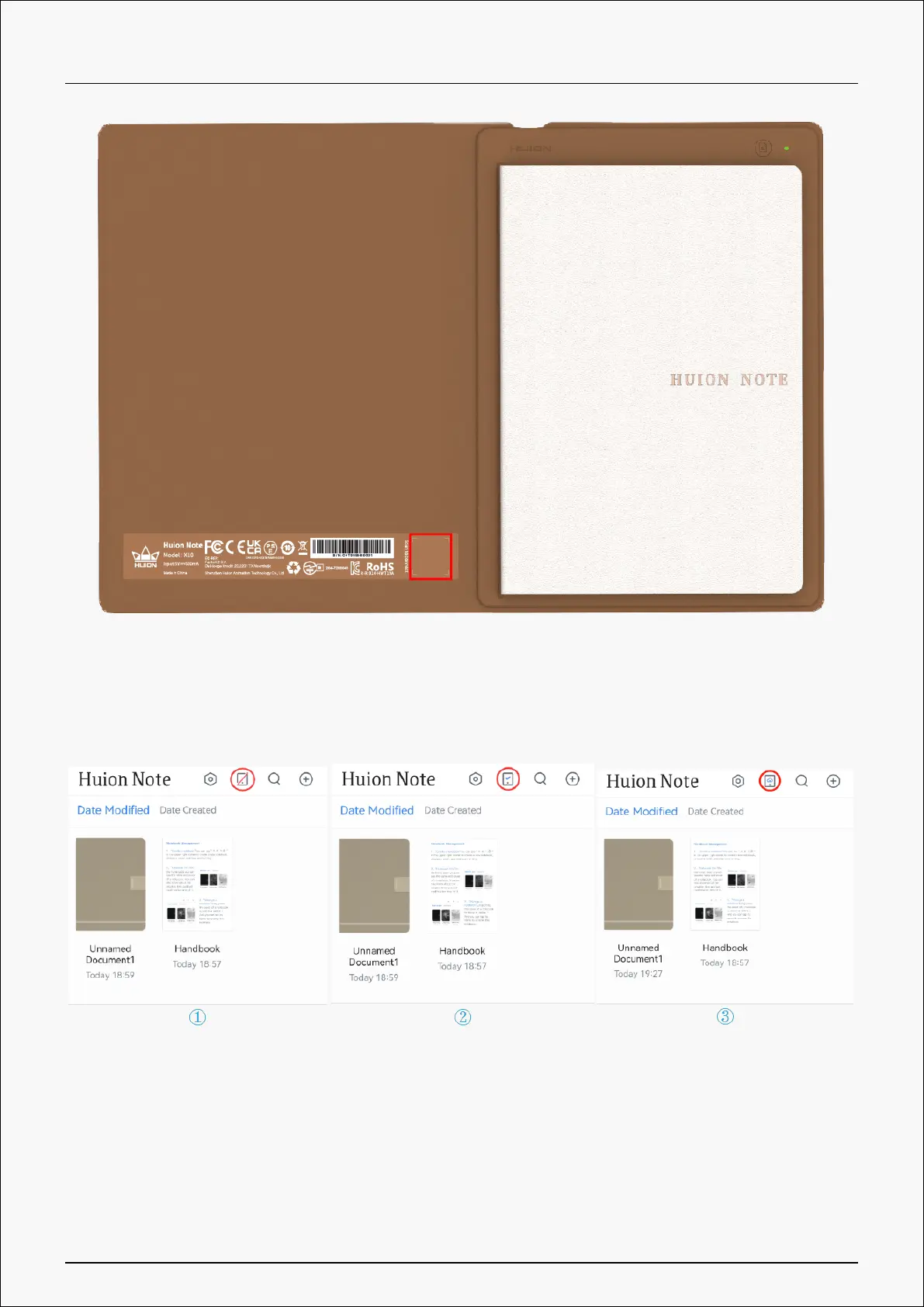
5. After they are connected, the green light will turn blue, and the icon of the Connect button
will change from a red diagonal to a blue check mark (See the picture below).
Note: the Connect button with a blue cloud appears to show that the application and Huion
Note hardware are connected and there are offline digital notes to be uploaded.
Create Online Digital Notes with the Application
1.Create a new digital notebook: Tap the New... (plus mark) button on the top-right corner to
create a new digital notebook and then choose a cover for it.
8 / 44







 To Next Page