2 Basic Functions
2.1 Changing Volume, Speed, Tone/Pitch
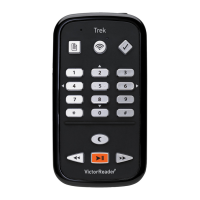
When the Trek is on, press the Power button on the top left side multiple times to toggle volume,
speed, or tone/pitch settings. After 10 seconds of non-use, the toggle control will return to Volume.
Use the up / down arrows on the left side just below the Power button to raise or lower the selected
setting. There is a beep to mark the upper and lower range of each control. If the book is not playing,
TREK will announce the setting position. For tone/pitch and speed there is also a beep to mark the
normal or 0 position. This indicates a flat tone setting, a normal pitch or normal speed setting.
If preferred, you can configure the Tone control so that it varies the audio pitch instead for playing
audio that is not on the music bookshelf. Some people benefit more from a change in the pitch of
recorded audio than a change in the tone. To vary the pitch instead of the tone, press key 7 to open
the Playback and Navigation Menu. Then use the down arrow to find Audio Adjustment mode and
use the right or left arrow to select Pitch. Press the Confirm key to the right of key 0 to confirm
your selection and press the Star key to the left of key 0 to exit the Menu.
2.1.1 Different Speed settings for TTS and Audio playback
The Trek will remember separate Speed settings for each of text-to-speech and audio playback.
You can change the speed of one without affecting the other. The same will apply to all books using
Text-to-Speech. Music files are not affected by your speed setting because their speed is always
set to normal by default.
2.2 Changing Bass and Treble (Music bookshelf)
For the Music bookshelf, the Tone setting is replaced with Bass and Treble controls. Press the
Power button multiple times to toggle between Volume, Speed, Bass, and Treble. To alter the lower
frequencies select the Bass control and either add bass by setting the control to a positive value or
remove bass by selecting a setting below zero. Similarly, you can add or remove treble. Adding or
removing bass will not alter the treble and vice versa. To hear the music unaltered, set the bass
and treble controls to their 0 setting.
2.3 Play/Stop
To start playing a book, press the Play/Stop key.
To stop playing a book, press the Play/Stop key again.
NOTE: Instead of the Confirm key, you can also press Play/Stop to jump to an entered page or
heading number. If you end your numeric entry with Play/Stop then playback will start at the
specified page or heading number.
2.4 Rewind and Fast Forward
These keys allow you to go backward or forward quickly.
Press and hold the Rewind or Fast Forward key until you reach the desired position, the
movement of the Rewind or Fast Forward keys will accelerate the longer you hold the key down.
For each three seconds you hold the keys you will move forward or backward 1 minute, 2 minutes,
5 minutes, 10 minutes, 15 minutes and so on. The largest jump is 5 minutes. Between each three
second jump, Trek will announce the time jump and play a normal speed clip.
If you simply press and release Fast Forward or Rewind instead of holding it down, playback will
jump forward or backward by 5 seconds.
2.5 Sleep Mode and Time announcement
The Sleep button allows you to obtain time announcements and set the Sleep Timer.


 To Next Page