6 Configuration Menu – Key 7
The Trek can be customized using the Configuration menu.
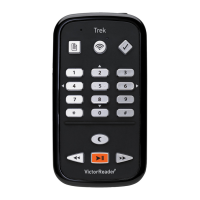
To open the Menu, press the Menu (7) key. Pressing the Menu key again will switch to the next
Menu. Browse Menu Items with the Up/Down (2, 8) keys. Use the Left/Right (4, 6) keys to select
an Item’s value and press Confirm. Press Cancel (Star key) or any other key to exit the Menu.
Press and hold the Online button to turn off the Airplane Mode. This will turn on the Trek’s wireless
(WI-FI) features. Press the Menu (7) key to access the wireless configuration menu. Press the
Online button to toggle between the standard bookcase, the online bookcase, and orientation
mode (GPS). The wireless configuration menus are only available from the online bookcase.
6.1 Menus and Menu Items List
The available menus, menu items and values are listed in their respective order below. The values
marked with a star (*) in the list are the factory default settings.
Menu: Navigation & Playback.
Item: Loop.
Values: On or Off*.
Item: Time jump 30 seconds
Values: On, Off*
Item: Time jump 1 minute
Values: On*, Off
Item: Time jump 5 minutes
Values: On, Off*
Item: Time jump 10 minutes
Values: On, Off*
Item: Time jump 30 minutes
Values: On, Off*
Item: Save last used navigation level for each book
Values: On, Off*
Item: Key beeps
Values: On*, Off
Item: Sleep messages
Values: On*, Off
Item: Bookmark Alert
Values: On, Off*
Item: Audio Adjustment Mode.
Values: Tone* or Pitch.
Menu: Skip.
Item: All.
Values: Play*, Skip, On Demand, Custom.
Item: Footnote.
Values: Play*, Skip, On Demand.
Item: Page number.
Values: Play*, Skip.


 To Next Page