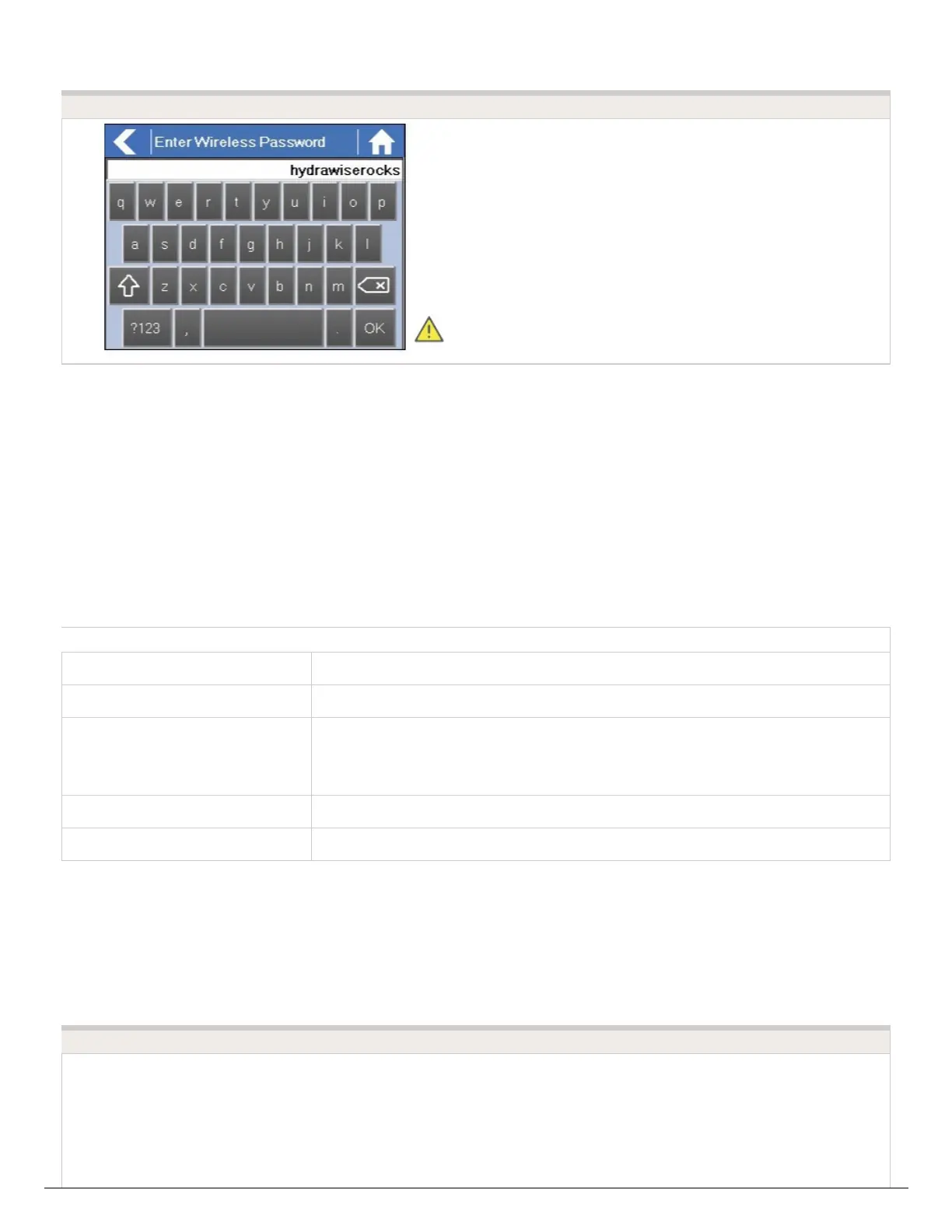
After typing in your password press the OK button. Do not press the Home or Back buttons
– these options will not save your password.
Wireless Connection Status Messages
The controller will show different status messages whilst connecting to your wireless router.
Status Description
Looking for Wireless... Controller is currently scanning for local wireless networks.
Connecting to... Controller is currently trying to connect to your wireless router.
Waiting for IP
Controller has connected to your wireless router and is waiting for your
wireless router to give it an IP address. Your wireless router must be
configured as a DHCP server.
Connected All is good. Controller has successfully connected to your wireless router.
Local Connection Only Controller is acting as a local wireless router.
Troubleshooting Wireless Connecting Issue
Hydrawise Ready Controllers: Wi-Fi Troubleshooting




 To Next Page