4. Turn SON "Off"
Cisco Meraki MR52
Model: Cisco Meraki MR52
Manufacturer: CISCO
Device: Wireless/Networking Business WAP “Wireless Access Point”
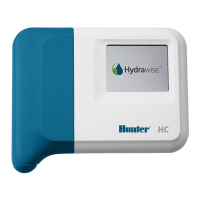
Issue: Due to the latest product and drivers not yet being supported, Hydrawise controllers
are unable to connect to this wireless access point.
Resolution: You can log into the access point and will need to create a guest SSID.
Choose to have a password or not password encrypted, make it a standalone 2.4 g
connection, and set a WPA/WPA2 encryption. The controller will now connect to the cloud
as it normally should. Learn More [4].
eero Mesh Network
Model: All Models
Manufacturer: eero
Bridged Access Points - Mesh networks need to have their access points (AP) bridged so
the IP allocation from the DHCP server match. This can be an issue with the IP the
controller receives from the AP and DNS server which will cause the DNS to fail when
doing a network test. LEARN MORE [5]
Bridge your eero devices by using following the instructions below:




 To Next Page