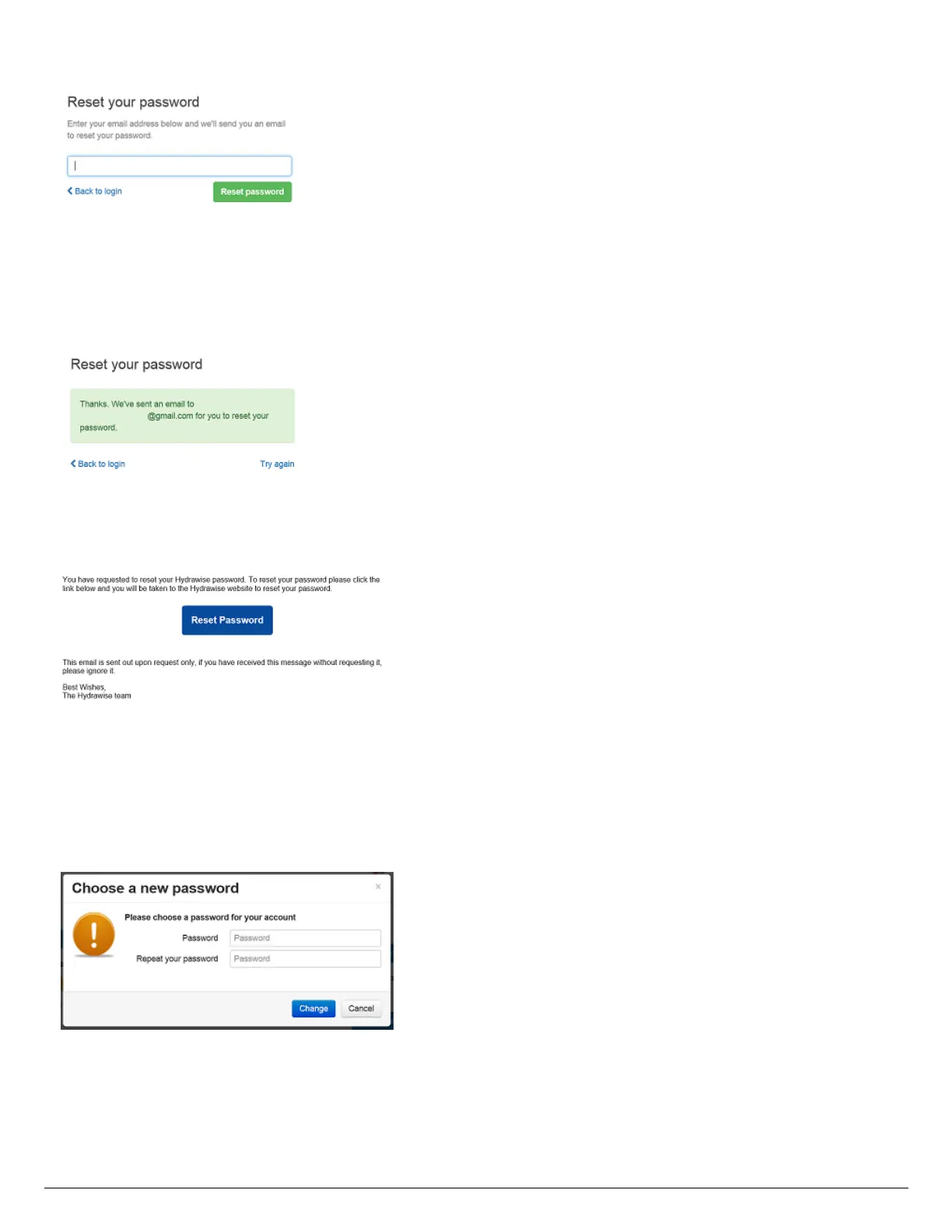
- Once you click Reset password, you will receive email confirmation that your password
reset request has been processed.
- Click on Back to login. Then check the email that you use with your Facebook account.
Click on the link to reset your password.
- Once you click the Reset Password, you will be launched into your Dashboard. You can
now type in your new password. For security purposes, we recommend using at least one
capital letter and one number in your password.
Your password has now been reset. You can continue logging in to your application on
either your iOS or Android device by entering your email address and password. Don't use
the Facebook login option, as this will not work.




 To Next Page