APPEJIDIX
SECTION 9.14
3) Terminal MENU : select "Z" for "none of the above." This
will be described later when patching in the exact controls,
4) Printer MENU : select your own type of printer - typically,
selection "A" will be compatible with most types of printer,
5) Communications Protocol MENU : select "N", this will enable
HUNTER's own communications package to handle any necessary
protocol.
6) Driver MENU : select "L" for the standard CP/M list device,
7) You are now prompted for:
ARE MODIFICATIONS TO WORDSTAR NOW CCMPLETE?:
Answer "N" for No, as it is now necessary to patch the codes
for the terminal selection.
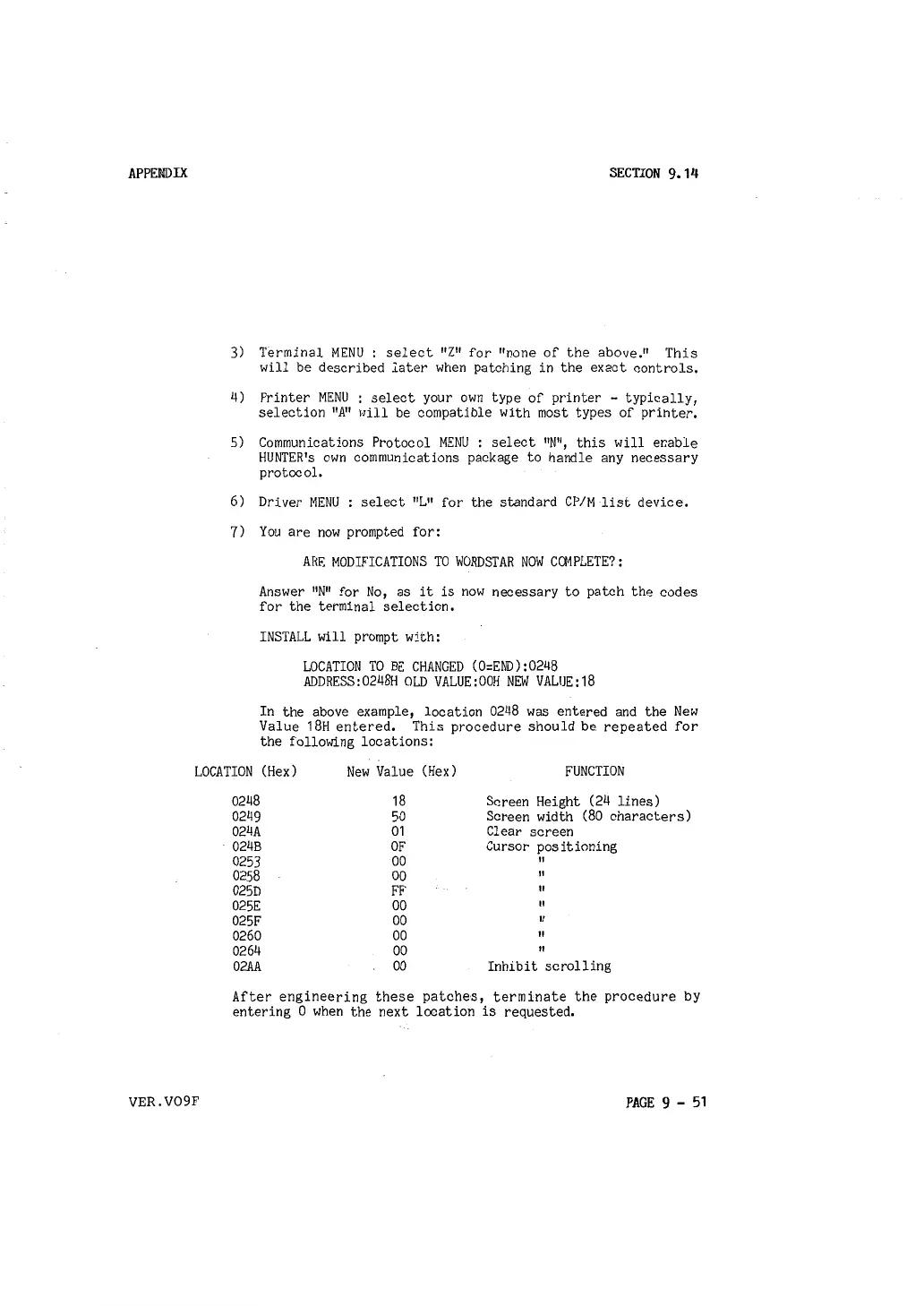
INSTALL will prompt with:
LOCATION TO BE CHANGED (0:END):0248
ADDRESS:0248H OLD VALUE:OOH NEW VALUE:18
In the above example, location 0248 was entered and the New
Value 18H entered. This procedure should be repeated for
the following locations:
LOCATION (Hex) New Value
(Hex) FUNCTION
VER.V09F
0248 18 Screen Height (24 lines)
0249
50
Screen width (80 characters)
024A 01
Clear screen
024B OF
Cursor positioning
0253
00
II
0258 00
II
025D
FF
If
025E
00
II
025F
00
If
0260
00
If
0264 00
If
02AA
00 Inhibit scrolling
After engineering these patches, terminate the procedure by
entering O when the next location is requested.
PAGE 9 - 51



 To Next Page