EasyManua.ls Logo

Husqvarna AUTOMOWER 310 - User Manual

Husqvarna AUTOMOWER 310
64 pages
Print Icon
To Next Page IconTo Next Page
Loading...
EN, English
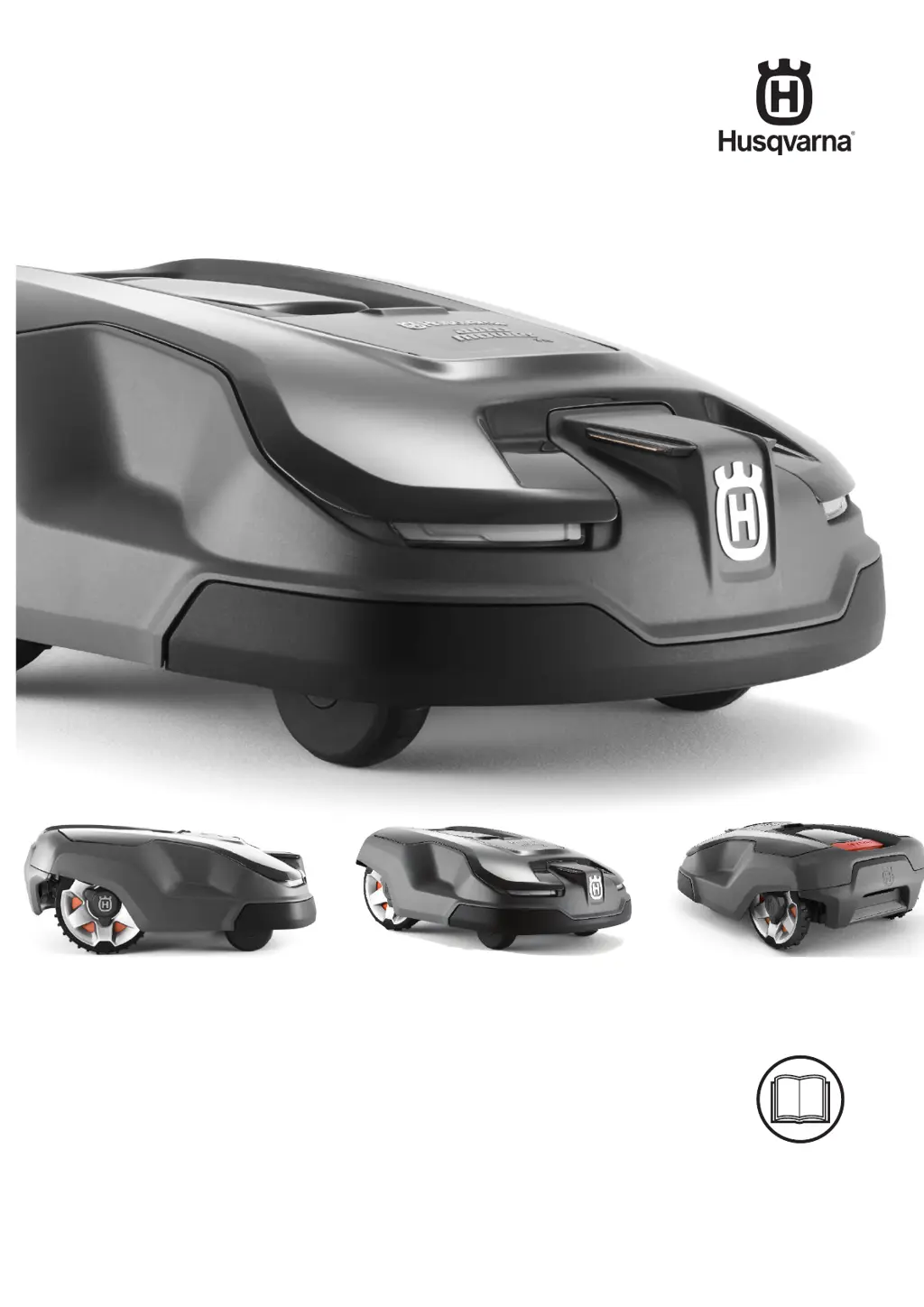
Operator's manual
HUSQVARNA AUTOMOWER
®
310/315/315X
Read the operator's manual carefully and make sure that you understand the instructions before
you use the product.

Other manuals for Husqvarna AUTOMOWER 310

Questions and Answers

  • J
    Jennifer HurstAug 26, 2025
    Why does my Husqvarna AUTOMOWER 310 Lawn Mower have no drive?
    • C
      Christina Morgan DDSAug 26, 2025
      If your Husqvarna Lawn Mower has 'No drive', it might be caught in something. Free the mower and fix the cause. If it is due to wet grass, wait until the lawn dries. The working area might have a steep slope; isolate slopes steeper than 40%. If the guide wire is on a slope, ensure it's laid at an angle across the slope.
  • M
    Michael HoffmanAug 27, 2025
    Why does my Husqvarna Lawn Mower need manual charging?
    • J
      Jenna SalazarAug 27, 2025
      If your Husqvarna Lawn Mower displays 'Needs manual charging', the mower is set to the Secondary area operating mode. Place the mower in the charging station; this is normal and requires no further action.
  • M
    Michael HoffmanAug 27, 2025
    How to fix 'No loop signal' on a Husqvarna AUTOMOWER 310?
    • H
      harmonedwardAug 27, 2025
      The 'No loop signal' message on your Husqvarna Lawn Mower can appear if the boundary wire is crossed on its way to and from an island. Check that the boundary wire is laid according to instructions, ensuring it's in the correct direction around any islands. Also, disturbances from metal objects (fences, reinforcement steel) or buried cables nearby can cause this issue. Try moving the boundary wire or creating islands in the work area to boost the signal strength. Another possibility is that the mower is too far from the boundary wire. Redo the boundary wire installation to ensure all parts of the work area are a maximum of 35 m / 115 ft from the boundary wire.
  • C
    Caroline PierceAug 28, 2025
    What to do if the cutting system of my Husqvarna AUTOMOWER 310 Lawn Mower is blocked?
    • J
      justin39Aug 28, 2025
      If the cutting system of your Husqvarna Lawn Mower is blocked, there are a few possible reasons. It could be that grass or another object has become wrapped around the blade disc; in this case, check the blade disc and remove any obstructions. Another possibility is that the blade disc is sitting in a pool of water; if so, move the product and try to prevent water from collecting in the work area. Finally, the grass may be too high. Cut the grass before installing the product, ensuring it's no more than 10 cm / 3.9 in.
  • C
    Christopher BrownAug 29, 2025
    How to fix a blocked wheel motor on my Husqvarna AUTOMOWER 310?
    • S
      samantha82Aug 29, 2025
      If the wheel motor of your Husqvarna Lawn Mower is blocked, it's likely due to grass or another object wrapped around the drive wheel. To resolve this, check the drive wheel and carefully remove any obstructions.
  • R
    Roger DavisAug 30, 2025
    What to do if the Husqvarna AUTOMOWER 310 Lawn Mower has a blue flashing light?
    • G
      George CarterAug 30, 2025
      If your Husqvarna Lawn Mower is showing a blue flashing light, it could be due to a couple of reasons. First, the boundary loop might not be properly connected to the charging station. Make sure the boundary wire connectors are correctly fitted. Alternatively, there might be a break in the boundary loop. If so, locate the break, replace the damaged section with a new loop wire, and splice it using an original coupler.
  • T
    Theresa DunnAug 23, 2025
    How to fix a break in the boundary loop of my Husqvarna Lawn Mower?
    • T
      Tracy Sullivan MDAug 23, 2025
      To fix a break in the boundary loop, find where the break is located. Replace the damaged section of the loop with a new loop wire, and splice it using an original coupler.
  • V
    Victoria MontoyaSep 1, 2025
    What to do if Husqvarna AUTOMOWER 310 goes outside working area?
    • J
      Julie WestSep 1, 2025
      If your Husqvarna Lawn Mower is 'Outside working area', it can be due to crossed boundary wire connections at the charging station. The boundary wire might be too close to the edge or laid incorrectly around an island. The working area may slope too much at the boundary wire. If there are disturbances from magnetic objects or the mower has hard time distinguishing the signal from an installation close by, try moving the boundary wire and creating additional islands or generate a new loop signal.
  • M
    Mackenzie HallSep 2, 2025
    What to do if Husqvarna AUTOMOWER 310 cutting system is blocked?
    • B
      Brandon WhitakerSep 2, 2025
      If your Husqvarna Lawn Mower says 'Cutting system blocked', grass or another object may be wrapped around the blade disc. Check the blade disc and remove any object. The blade disc might be in a pool of water, so move the mower and fix the water collection issue. The blade motor could be defective, so ensure it has the right speed. The main circuit board might be defective, so change it. The cabling to the blade motor could be damaged or faulty, so check and repair or replace the blade motor.
  • T
    Todd RoySep 3, 2025
    How to get Husqvarna AUTOMOWER 310 unstuck when it is trapped?
    • G
      Greg SolisSep 3, 2025
      If your Husqvarna Lawn Mower is 'Trapped', it means the mower has got caught in something. Free the mower and fix the reason it became trapped. The mower might be stuck behind obstacles, so check for anything making it hard to move. Also, check that the body is properly secured in the front and rear rubber dampers, as one of the body’s attachments may have come loose.

Husqvarna AUTOMOWER 310 Specifications

General IconGeneral
Cutting Width22 cm
Cutting Height Min20 mm
Cutting Height Max50 mm
Battery TypeLi-ion
Typical Charging Time60 min
Typical Mowing Time per Charge70 min
Maximum Incline Within the Working Area40%
Working Area Capacity1000 m²
Battery Capacity2.1 Ah
Weight9.4 kg
Battery Voltage18 V
Operating Time70 min
Maximum Area1000 m²
Weather ResistanceYes
Smart ConnectivityNo
Blade TypePivoting razor blades

Related product manuals