ST16135-00E 19
7 Operating Instructions
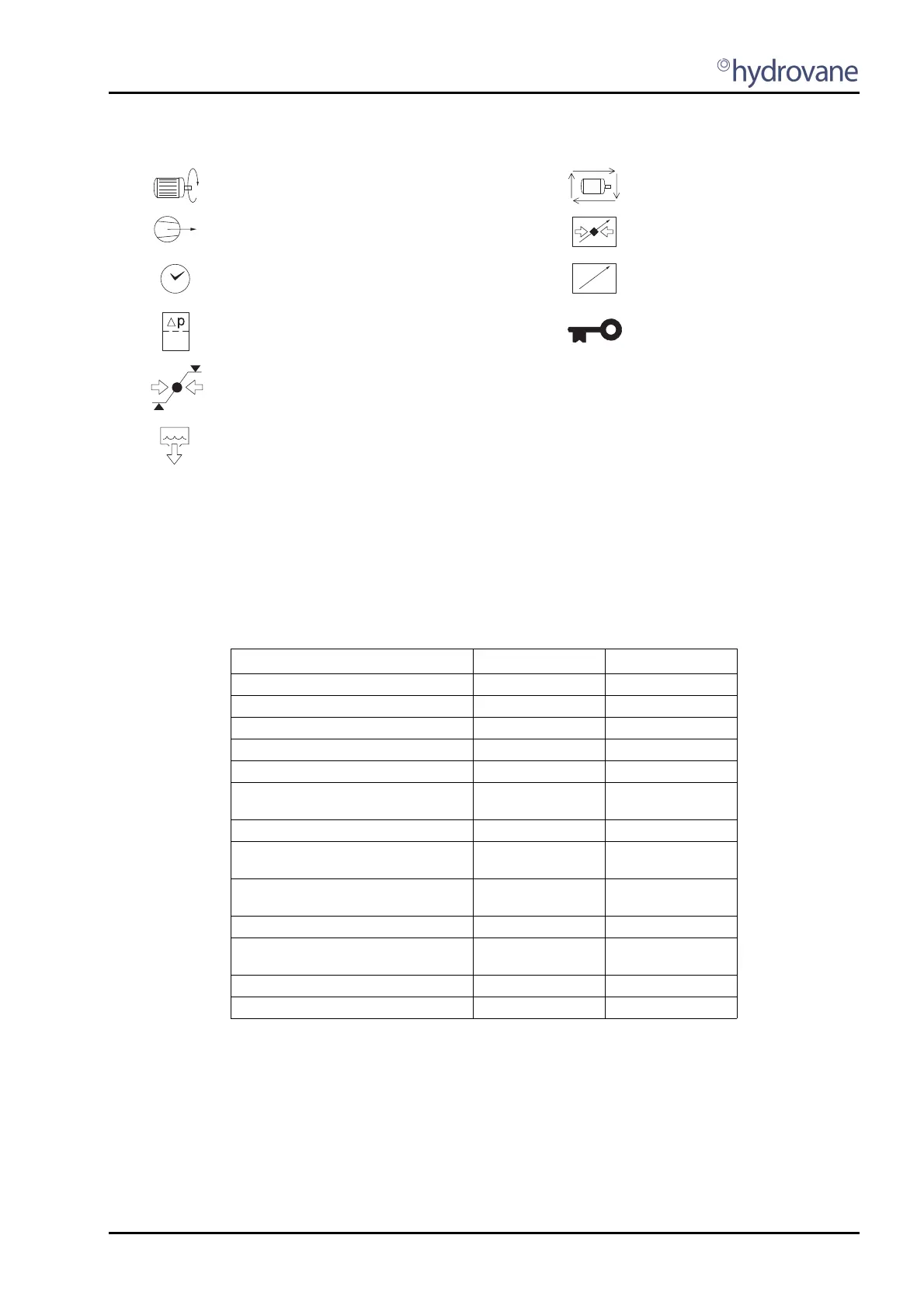
7.2 Operational Display Symbols
7.3 LED Indicators (Fig 7.2)
STATUS: Green °
FAULT Red
l
The indicator states are shown in Table 7.1.
Table 7.1 - Compressor Status and LED Indicators
Key:
ON Illuminated continuously
FF Fast flash: on/off four times per second
SF Slow flash: on/off once per second
IF Intermittent flash: on/off every four seconds
OFF Extinguished continuously
* SF for alarm condition
Motor running Power failure auto-restart (optional
function)
Loaded Remote load or remote pressure
regulation active
Amount of time, timer Remote start/stop
Filter, differential pressure Normal operational mode:
Selected item locked as
temporary default display
Menu mode:
Page item locked
(adjustment inhibited)
Pressure set point indication
(upper & lower set point indicators
displayed independently)
Condensate drain active (optional
function)
Compressor State LED Status °
LED Fault
l
Shutdown Error OFF FF
Startup Init OFF OFF *
Start Inhibit Check OFF OFF *
Start Inhibit Condition OFF SF
Ready to Start OFF OFF *
Blowdown (If Load Request)
(Otherwise)
FF
IF
OFF *
OFF *
Standby IF OFF *
Start motor in Star/Delta (If Load Request)
(Otherwise)
FF
IF
OFF *
OFF *
Load Delay (If Load Request)
(Otherwise)
FF
IF
OFF *
OFF *
Load ON OFF *
Reload Delay (If Load Request)
(Otherwise)
FF
IF
OFF *
OFF *
Standby Run-on-Time IF OFF *
Stop Run-on-Time SF OFF *



 To Next Page