DRIVERS INSTALLATION
Intel Pineview Chipset Family Graphics Driver
Installation
To install the VGA drivers, follow the steps below to proceed with the
installation.
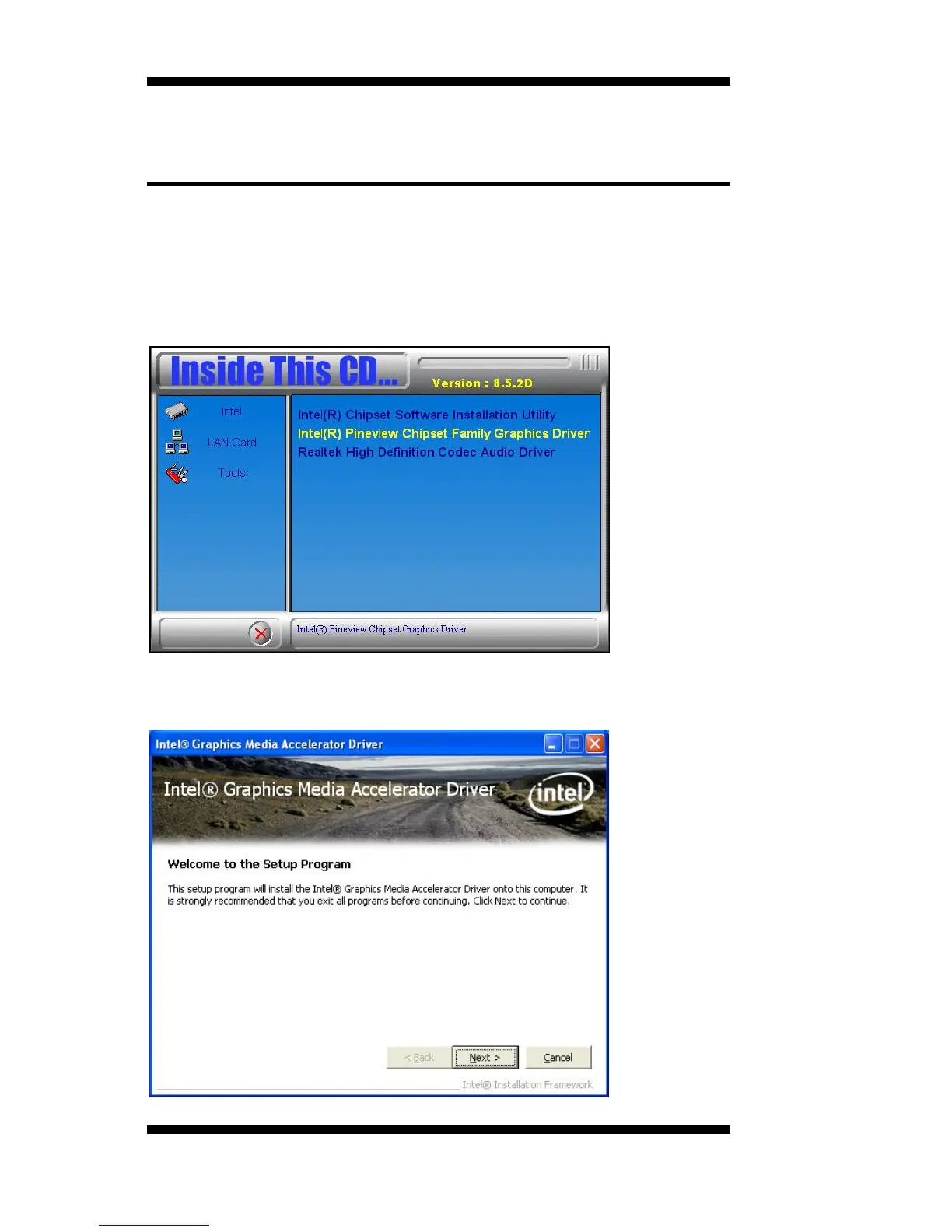
1. Insert the drivers DVD into the DVD drive. Click Intel and then
Intel(R) Pineview Chipset Drivers. Click Intel(R) Pineview Chipset
Family Graphics Driver.
2. When the welcome screen of the Intel(R) Graphics Media Accelerator
Driver appears, click Next to continue.
42
IB891 User’s Manual



 To Next Page