3.2 Intel
®
Chipset Software Installation Utility
The Intel
®
Chipset drivers should be installed first before the software
drivers to install INF files for Plug & Play function for Intel chipset
components. Follow the instructions below to complete the
installation.
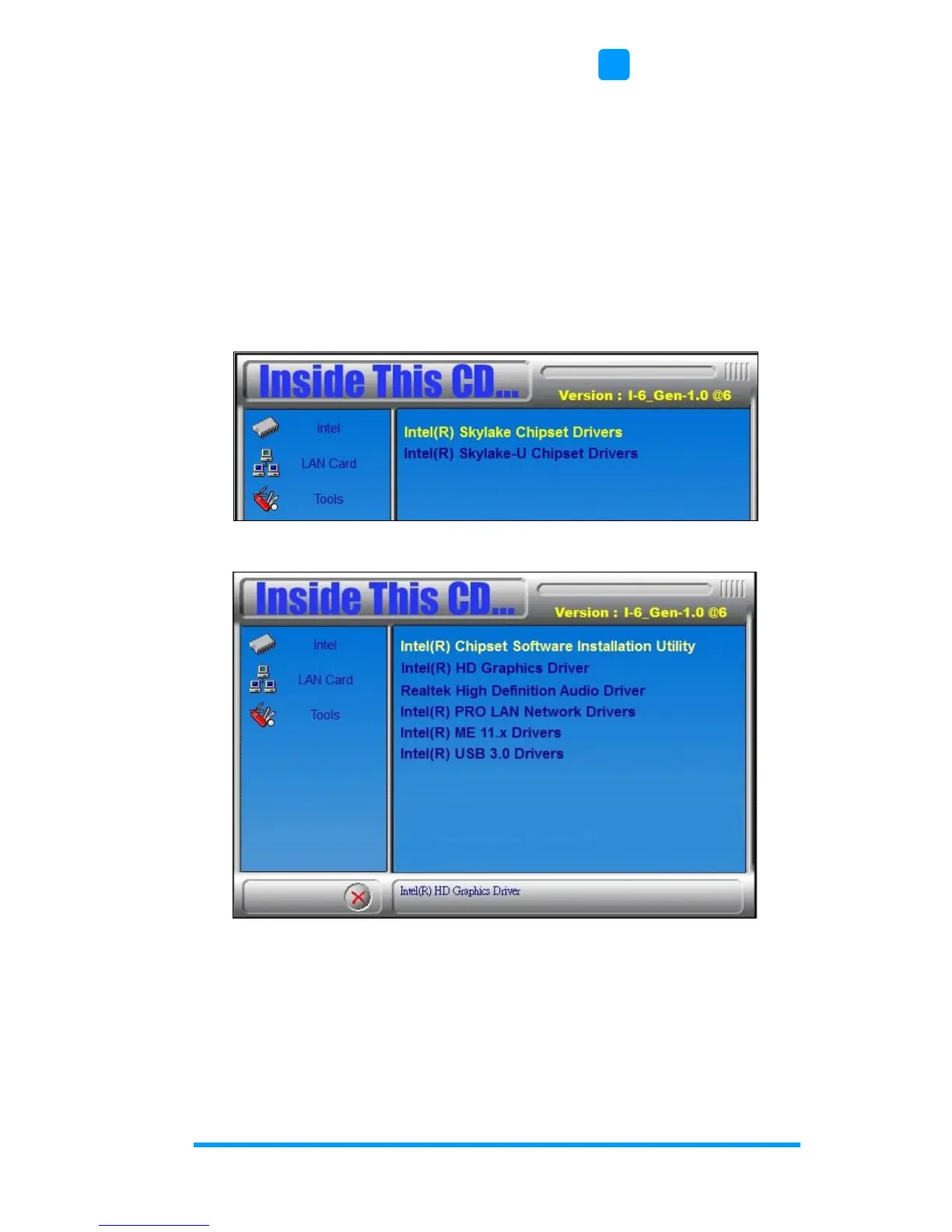
1. Insert the disk enclosed in the package with the board. Click Intel
and then Intel(R) Skylake Chipset Drivers.
2. Click Intel(R) Chipset Software Installation Utility.
3. When the Welcome screen to the Intel
®
Chipset Device Software
appears, click Next to continue.
4. Click Yes to accept the software license agreement and proceed
with the installation process.


 To Next Page