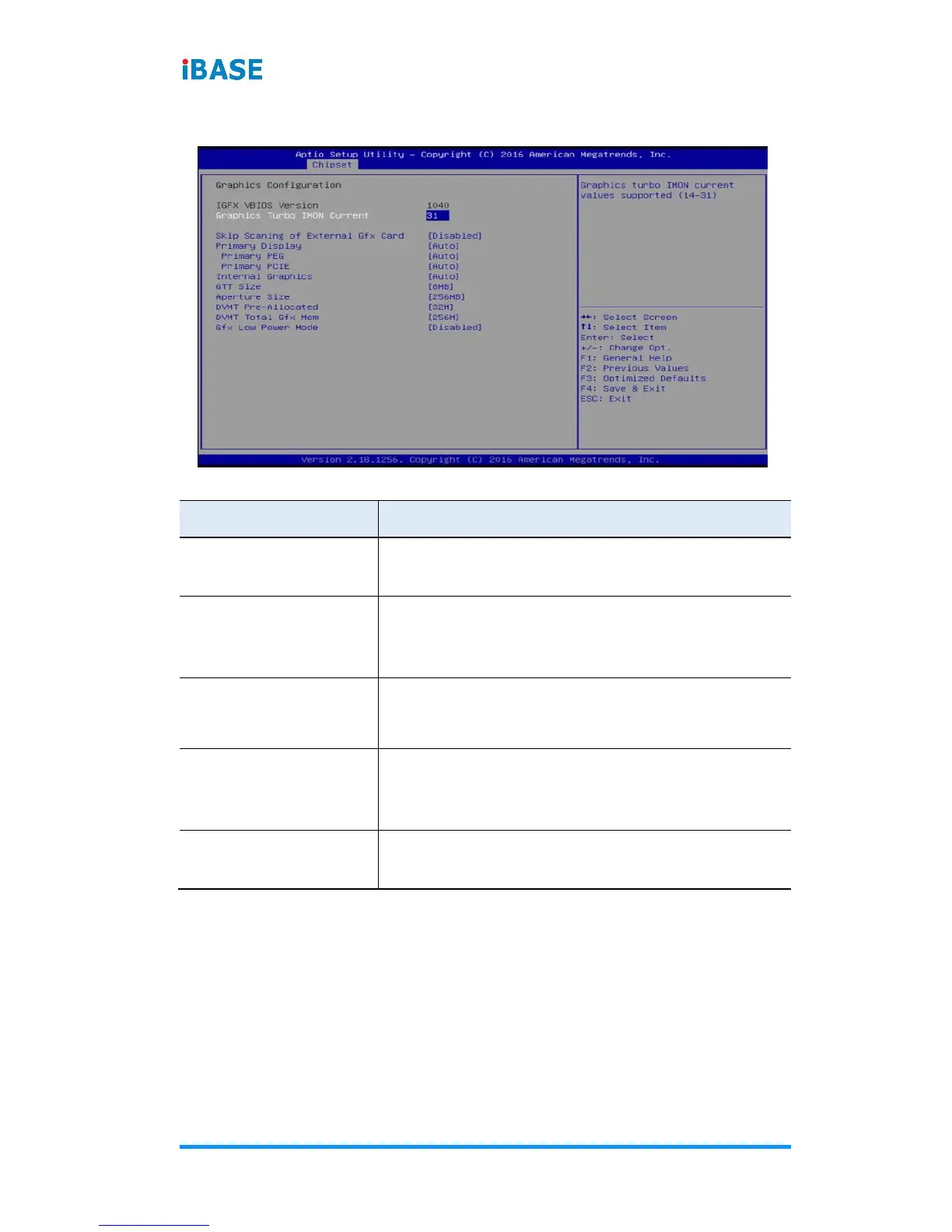
4.5.2 Graphics Configuration
Skip Scanning of
External Gfx Card
If enabled, it will not scan for external Gfx
Card on PEG and PCH PCIE ports.
Selects which of IGFX/PEG/PCI graphics
device should be primary display, or selects
SG for switchable Gfx.
Selects PEGO/PEG1/PEG2/PEG3 Graphics
device should be Primary PEG.
Selects PCIE0 / PCIE1 / PCIE2 / PCIE3 /
PCIE4 / PCIE5 / PCIE6 / PCIE7 Graphics
device should be primary PCIE.
Keeps IGD enabled based on the setup
options.


 To Next Page