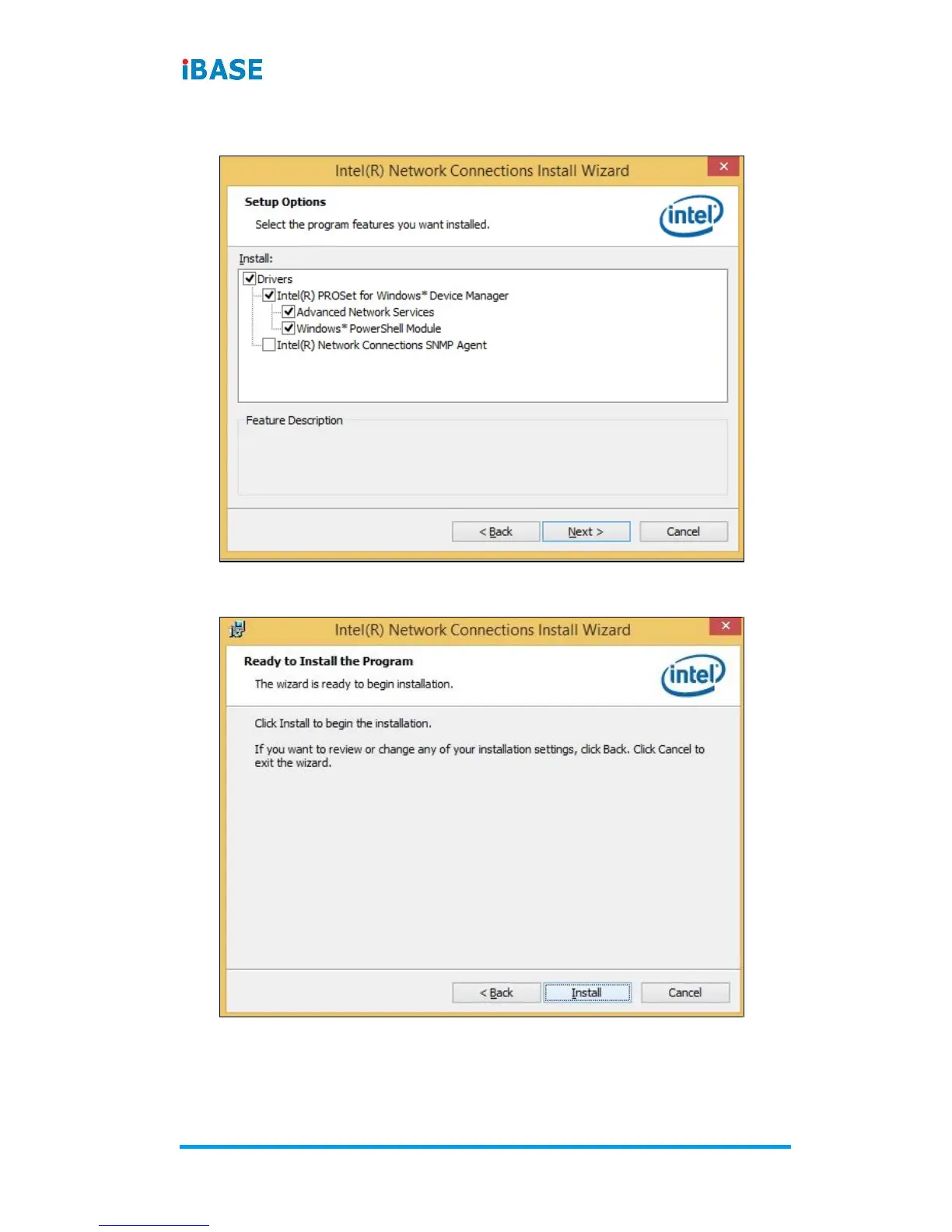
6. On the Setup Options screen, click the checkbox to select the
desired driver(s) for installation. Then click Next to continue.
7. The wizard is ready for installation. Click Install.
8. As the installation is complete, click Finish. Click Finish to
restart the computer and for changes to take effect.


 To Next Page