21
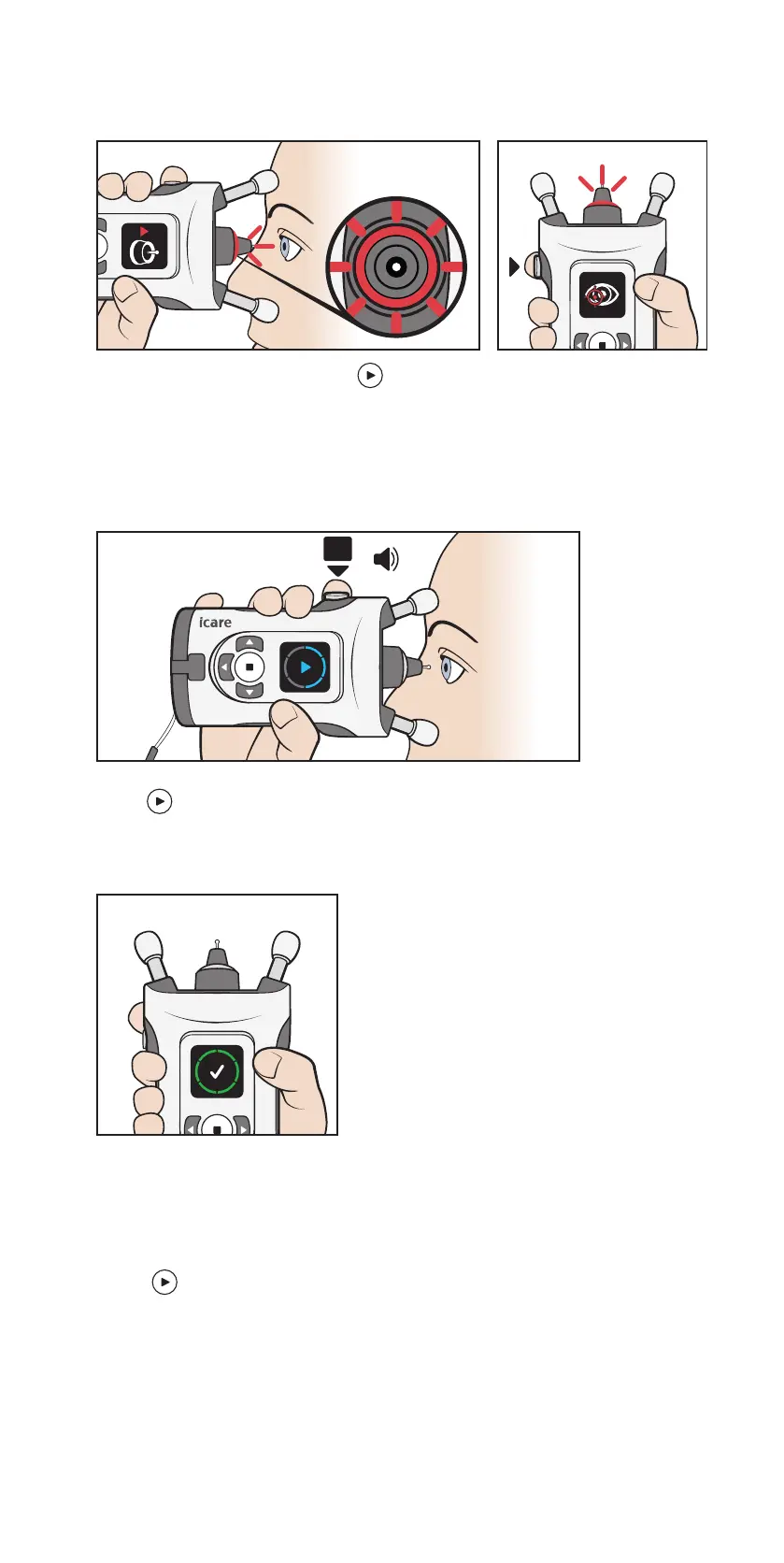
3. If the probe base flashes red and you hear multiple beeps, the
measurement was not successful. The display and sounds indicate
the source of the error.
Look at the display and press to acknowledge the error. Make
the necessary corrections and repeat the measurement. The errors
and corrective actions are explained in chapter “8.7 Errors during the
measurement”.
4. A measurement sequence consists of six measurements.
6x
NOTE! You can also take the measurement sequence by pressing and holding the Measure
button down until all six measurements have been taken.
5. When all six measurements have been successfully taken, you hear
a longer beep. The display shows the measurement quality.
The measurement quality is explained in chapter “8.8 Check the
measurement quality”.
NOTE! If you suspect that the probe missed the center of your eye or contacted your
eyelid, repeat the measurement.
6. Press and repeat the measurement on your other eye, if needed.


 To Next Page