26
PRACTICE
MODE
START
70%
SUCCESSFUL:
7
ERRORS:
3
ERRORS:
1 TOO FAR
1 TOO NEAR
0 ALIGNMENT
1 REPEAT
SETTINGS
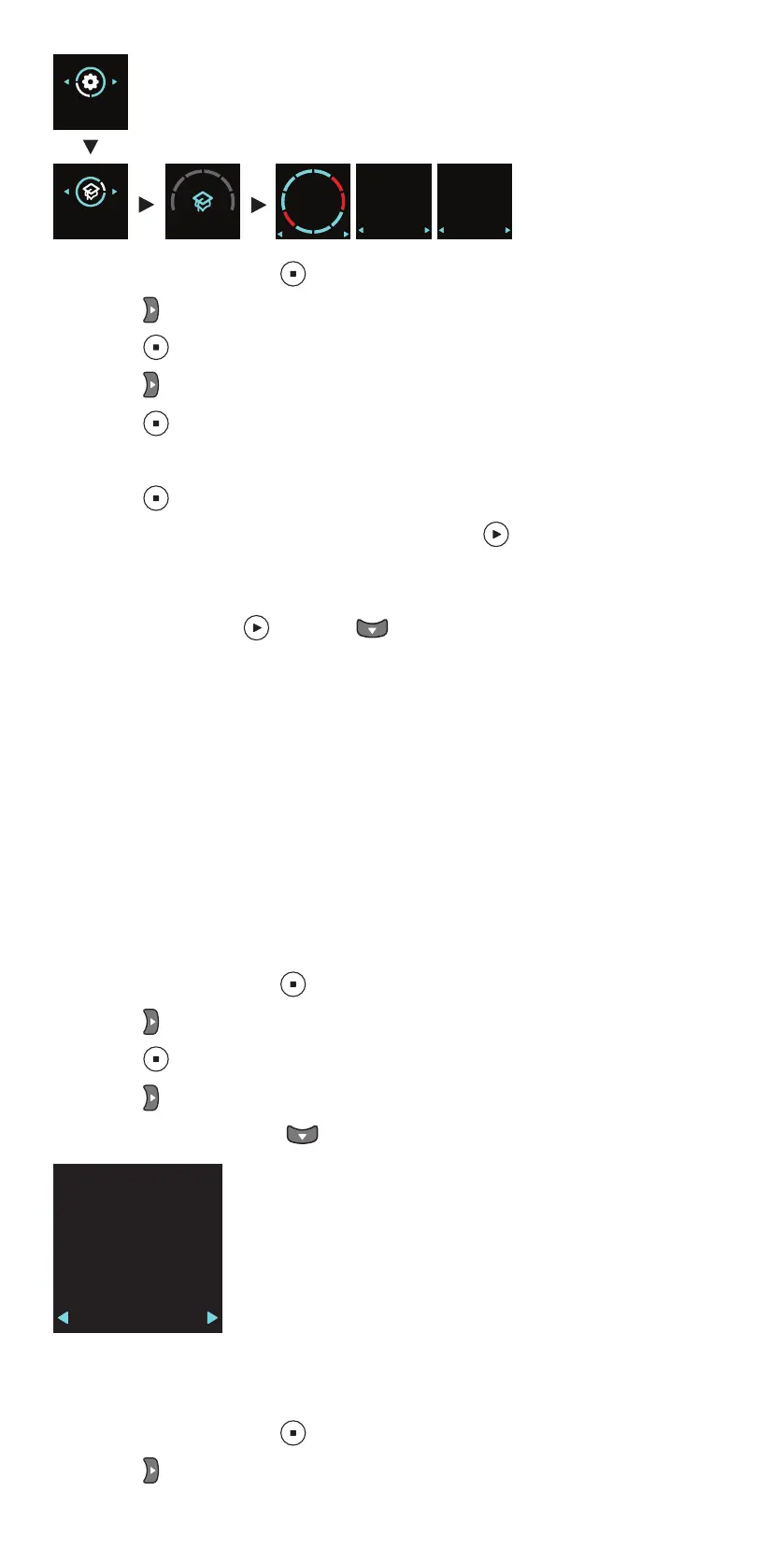
1. Press and hold down to switch on the tonometer.
2. Press until you see SETTINGS on the display.
3. Press .
4. Press until you see PRACTICE MODE on the display.
5. Press .
6. Insert the probe to the tonometer.
7. Press .
8. Adjust the tonometer to your face and press 10 times.
When the tonometer shows your success rate, press the navigation buttons
to see what kind of errors occurred during the practice measurements. To
measure again, press , or press to return to the settings.
10.2 Rental mode
With the iCare CLINIC software, the healthcare professional can set the
tonometer to the rental mode which allows the healthcare professional to
set a rental time for the tonometer. During the rental time, the patient can
take measurements with the tonometer. Once the rental time expires, the
patient can no longer take measurements with the tonometer.
For instructions on setting the rental mode, see the iCare CLINIC, EXPORT
and PATIENT2 Instruction Manual for Healthcare Professionals.
To see when the rental expires:
1. Press and hold down to switch on the tonometer.
2. Press until you see INFO.
3. Press .
4. Press .
5. To exit the view, press .
RENTAL
EXPIRES
dd.mm.yyyy
hr:min
11 Tonometer settings
1. Press and hold down to switch on the tonometer.
2. Press until you see SETTINGS on the display.


 To Next Page