28
11.5 Probe base light settings
1. To change the brightness of the probe base light, press or until you
see LIGHT.
2. Press .
3. Press or until you see the brightness level you want, and press .
11.6 Display brightness settings
1. To change the brightness of the display, press or until you see
BRIGHTNESS.
2. Press .
3. Press or until you see the brightness level you want, and press .
11.7 Tonometer’s serial number and firmware version
1. Press and hold to switch on the tonometer.
2. Press until you see INFO on the display.
3. Press .
4. To exit the view, press .
NOTE! The serial number is also printed on the label at the back of the tonometer.
12 iCare software system
WARNING! When reading the measurement data in a clinic or hospital environment,
make sure the tonometer and the computer or mobile device which are not medical
equipment are located outside of the patient environment, i.e. 1.5 m (5 feet) from the
patient.
The iCare software system consists of the following:
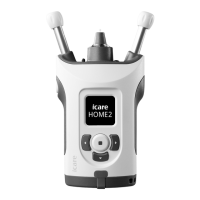
• iCare HOME2 tonometer
• iCare CLINIC, a browser-based software service with which the healthcare
professionals and patients can view the measurement data
• iCare PATIENT2 mobile application with which the patients and healthcare
professionals can view measurement data and transfer it to the iCare
CLINIC cloud service or to the iCare CLOUD
• iCare EXPORT computer software with which the patients and healthcare
professionals can transfer measurement results into the iCare CLINIC
cloud service, iCare CLINIC On-premises or iCare CLOUD
Patients can store their measurement data to a private account in the
iCare CLOUD service, if their tonometer is not registered to a healthcare
professional’s iCare CLINIC account. For information on how to set up a
private account, read the labelling material in the tonometer’s carrying case.
You can transfer data from the tonometer using a USB cable connection or
Bluetooth®.
Note that if you transfer the measurement results using iCare EXPORT, once
you have transferred the results, they will be automatically deleted from the
tonometer’s memory.
For instructions on using the software system, see the iCare CLINIC, EXPORT
and PATIENT Instruction Manual for Healthcare Professionals or the iCare
CLINIC, EXPORT and PATIENT Instruction Manual for Patients.


 To Next Page