32
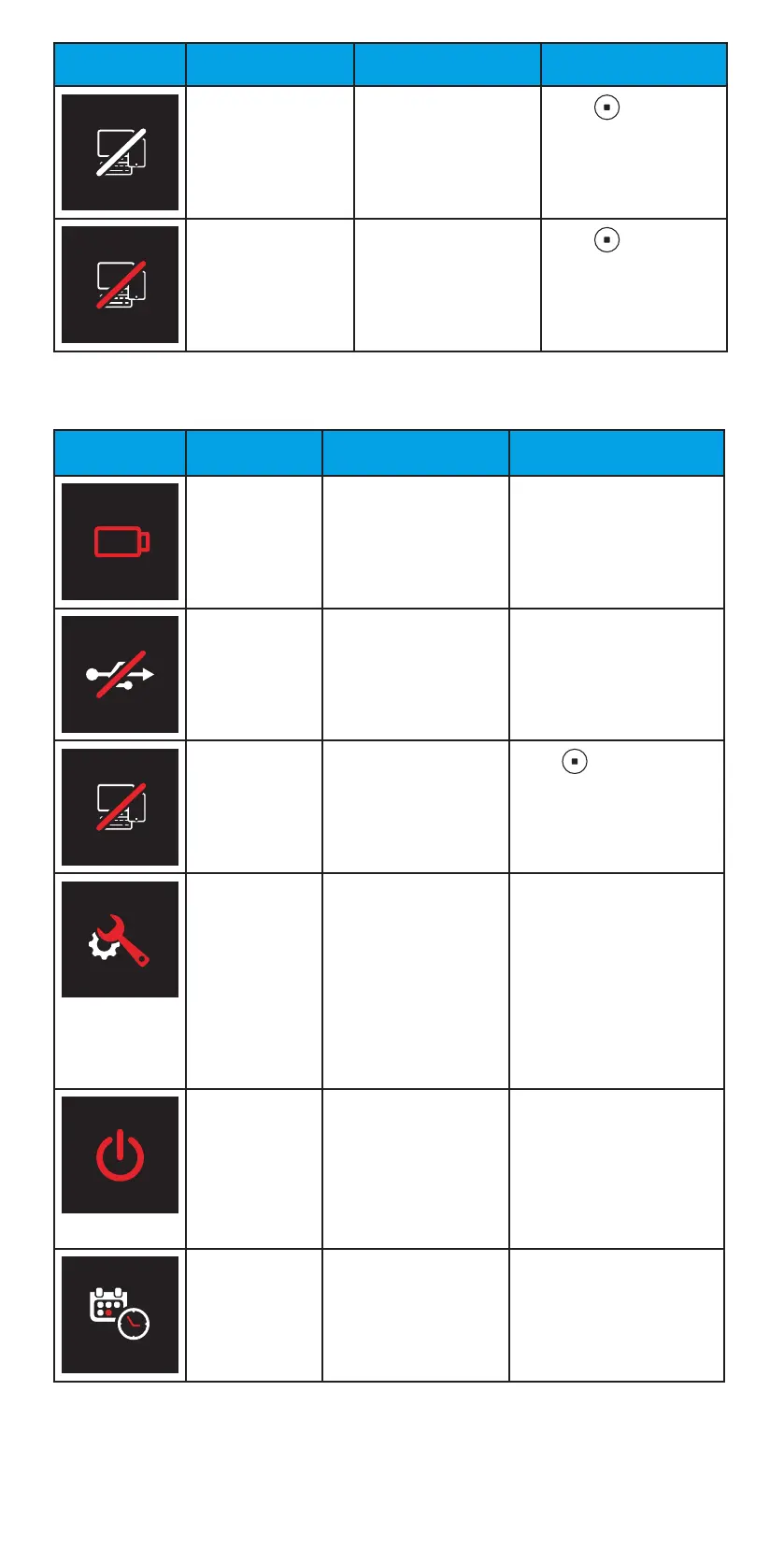
Screen Text Description Actions
PAIRING CANCELLED Pairing stopped.
Press to
acknowledge the
notification, and
repeat the pairing
process from the start,
if needed.
BLUETOOTH ERROR PIN code was
incorrect, or iCare
EXPORT or iCare
PATIENT2 removed the
pairing.
Press to
acknowledge the
notification, and
repeat the pairing
process from the start.
13 Troubleshooting
Screen Text Description Actions
CHANGE Batteries are empty. Insert new batteries.
USB connection error. Remove the USB cable
from the tonometer and
connect it again.
BLUETOOTH
ERROR
PIN code was
incorrect, or iCare
EXPORT or iCare
PATIENT2 removed the
pairing.
Press to acknowledge
the notification, and
repeat the pairing process
from the start.
SERVICE ID Internal error. Write down the service
ID shown on the display.
Switch off the tonometer.
Contact the organization
from which you obtained
the tonometer or Icare
USA to arrange service
for the tonometer. See
chapter “14.4 Return the
tonometer for service or
repair”.
Force shutdown error.
The tonometer displays
the error code (NN) for
3 seconds and shuts
down.
Switch the tonometer
on. If the error occurs
repeatedly, contact
the organization from
which you obtained the
tonometer or Icare USA
to arrange service for the
tonometer.
RENTAL
EXPIRED
Tonometer’s rental
time has expired, and
measuring is disabled.
Return the rented
tonometer to the clinic
or discuss extending your
rental period with the
clinic.


 To Next Page