24
8.8 Check the measurement quality
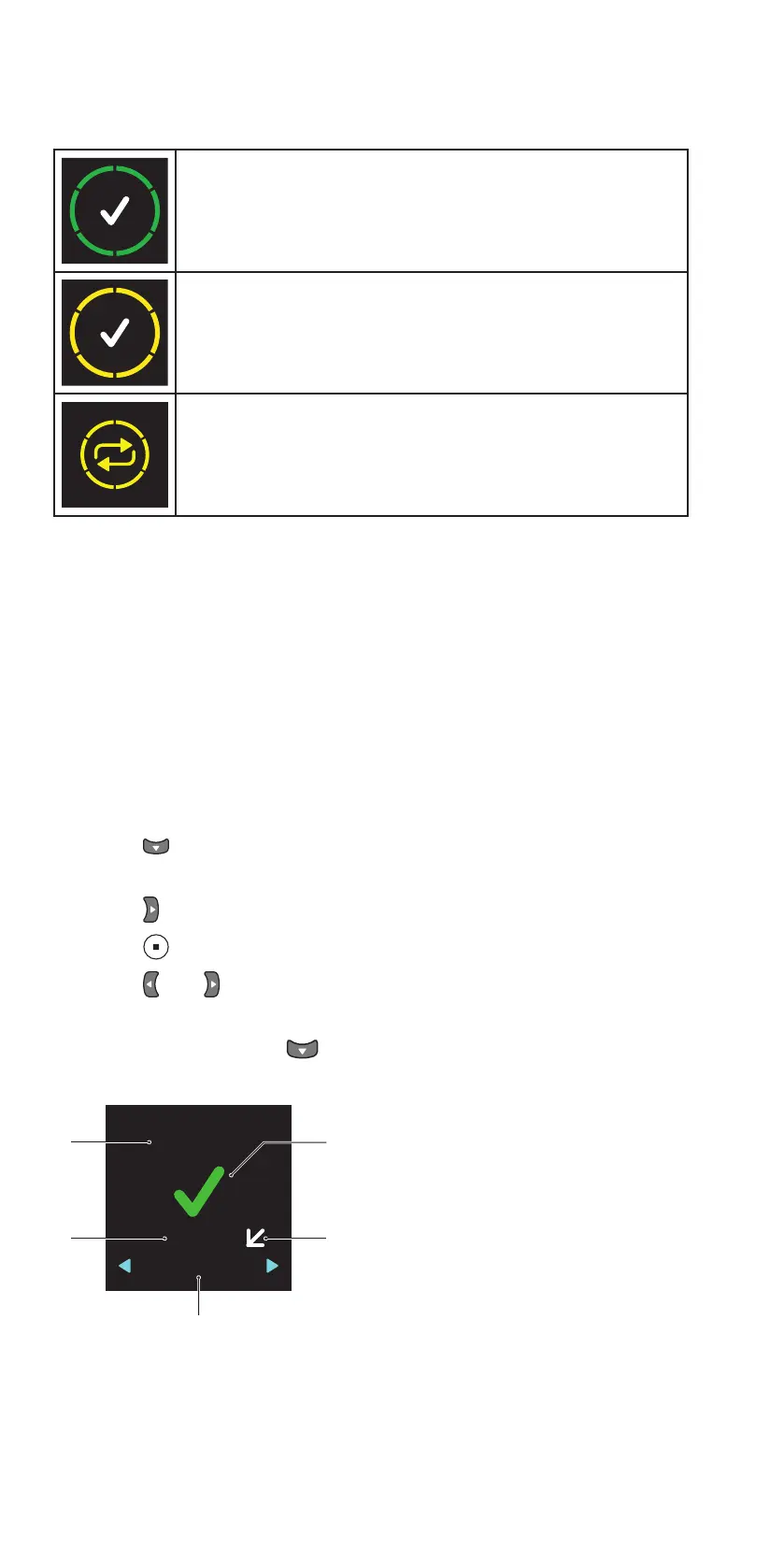
After a successful measurement, the quality of the measurement is shown
on the display. It is indicated with a color:
Green: good measurement quality
Yellow: acceptable measurement quality
The variation between the measurements was too high. Repeat the
measurement.
The tonometer stores the calculated eye pressure reading in mmHg, the
time and date of the measurement, information on which eye was measured
and the quality of the measurement. You can view your eye pressure
readings using a mobile phone or a computer. For more information, see
chapter “12 iCare software system”.
The measurement quality is an indication of how much variation there was
between the six individual measurement results. The measurement quality
indication (green or yellow) is not related to the level of eye pressure
8.9 View information on your previous measurements
1. Press after you have seen the quality of the measurement on the
display..
2. Press until you see HISTORY on the display.
3. Press .
4. Press and to view to view the time and date of the measurement.
The tonometer shows the last 100 measurement results.
5. To exit the view, press .
mmHg
18/09/2017
07:37 AM
3
RIGHT
1
4
5
2
3
1–Date and time of the measurement
2–Measured eye
3–Measurement ordinal
4–Horizontal arrow indicates that you were standing or sitting during the
measurement, diagonal arrow indicates tilted position, and vertical arrow


 To Next Page