38
17.2.1 Minimum computer requirements for iCare EXPORT
• x86 or x64 1 GHz Pentium processor or equivalent
• 512 MB RAM
• 512 MB of hard disk space (in addition, 4.5 GB if .NET not already installed)
• USB 2.0 connection
• 800 x 600 resolution display with 256 colors
• DirectX 9 compatible graphics card
• .NET Framework 4.6.1 or greater
• Operating System: Windows 10
• Internet connection
• Using Bluetooth requires a computer with Windows 10 version 1703 or
newer and Bluetooth BLE card / chip.
17.2.2 Minimum system requirements for iCare PATIENT2
• Android smart phone or tablet with USB OTG support, operating system
v6.0 or newer or iPhone with operating system iOS 12 or newer
• USB OTG C male – C male cable, supplied with the tonometer
• Internet connection
To verify the required USB OTG support in the smart phone or tablet, use the
OTG? application available on Google Play or another application providing
similar functionality.
17.3 IT network specifications
WARNING! Connection of the tonometer to IT networks including other equipment could
result in previously unidentified risks to patients, operators, or third parties.
WARNING! The responsible organization should identify, analyze, evaluate, and control
any additional risks resulting from the tonometer connected to IT networks including
other equipment.
PRECAUTION! Changes to the IT network could introduce new risks requiring additional
analysis by the responsible organization. The changes include:
• changes in the IT network configuration
• connection of additional items to the IT network
• disconnecting items from the IT network
• update or upgrade of equipment connected to the IT network
To transfer the measurement data from the tonometer to a mobile device
or a computer, the tonometer must be connected via Bluetooth or USB.
The mobile device or computer must be connected to the internet or the
hospital’s IT network. The tonometer can be used as a stand-alone without a
Bluetooth or USB connection. The tonometer is designed in such a way that
network failures do not prevent the tonometer from working normally.
17.4 Intended information flow
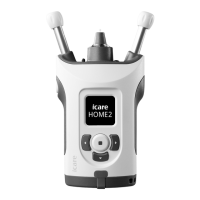
The iCare HOME2 tonometer collects measurement data. This data is sent
via Bluetooth or USB connection to a computer (Bluetooth Low Energy, BLE)
which has the iCare EXPORT software installed or to a mobile device with
the iCare PATIENT2 application installed.
iCare EXPORT or iCare PATIENT2 transfers the data into the iCare CLINIC
software. You can access the data online using the iCare CLINIC software
with a web browser.
17.5 Potential hazardous situations resulting from the
failure of the IT network
If the IT network connection is lost during the data transfer, no data is lost


 To Next Page