Heavy Duty & OBDII Diagnostic Tool HD V3.0
11
to remove it before plugging DLC. If it cannot be found, refer to the
vehicle‟s service manual for the location.
2. Connect the data link connector to the interface of the data link
connector of the heavy duty.
4 Connections & General Operations
4.1 Connections
1. Turn the ignition off.
2. Locate the heavy duty vehicle‟s DLC.
3. Select the desired diagnostic adaptor according to your vehicle‟s DLC.
4. Plug one end of 6pin or 9pin DLC diagnostic adaptor into the included
OBD II 16pin connector, and connect the other end to the heavy duty
truck‟s DLC.
5. Turn the ignition on. Engine can be off or running.
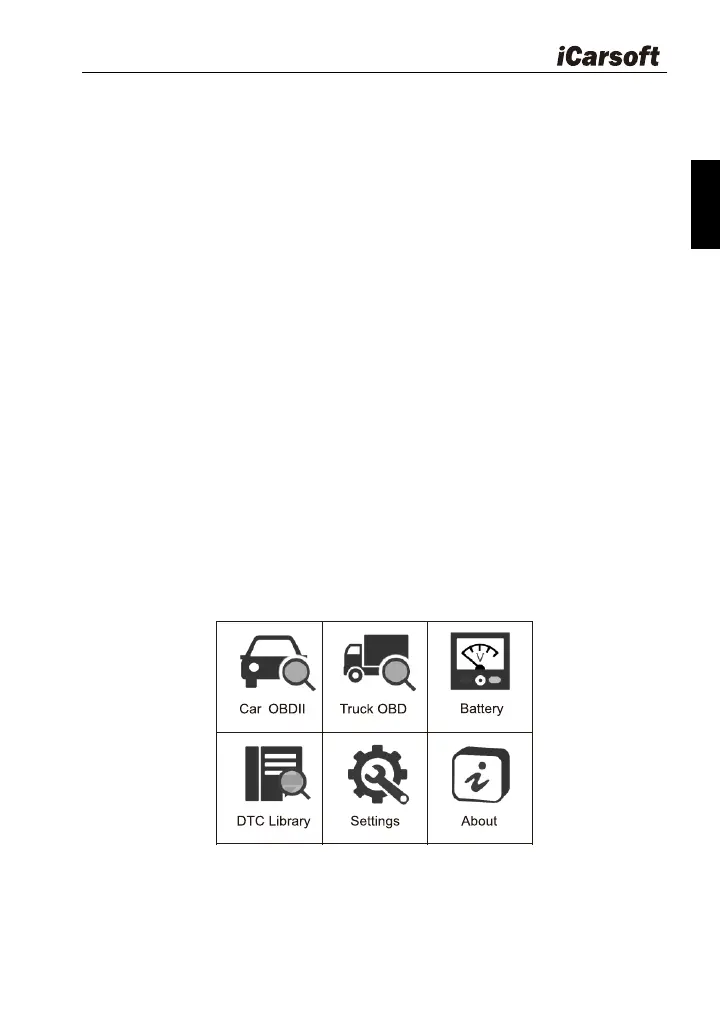
6. After finishing, the system will enter the main menu interface, as shown
in Figure 4-1.
Figure 4-1
The following table briefly describes the functions of the main menu of
the diagnostic tool.








 To Next Page