7
MENU MODE
7-9
D
DATA DEVICE SET
(May not be displayed, depending on the
transceiver’s presettings.)
BT CI-V
Select whether or not to send back the serial data
received from the Bluetooth
®
SPP (Serial Port Prole)
on a connected device when sending or receiving a
CI-V command.
• ECHO BACK
OFF: The serial data will not be
send back.
• ECHO BACK
ON: The serial data will be sent
back.
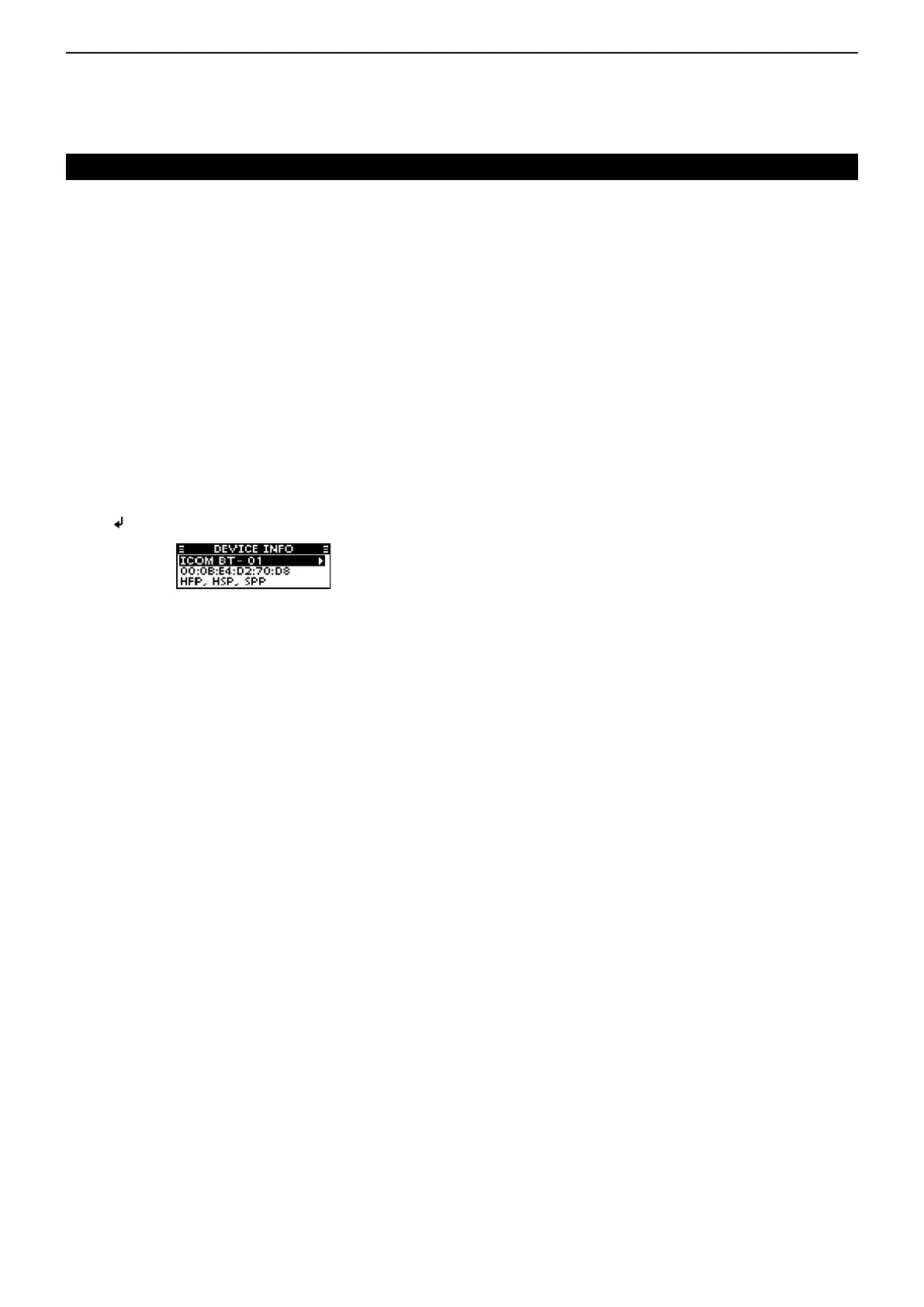
D DEVICE INFO
Displays the information of the UT-133A Bluetooth
®
unit.
You can edit the unit’s name.
•
Push
[ ]/[MHz]/[GRP] to edit the unit’s name.
D
DEVICE INITIALIZE
(May not be displayed, depending on the
transceiver’s presettings.)
Initialize the UT-133A Bluetooth
®
unit, and then reboot
the transceiver.
■ INFORMATION
D
VERSION
Displays your transceiver’s rmware version number.
SETTINGS group (Continued)


 To Next Page