EasyManua.ls Logo

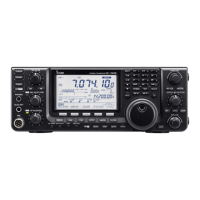
Icom I706MKTMG - User Manual

Icom I706MKTMG
75 pages
Print Icon
To Next Page IconTo Next Page
Loading...
INSTRUCTION MANUAL
i706MK™G
HF/VHF/UHF ALL MODE TRANSCEIVER
This device complies with Part 15 of the FCC rules. Operation is sub-
ject to the following two conditions: (1) This device may not cause
harmful interference, and (2) this device must accept any interference
received, including interference that may cause undesired operation.

Table of Contents

Questions and Answers

  • J
    Jessica McdonaldAug 19, 2025
    What to do if Icom I706MKTMG displayed frequency does not change properly?
    • E
      Evan BoltonAug 19, 2025
      If the displayed frequency on your Icom Transceiver isn't changing properly, it could be due to the dial lock function being activated; deactivate it by pushing [LOCK]. Alternatively, the internal CPU may have malfunctioned; in this case, reset the CPU by pushing [UP] and [DN] while turning the power ON.
  • G
    Gina PetersonAug 21, 2025
    What to do if Icom I706MKTMG Transceiver power does not come on?
    • R
      Roger JohnsonAug 21, 2025
      If your Icom Transceiver isn't powering on, several factors could be at play. First, ensure the DC power cable is correctly connected. A blown fuse could also be the culprit; check and replace it if necessary, noting there are fuses in both the DC power cable and the PA unit. Lastly, if you're using a 12V battery, verify that it isn't exhausted by checking its voltage with the power switch pushed in.
  • P
    Patricia MoonAug 23, 2025
    Why is there no sound from my Icom Transceiver speaker?
    • Z
      zhansenAug 23, 2025
      If you're not getting any sound from your Icom Transceiver speaker, there are several things to check: * Ensure the volume isn't set too low by rotating the [AF] control clockwise. * Make sure the squelch isn't closed by rotating the [SQL] control counterclockwise. * Verify the transceiver isn't stuck in transmitting mode by releasing [PTT] or checking the SEND line of any connected external units. * Check the connections of any external speakers or headphones. * If using an optional SP-20 EXTERNAL SPEAKER, check the speaker ON/OFF or A/B switch.
  • L
    lejohnAug 26, 2025
    How to fix low output power on Icom Transceiver?
    • J
      james70Aug 27, 2025
      If the output power of your Icom Transceiver is too low, consider these potential causes: The power may be set lower than the maximum; adjust the output power in quick set mode. The microphone gain might be set too low; increase it to a suitable level using quick set mode. Also, check the antenna connection, feed line condition, and ensure you've selected an antenna appropriate for your operating frequency. Finally, if you have an optional antenna tuner connected, try manually tuning the antenna by pushing [TUNE].
  • O
    oharmonAug 28, 2025
    Why is the sensitivity low on my Icom I706MKTMG Transceiver?
    • D
      Dawn SmithAug 28, 2025
      Low sensitivity on your Icom Transceiver could stem from several issues. Ensure the antenna is properly connected to the antenna connector. Inspect the antenna feed line for cuts or shorts and correct any issues. Verify that you've selected an antenna suitable for the operating frequency. Try manually tuning the antenna by pushing [TUNE]. Finally, check if the attenuator function is activated and, if so, turn it OFF by pushing [ATT].
  • C
    Chase GeorgeAug 30, 2025
    Why can't I access a repeater with my Icom I706MKTMG?
    • M
      Michael SheppardAug 30, 2025
      If you're having trouble accessing a repeater with your Icom Transceiver, there are a few things to check. First, ensure the split function is activated by pushing [DUP] to turn it ON. Verify that you have set the correct transmit frequency into VFO A and B or into one of the memory channels. If the repeater requires a subaudible tone, use [TON] to select FM-T. Also, confirm that the programmed subaudible tone frequency is correct by adjusting it using quick set mode.
  • K
    Kevin MartinSep 1, 2025
    What to do if Icom I706MKTMG Transceiver receive signal is distorted with strong signals?
    • C
      Cody JohnsonSep 1, 2025
      If you're experiencing distortion of the received signal with strong signals on your Icom Transceiver, try turning OFF the noise blanker function by pushing [NB]. Also, try turning OFF the preamp by pushing [P.AMP].
  • Y
    yrossSep 3, 2025
    Why are my transmitted signals distorted on my Icom I706MKTMG Transceiver?
    • B
      Brian TurnerSep 3, 2025
      Distorted transmitted signals from your Icom Transceiver may be due to a microphone gain that is set too high; adjust the gain in quick set mode. If the speech compressor is ON, the [COMP LEVEL] may be rotated too far clockwise; set it to a more suitable position.
  • W
    Wesley CrawfordSep 5, 2025
    Why is the receive audio distorted on my Icom Transceiver?
    • S
      Steven McguireSep 5, 2025
      If the receive audio on your Icom Transceiver is distorted, ensure that you have selected a suitable operating mode. Also, check that the [SHIFT] control is set to the center position.
  • C
    Charles JamesSep 7, 2025
    Why can't I contact other stations with my Icom I706MKTMG Transceiver?
    • G
      gmoralesSep 8, 2025
      If you're unable to make contact with other stations using your Icom Transceiver, check if the RIT function is activated and, if so, turn it OFF by pushing RIT. Also, ensure the Split function is deactivated by pushing [SPLIT].

Summary

Important Precautions and Definitions

General Precautions

Safety and operational warnings for using the transceiver, including power, environment, and usage.

Panel Description

Front Panel Controls Overview

Detailed description of the transceiver's front panel buttons, knobs, and display.

Function Switch Groups

Explanation of M1, M2, M3, and M4 function switch groups and their capabilities.

Mode-Specific Function Switches

Details on function switches for VOX, AGC, Filters, Noise Blanker, and DSP.

Rear and Side Panel Connectors

Detailed description of all rear and side panel connection ports.

Function Display Indicators

Explanation of various indicators on the transceiver's function display.

Microphone (HM-103) Description

Description of the HM-103 microphone controls and technical information.

Installation and Connections

Unpacking, Grounding, and Antenna

Initial setup steps including unpacking, grounding, and antenna connection.

Installation Methods

Guidance on single body mounting, using the stand, and separating the front panel.

Required Connections

Diagram showing essential connections for basic operation.

Advanced Connection Options

Connecting various accessories like headphones, speakers, and optional units.

Power Supply Connections

Instructions for connecting Icom and non-Icom power supplies, and vehicle batteries.

External Tuner and Amplifier Connections

Wiring diagrams for connecting automatic antenna tuners and linear amplifiers.

Frequency Setting

Initial Power-On and Reset

Procedure for initial power-up, CPU reset, and initial settings.

VFO and Memory Mode Operation

Explanation of VFO and Memory modes and their differences.

Receive and Transmit Functions

Optional Filter Selection

Guide to selecting and installing optional IF filters for improved selectivity.

DSP Functions

Using Automatic Notch Filter (ANF) and Noise Reduction (NR) for signal clarity.

Transmit Power and Microphone Gain

Adjusting output power, microphone gain, and using the meter function.

AT-180 Automatic Antenna Tuner Operation

Instructions for operating the AT-180 tuner, including manual tuning and features.

AH-4 Automatic Antenna Tuner Operation

Instructions for operating the AH-4 tuner, including tuning and PTT tune function.

Split Frequency and Repeater Operations

Setting up split frequency and repeater operations, including quick split.

CW Operations

Setting up CW mode, connections, break-in, and pitch control.

Memory and Scan Operation

Set Mode

Set Mode Operation Overview

Introduction to Quick Set Mode and Initial Set Mode for configuration.

Maintenance

Troubleshooting

Power Supply Issues

Solutions for problems related to power supply and no sound from speaker.

Receive Issues

Troubleshooting steps for low sensitivity and distorted receive audio.

Transmit Issues

Solutions for transmitting problems, low output power, and no contact.

Display and Scan Issues

Troubleshooting for display problems and scan operation errors.

Optional Installations and Settings

Specifications

Icom I706MKTMG Specifications

General IconGeneral
BrandIcom
ModelI706MKTMG
CategoryTransceiver
LanguageEnglish

Related product manuals