EasyManua.ls Logo

Icom ID-1 - User Manual

Icom ID-1
124 pages
Print Icon
To Next Page IconTo Next Page
Loading...
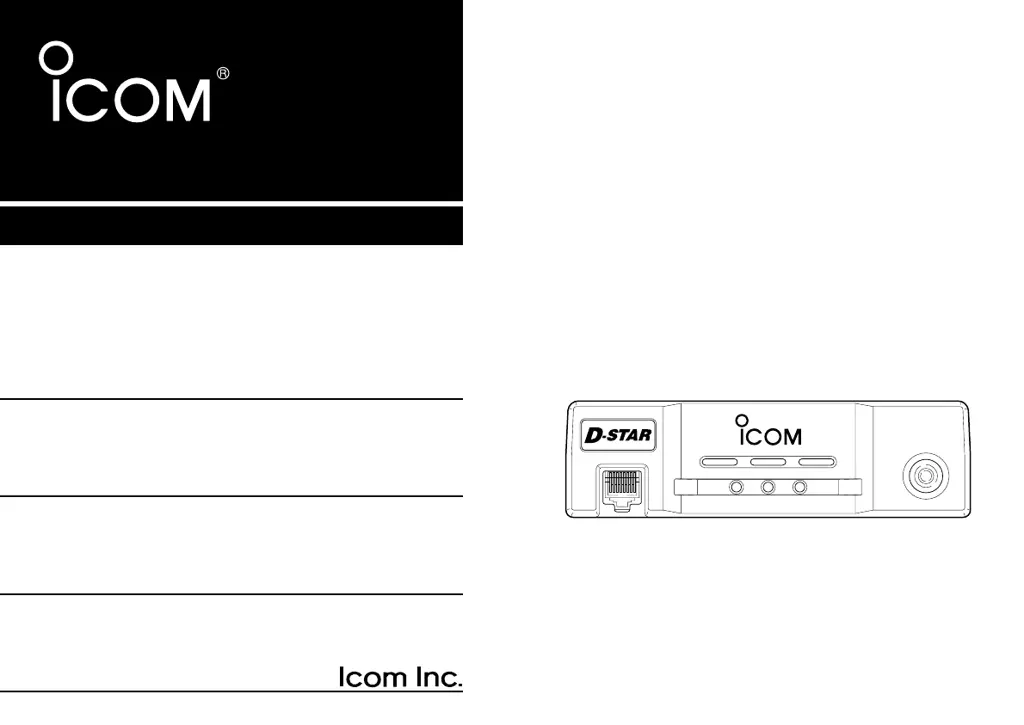
INSTRUCTION MANUAL
ID-1
DIGITAL TRANSCEIVER
MIC
TD/RD PWR TX/RX
POWER
TRANSCEIVER
ID-1
DIGITAL
New2001
ID-1_ENG_2.qxd 04.9.22 9:29 Page 1 (1,1)

Table of Contents

Other manuals for Icom ID-1

Questions and Answers

  • M
    Michael LangAug 20, 2025
    How to fix frequency setting issues on Icom ID-1?
    • F
      Felicia HancockAug 20, 2025
      If the frequency cannot be set on your Icom Transceiver, the frequency lock function might be activated; turn the function OFF. Alternatively, priority watch might be paused on the watching frequency; cancel the watch.
  • T
    Tracy HughesAug 21, 2025
    What to do if the antenna feedline or connector has a poor contact in my Icom ID-1?
    • L
      lisajohnsonAug 22, 2025
      If the antenna feedline or the antenna connector of your Icom Transceiver has a poor contact or is short-circuited, check it. If necessary, replace the feedline or re-solder the antenna connector.
  • D
    Drew MartinezAug 25, 2025
    What to do if the Ethernet cable has a poor connection with my Icom ID-1 Transceiver?
    • W
      William WilsonAug 25, 2025
      If the Ethernet cable has a poor connection on your Icom Transceiver, try re-connecting the Ethernet cable. If that doesn't work, replace the Ethernet cable.
  • C
    Christine ThorntonAug 26, 2025
    How to deactivate the squelch attenuator function on my Icom Transceiver?
    • L
      leehollowayAug 26, 2025
      If the squelch attenuator function is activated on your Icom Transceiver, set the squelch between the 10–12 o’clock position (application) or level 12 to 19 (RC-24).
  • D
    Dana BurnsAug 28, 2025
    What to do if another station is using tone squelch with my Icom ID-1?
    • C
      Cheryl GarciaAug 28, 2025
      If the other station is using tone squelch and you are having trouble with your Icom Transceiver, turn the tone squelch function ON.
  • N
    Nancy PatrickAug 30, 2025
    What to do if priority watch is paused on the watching frequency on my Icom ID-1?
    • M
      Melanie PowellAug 30, 2025
      If the priority watch is paused on the watching frequency on your Icom Transceiver, cancel the watch.
  • C
    Carrie BrownAug 31, 2025
    What to do if my Icom ID-1 Transceiver does not turn on?
    • J
      Joseph SmithSep 1, 2025
      If your Icom Transceiver does not turn on, there might be several reasons. First, check the power connector pins for poor contact. Then, ensure the power cable is connected with the correct polarity. Finally, inspect the fuse and replace it if it's damaged. If the fuse is damaged, check the cause before replacing it.
  • M
    mholmesSep 3, 2025
    Why is there no sound coming from the Icom Transceiver speaker?
    • C
      Crystal JacksonSep 3, 2025
      If no sound is coming from the speaker of your Icom Transceiver, first, ensure that the volume isn't set too low and adjust it to a suitable level. Also, check the squelch level, as it might be set too high; adjust it to the threshold. Finally, verify that selective call or squelch functions, like pocket beep or tone squelch, are turned OFF.
  • D
    Dr. Vincent CollinsSep 5, 2025
    How to improve the Icom ID-1 Transceiver sensitivity if only strong signals are audible?
    • K
      kennethhudsonSep 5, 2025
      If the sensitivity of your Icom Transceiver is low, and only strong signals are audible, the antenna feedline or connector may have poor contact or be short-circuited. Check the feedline and, if necessary, replace it or resolder the antenna connector. Also, the squelch attenuator function might be activated. Adjust the squelch between the 10–12 o’clock position or level 12 to 19, depending on your device.
  • L
    Laura DavisSep 7, 2025
    Why does scan not operate on my Icom Transceiver?
    • S
      sandraharrisonSep 7, 2025
      If the scan function does not operate on your Icom Transceiver, ensure the squelch is set to the threshold point, not open. Also, program more memory channels, or cancel the memory skip function in the desired channels. Finally, cancel priority watch, if it is activated.

Summary

FOREWORD

IMPORTANT SAFETY & DEFINITIONS

Explicit Definitions

Provides definitions for terms used in the manual.

PRECAUTION

Critical Safety Warnings

Essential warnings for safe operation, covering RF exposure, electrical hazards, and environmental factors.

SUPPLIED ACCESSORIES

Device Panel Overview

Front Panel Controls

Identification and function of the transceiver's front panel components.

Rear Panel Connections

Identification and function of the transceiver's rear panel ports and connectors.

Microphone Controls

Description of the PTT switch, UP/DOWN switches, and lock switch on the microphone.

PC Application Interface

Overview of the PC control application's main screen, menus, and toolbars.

RC-24 Remote Controller Details

Details on using the RC-24's display, keypad, and buttons for transceiver control.

Function Display Indicators

Explanation of the various indicators displayed on the transceiver's function display.

Installation and Connections Guide

Unpacking and Location Setup

Procedure for unpacking the transceiver and selecting an appropriate operating location.

Antenna and Power Connections

Instructions for connecting the antenna and power supply to the transceiver.

Microphone and Speaker Connections

Connecting the microphone and external speaker to the transceiver.

PC Connection Guide

Steps for establishing USB and Ethernet connections between the transceiver and a PC.

Driver Installation Procedures

Windows XP Driver Installation

Step-by-step guide for installing drivers on Windows XP.

Windows 98;Me Driver Installation

Guide for installing drivers on Windows 98 and Windows Me.

Windows 2000 Driver Installation

Instructions for installing drivers on the Windows 2000 operating system.

COM Port Verification

Verifying the driver installation and identifying the assigned COM port number.

Application Software Installation

Basic Operation Guide

Initial Setup and Power Control

Preparing the transceiver, controlling power ON/OFF, and configuring COM port settings.

Squelch, Audio, and Mode Settings

Adjusting squelch, audio levels, and selecting operating modes (FM, DV, DD).

Frequency Setting and Tuning Methods

Methods for setting frequency, including tuning dials, keypads, and direct input.

Tuning Step and Lock Function

Selecting tuning step increments and enabling the RC-24 lock function.

Operating Mode Selection

Selecting between FM, Digital Voice (DV), and Data (DD) operating modes.

Call Sign Configuration

Personal Call Sign Setup

Programming your call sign for Digital voice and data communications.

Station;Repeater Call Sign Setup

Setting call signs for specific stations and repeaters for digital communications.

Transmit and Receive: Voice Operations

FM Mode Operation

Procedures for transmitting and receiving voice communications in FM mode.

Digital Voice Mode Operation

Procedures for transmitting and receiving voice communications in Digital voice mode.

Digital Call Handling and Records

Managing received digital calls, call records, and automatic indications.

Short Message Function

Sending and receiving short text messages during Digital voice operation.

Monitor Function and Mode Selection

Using the monitor function and selecting monitoring modes (DIGITAL/ANALOG).

Repeater Operation: Voice

D-STAR System Overview

Overview of the D-STAR system, its features, and operational concepts.

General Repeater Operation

Basic principles of repeater operation and a step-by-step setup flowchart.

Accessing FM and Digital Repeaters

Procedures for accessing FM and Digital repeaters, including settings and call signs.

Repeater Tone and Offset Frequency

Configuring repeater tone frequencies and offset frequencies for repeater operation.

Data Operation Guide

General Data Communication

Overview of data communication, wireless LAN, and internet access features.

Data Operation Precautions

Important warnings and precautions for data transmission and file handling.

Internet Access Setup

Steps for configuring and accessing the internet via the transceiver's data mode.

Data Transferring

Procedure for transferring files between PCs using the transceiver's data capabilities.

Low-Speed Data Communication

Using the transceiver for low-speed data communication, enabling simultaneous voice and data.

Memory and Call Operation

Memory and Call Channel Overview

Description of memory channels, call channels, and their programming capabilities.

Memory and Call Channel Selection

Methods for selecting memory and call channels using the application or RC-24.

Programming Memory and Call Channels

Steps for programming frequencies, modes, and other data into memory and call channels.

Copying Memory Contents

Copying memory channel contents to VFO or other memory/call channels.

Memory Clearing

Methods for clearing programmed memory channel contents.

Programming Memory Names

Programming alphanumeric names for memory channels for easier identification.

Memory Name Display

Displaying programmed memory names instead of frequencies during memory mode.

Scan Operation Guide

Scan Types Overview

Overview of Programmed Scan, Mode Select Scan, and Memory Scan.

Scan Start and Stop

Procedures for initiating and terminating scan operations.

Programming Scan Edge Channels

Setting scan edge frequencies (PA/PB) within memory channels.

Skip Channel Setting

Setting memory channels to be skipped during scanning operations.

Scan Resume Condition

Selecting scan resume conditions like timer scans or pause scan.

Priority Watch Guide

Priority Watch Types

Description of Memory Channel Watch and Call Channel Watch.

Priority Watch Operation

Procedures for operating priority watch from the application or RC-24.

Pocket Beep, Tone, and Digital Squelch

Pocket Beep Operation

Using pocket beep for alerts and as a pager in FM and Digital voice modes.

Squelch Configuration

Configuring squelch functions based on tone, digital code, or call sign.

Other Functions

Set Mode Operation

Accessing and adjusting various transceiver settings via Set Mode.

Digital and Repeater Settings

Configuring Digital Code, Monitor, Repeater Tone, and CTCSS Tone.

Scan, Standby, and Auto Settings

Settings for scan resume, standby beep, auto reply, and auto received call registration.

Display and Beep Control

Configuring Auto RxCall Disp, Auto MyCall Disp, and Key touch beep settings.

Data Tx and Digital Repeater Settings

Settings for DV Data Tx and Digital repeater call sign configuration.

Message, Dimmer, and Fan Control

Settings for auto message indication, LCD dimmer, and cooling fan control.

Auto Repeater and Lock Function

Configuring the auto repeater function and RC-24 lock function.

EMR Mode Operation

Operating the transceiver in EMR mode for specific Digital voice reception.

Break-in Communication

Using the break-in function for communications in Digital voice and data modes.

S-meter Squelch and AFC Function

Adjusting squelch using S-meter and enabling AFC for frequency tuning.

CPU Reset

Steps for resetting the transceiver's CPU and initializing all settings.

Maintenance Guide

Troubleshooting Common Issues

Common problems, their causes, solutions, and reference page numbers for troubleshooting.

Fuse Replacement

Instructions for identifying and replacing a blown fuse in the transceiver.

Specifications and Options

Transceiver Specifications

Technical specifications for the transceiver, including general, transmitter, and receiver parameters.

Options and System Requirements

List of optional accessories and system requirements for software operation.

Icom ID-1 Specifications

General IconGeneral
BrandIcom
ModelID-1
CategoryTransceiver
LanguageEnglish

Related product manuals