EasyManua.ls Logo

Icom ID-800H - User Manual

Icom ID-800H
144 pages
Print Icon
To Next Page IconTo Next Page
Loading...
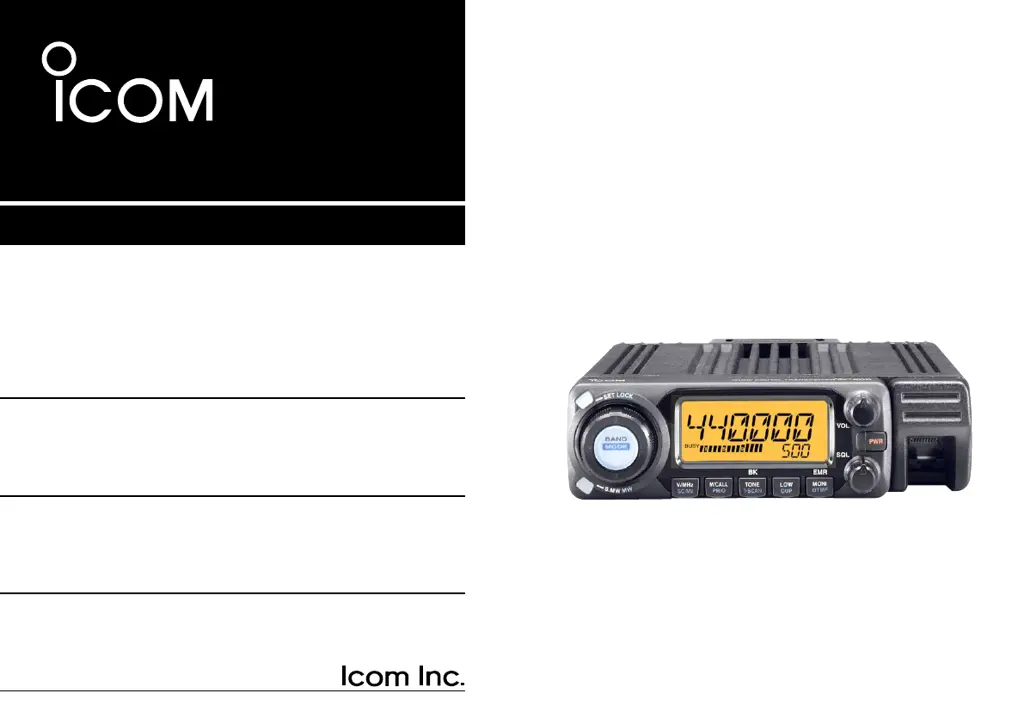
INSTRUCTION MANUAL
ID-800H
VHF/UHF DIGITAL TRANSCEIVER
This device complies with Part 15 of the FCC rules. Operation is sub-
ject to the following two conditions: (1) This device may not cause
harmful interference, and (2) this device must accept any interference
received, including interference that may cause undesired operation.
ID-800H_1.qxd 2007.06.14 3:08 PM Page a

Table of Contents

Other manuals for Icom ID-800H

Questions and Answers

  • A
    Amy RivasAug 13, 2025
    Why does my Icom ID-800H not turn on?
    • J
      Jeffrey BrewerAug 14, 2025
      Your Icom Transceiver might not be turning on due to several reasons. It could be a poor contact in the power connector, in which case you should check the connector pins. Another cause might be reversed polarity of the power connection; ensure you re-connect the power cable with the correct polarity. A blown fuse could also be the culprit; replace the fuse if it's damaged. Check the possible cause, and then replace the fuse.
  • K
    Kayla KleinAug 17, 2025
    Why is there no sound coming from the speaker of my Icom ID-800H?
    • R
      Richard HaleAug 17, 2025
      If no sound is coming from your Icom Transceiver's speaker, here are some possible reasons: * The volume may be too low. Rotate the [VOL] knob clockwise to increase it. * The audio mute function might be activated. Push any switch or key to deactivate it. * The squelch might be set too high. Adjust the squelch level to the threshold. * A selective call or squelch function, like pocket beep or tone squelch, could be active. Turn the appropriate function OFF.
  • T
    tylerhernandezAug 20, 2025
    What to do if the transmission is automatically cut off on my Icom ID-800H?
    • Y
      Yolanda KingAug 21, 2025
      If the transmission on your Icom Transceiver is automatically cut off, it's likely that the time-out timer is activated. To resolve this, set the timer to OFF.
  • P
    Pamela KennedyAug 25, 2025
    Why is the sensitivity low on my Icom ID-800H Transceiver and only strong signals are audible?
    • M
      Michelle GonzalezAug 25, 2025
      If your Icom Transceiver has low sensitivity and you can only hear strong signals, it could be due to a poor contact or short circuit in the antenna feedline or connector. Check and replace the feedline if necessary, or resolder the antenna connector. Alternatively, the squelch attenuator function may be activated. Set [SQL] between the 10–12 o’clock position.
  • B
    Brenda MccormickAug 28, 2025
    What to do if transmission continues even when the PTT is released on my Icom ID-800H Transceiver?
    • R
      Robert HerreraAug 28, 2025
      If the transmission continues even after releasing the PTT button on your Icom Transceiver, the one-touch PTT function is likely activated. Turn this function OFF to resolve the issue.
  • E
    eric00Sep 1, 2025
    How to fix no contact possible with another station on Icom ID-800H Transceiver?
    • S
      Stephanie StewartSep 1, 2025
      If you cannot contact another station using your Icom Transceiver, it may be because the other station is using tone squelch. Try turning the tone squelch function ON. Also, check if your transceiver is set to duplex; if so, set it to simplex.
  • O
    Olivia MorganSep 4, 2025
    Why does scan not operate on my Icom ID-800H Transceiver?
    • S
      shortbrittneySep 5, 2025
      If the scan function is not working on your Icom Transceiver, it could be due to the squelch being open. Set the squelch to the threshold point. Another reason could be that only 1 memory channel is programmed, or other channels are set as skip channels. Program other memory channels or cancel the memory skip function in the desired channels. Also, check if priority watch is activated and cancel the watch if it is.
  • D
    Debra SingletonSep 8, 2025
    What to do if some memory channels cannot be selected via [DIAL] on my Icom Transceiver?
    • T
      Tasha ReyesSep 8, 2025
      If some memory channels cannot be selected via [DIAL] on your Icom Transceiver, the memory channel number may not have been programmed yet. Select the channel via the microphone keypad to check whether the channel has been programmed or not.

Summary

PRECAUTIONS

OPERATING PRECAUTIONS

Details critical safety precautions for operating the transceiver.

SETTING A FREQUENCY

BASIC OPERATION

REPEATER OPERATION

Accessing a Repeater

Step-by-step guide to accessing a repeater for communication.

Subaudible Tones and Offset Frequency

Explains setting subaudible tones and offset frequencies for repeaters.

MEMORY OPERATION

Memory Channel Programming

Step-by-step guide to programming memory channels with frequency and settings.

CALL CHANNEL OPERATION

Call Channel Selection and Programming

Details selecting, transferring, and programming call channels.

SCAN OPERATION

Scan Types and Operation

Explains scan types, start/stop, edges, skip, and resume conditions.

PRIORITY WATCH

Priority Watch Types and Operation

Details the types and operation of priority watch functions.

DTMF MEMORY ENCODER

DTMF Code Programming

How to program DTMF codes into memory channels.

DTMF Transmission

How to transmit DTMF codes automatically or directly.

POCKET BEEP AND TONE SQUELCH

DIGITAL MODE OPERATION

OTHER FUNCTIONS

MAINTENANCE

Icom ID-800H Specifications

General IconGeneral
BrandIcom
ModelID-800H
CategoryTransceiver
LanguageEnglish

Related product manuals