72
10
MEMORY/CALL OPERATION
New2001
10
DD
Selecting with the RC-24
qPush [V/M] to select memory mode.
•“M” appears beside the channel number indication.
• Dial selection
wRotate [DIAL] to select the desired memory channel.
• The programmed memory channels can only be selected.
• Microphone’s [UP]/[DN] switches can also be used for the selec-
tion.
• Keypad selection
wPush [F.INP•L] then push the appropriate digit keys to se-
lect the desired memory channel.
• Channel number indication disappear after pushing [F.INP•L].
• When selecting a channel 00 to 09, push [AFC••0] first then
push [AFC••0]–[MN•9].
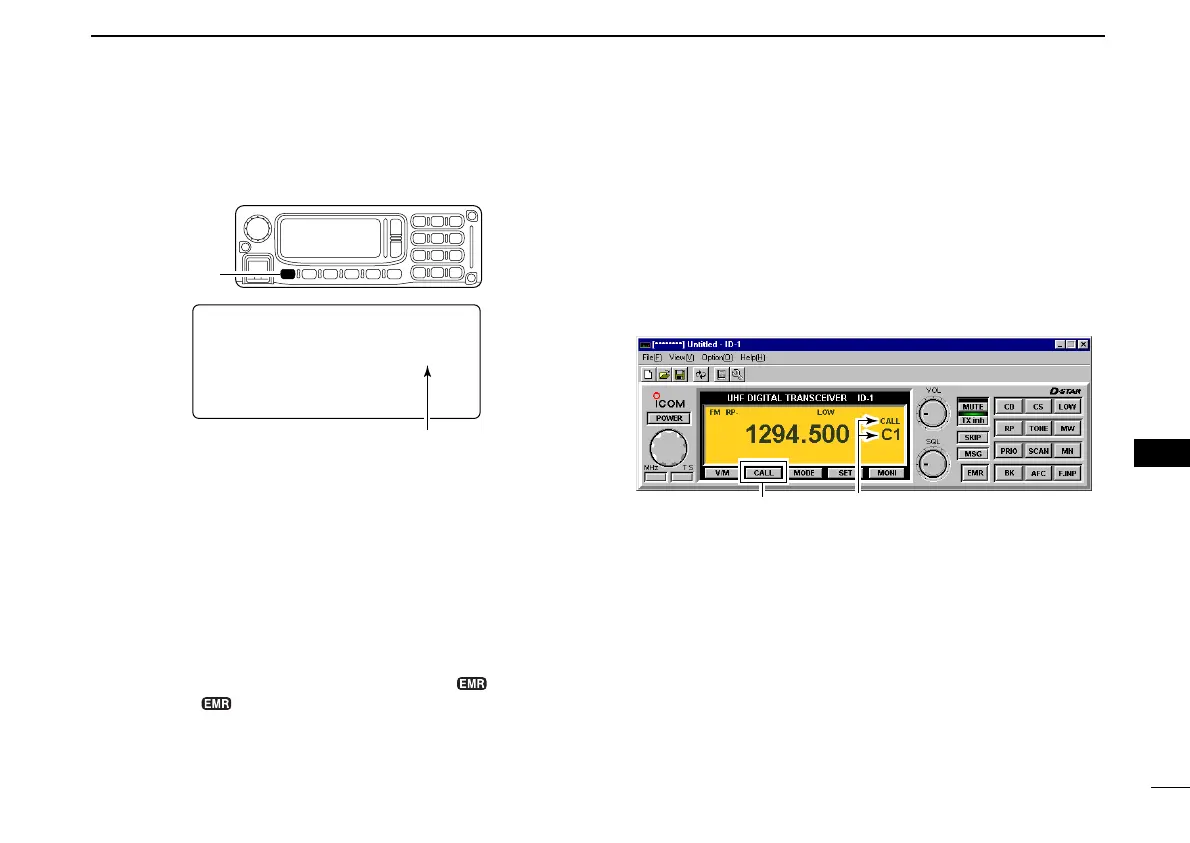
■ Call channel selection
Call channel is pre-programmed memory channel that can be
accessed by simply clicking call channel button.
The transceiver has 3 call channels.
DD
Selecting with the application
qClick [CALL] to select memory mode.
•“CALL” and “C” appear.
• Dial selection
wLeft click or right click on [DIAL] to increase or decrease
the call channel number.
• Direct channel number input
wClick on [F.INP] to displays keypad screen.
eClick the appropriate numeral key ([1], [2] or [3]) to select
the desired call channel.
• PC keyboard can also be used for the direct channel selection.
• [CALL] key selection
wClick [CALL] each time to select C1 to C3 in sequence.
“CALL” and “C” appear.
Click
LOW
FM
M00
1294.500
[V/M]
Appears
ID-1_ENG_2.qxd 04.9.22 9:29 Page 72 (1,1)



 To Next Page