71
MEMORY/CALL OPERATION
New2001
10
■ General description
The transceiver has 105 memory channels including 2 scan
edge memory channels (1 pair), and 3 call channels. Each of
these channels can be individually programmed with operat-
ing frequency (pgs. 35, 36), operating mode (p. 38), repeater
mode (pgs. 57, 58, 61–63), offset frequency (p. 60), subaudi-
ble tone encoder or tone squelch and its tone frequency
(p. 59), Digital squelch and its station call sign (pgs. 92–99),
repeater call signs (RPT1 and RPT2; pgs. 61–63), skip infor-
mation* (p. 88) and memory names (pgs 80–82).
*Except scan edges and call channels.
■ Memory channel selection
DD
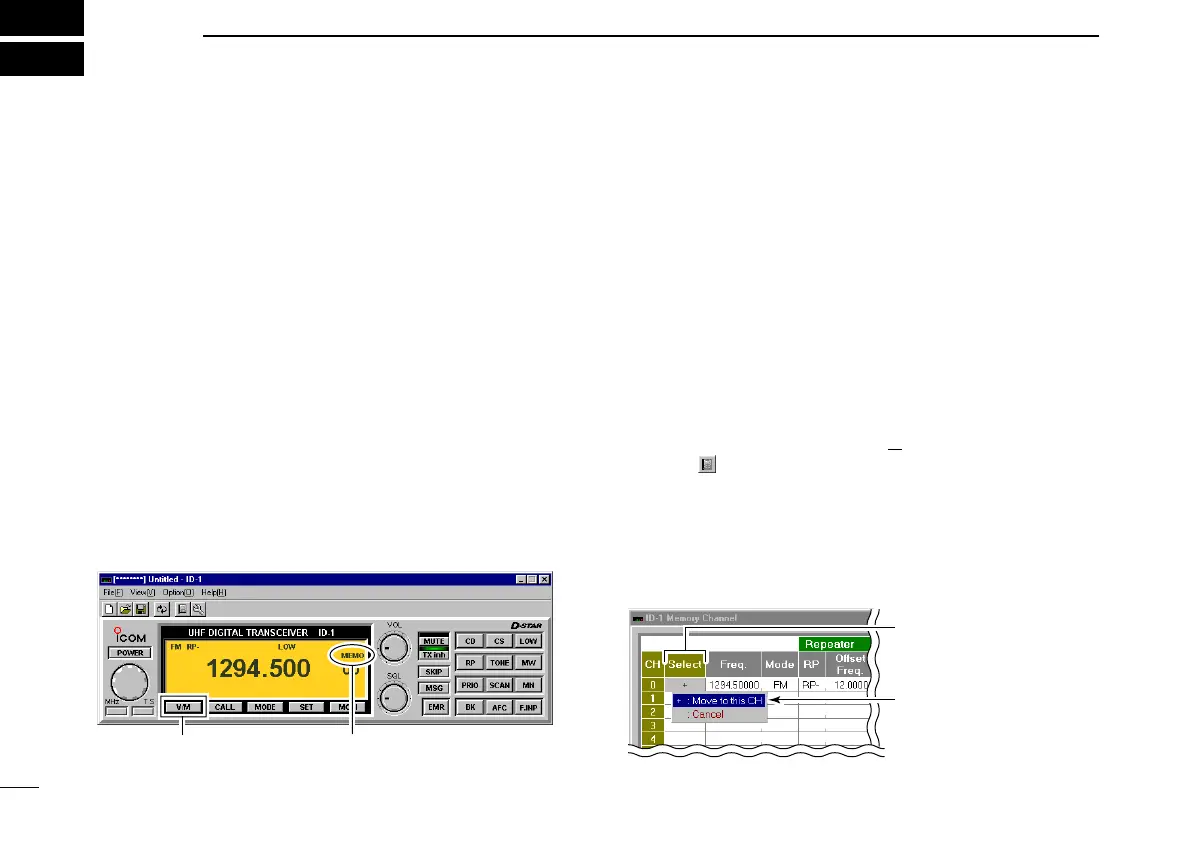
Selecting with the application
qClick [V/M] to select memory mode.
•“MEMO” appears.
• Dial selection
wLeft click or right click on [DIAL] to increase or decrease
the memory channel number.
• The programmed memories can only be selected.
• Direct channel number input
wClick on [F.INP] to display keypad screen.
eClick the appropriate numeral keys to select the desired
memory channel.
• When selecting a channel 00 to 09, click [0] first then click [0]–[9],
or click [0]–[9] then click [ENT].
• PC keyboard can also be used for the direct channel selection.
• Selecting from Memory Channel screen
wDisplay the Memory channel screen.
- Select “Edit Memory Channel(M
)...” in View menu.
- Click “” in tool bar.
- Press [F6] key on the PC keyboard.
eDouble click, or right click the desired channel’s “Select”
cell, then select “+ : Move to this CH” to select the desired
memory channel.
• Click the desired memory channel’s “Select” cell, then press
[Enter] while pressing [Ctrl] key on the PC keyboard.
Double click the desired
channel’s “Select” cell.
Select “+ : Move this CH.”
ID-1_ENG_2.qxd 04.9.22 9:29 Page 71 (1,1)



 To Next Page