80
10
MEMORY/CALL OPERATION
New2001
10
■ Programming memory name
Each memory channel can be programmed with an alphanu-
meric channel name for easy recognition and can be indicated
independently by channel. Names can be a maximum of 10
characters.
DD
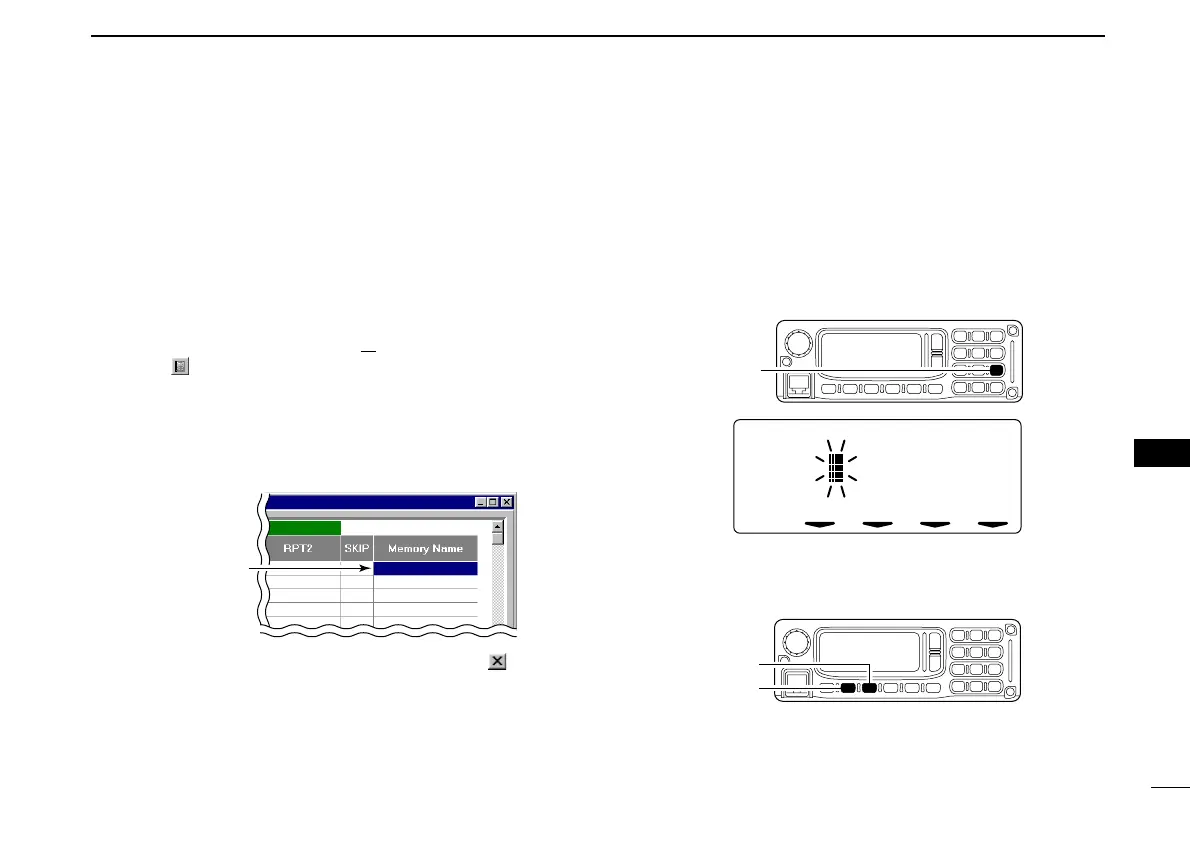
Programming from the application
qDisplay the Memory Channel screen.
- Select “Edit Memory Channel(M
)...” in View menu.
- Click “” in tool bar.
- Press [F6] key on the PC keyboard.
wClick to select “Memory Name” cell of the desired memory
channel.
eType the desired 10-character memory name from the PC
keyboard.
rTo close the Memory Channel screen, click “” on the
main screen or repeat the step q.
DD
Programming with the RC-24
qPush [V/M] to select memory mode.
wSelect the desired memory channel with [DIAL] or keypad.
ePush [MN•9] for 0.5 sec. to enter memory name program-
ming condition.
• 1 short and 1 long beep will sound.
rPush [CALL] or [MODE] to select the digit to be edited.
• Pushing [CALL] moves the cursor to left; pushing [MODE] moves
cursor to right.
Click to select then
type the desired
memory name.
ID-1_ENG_2.qxd 04.9.22 9:30 Page 80 (1,1)



 To Next Page