
EasyManua.ls Logo

Icom IC-i7410 - User Manual

Icom IC-i7410
124 pages
Print Icon
To Next Page IconTo Next Page
Loading...
INSTRUCTION MANUAL
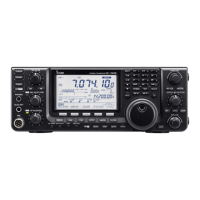
HF/50 MHz TRANSCEIVER
i7410

Table of Contents

Questions and Answers

  • L
    Linda StaffordJul 30, 2025
    What to do if the displayed frequency on my Icom Transceiver doesn't change properly?
    • S
      shelly09Jul 30, 2025
      There are several reasons why the displayed frequency might not change correctly. It could be that the Dial Lock function is turned ON; in this case, push [LOCK] to turn OFF the function. Another possibility is that the Set mode screen is selected; push [MENU] to exit the Set Mode. Finally, the internal CPU may have malfunctioned, so you may need to reset the CPU.
  • A
    Amanda HuertaAug 4, 2025
    Why does my Icom Transceiver programmed scan not stop?
    • J
      James CummingsAug 4, 2025
      The programmed scan might not stop because the squelch is open. To resolve this, set the [RF/SQL] control to the threshold point.
  • M
    max16Aug 9, 2025
    What to do if a memory scan does not start on my Icom Transceiver?
    • L
      Larry HarrisAug 9, 2025
      If a memory scan doesn't start, it may be because fewer than two memory channels have been programmed. To fix this, program more than two memory channels.
  • L
    Laurie CarlsonAug 14, 2025
    How to fix a programmed scan that won't start on my Icom IC-i7410?
    • M
      Michael WillisAug 14, 2025
      If a programmed scan doesn't start, check if the same frequencies are programmed into the Scan Edge Memory channels “P1” and “P2.” If they are, program different frequencies into those channels.
  • M
    Michael CalhounAug 19, 2025
    What to do if a select memory scan does not start on Icom IC-i7410 Transceiver?
    • M
      Margaret PerezAug 19, 2025
      If a select memory scan does not start, it could be because fewer than two memory channels have been designated as select channels. To resolve this, designate more than two memory channels as select channels for the scan.
  • M
    Miguel HernandezAug 25, 2025
    Why won't the ?F scan start on my Icom Transceiver?
    • A
      Anthony SmithAug 25, 2025
      If the ?F scan doesn't start, the center frequency for the ?F scan may not be programmed. Program the center frequency for the ?F scan to resolve this issue.

Summary

Foreword

Features

Lists key operational and performance features of the transceiver.

Explicit Definitions

Supplied Accessories

FCC Information

Precautions

Panel Description

Front Panel

Details components and controls on the front of the transceiver.

Rear Panel

Details connectors and ports on the rear of the transceiver.

Receive and Transmit

Operating SSB

Instructions for operating the transceiver in SSB mode.

Operating CW

Instructions for operating the transceiver in CW mode.

Electronic Keyer Functions

Details on using the built-in electronic keyer and memory functions.

Operating RTTY (FSK)

Instructions for operating the transceiver in RTTY (FSK) mode.

Operating AM;FM

Instructions for operating the transceiver in AM and FM modes.

Functions for Receive

RIT Function

Function to compensate for off-frequency received stations.

Simple Band Scope

Tool to visually check signal locations and strengths around a frequency.

Preamplifier

Amplifies weak signals to improve S/N ratio and sensitivity.

Attenuator

Prevents signal distortion from very strong nearby signals.

AGC Function

Controls receiver gain for constant audio output level.

IF Filter Selection

Selects passband width IF filters for different modes.

Functions for Transmit

VOX Function

Switches between transmit and receive using voice.

Break-in Function

Automatically toggles between transmit and receive during CW keying.

Speech Compressor

Increases RF output power for improved signal strength.

Transmit Filter Width Selection

Sets transmit filter width to Wide, Mid, or Narrow.

ΔTX Function

Shifts transmit frequency without changing receive frequency.

Memory Operation

General Description

Overview of memory channels and their usefulness for storing frequencies.

Memory Channel Selection

How to select memory channels in VFO or Memory modes.

Memory Channel Programming

Procedures for programming memory channels in VFO or Memory modes.

Memory Clearing

Steps to clear contents of a memory channel.

Memory Contents Copying

How to copy memory channel contents to VFO or other memory channels.

Scans

Scan Types

Overview of different scanning modes available on the transceiver.

Preparation

Steps required before starting various scan types.

Voice Squelch Control Function

Pauses scans when voice components are detected.

Antenna Tuner Operation

Antenna Connection and Selection

How to connect and select antennas for the transceiver.

Antenna Tuner Operation

Instructions for operating the internal automatic antenna tuner.

Set Mode

Set Mode Description

Explanation of the Set mode and how to navigate its settings.

Tone Control Set Mode Description

Details on adjusting audio tone settings for receive and transmit.

Data Communication

Connections

How to connect external equipment like PCs and TNCs.

Packet (AFSK) Operation

Instructions for operating packet communications using AFSK.

Option Installation

Opening the Transceivers Case

Step-by-step guide to safely open the transceiver for option installation.

FL-430;FL-431 1 st IF Filter Installation

Instructions for installing optional 1st IF filters.

Maintenance

Troubleshooting

Common problems and their solutions for transceiver operation.

Dial Tuning Tension Adjustment

How to adjust the tuning dial tension for preferred feel.

Frequency Calibration (Approximate)

Guide for approximate frequency calibration using standard signals.

Fuse Replacement

Procedures for replacing internal and external fuses.

Resetting the CPU

Instructions for performing partial and full CPU resets.

Specifications

General

General technical specifications of the transceiver.

Transmitter

Technical specifications related to the transmitter.

Receiver

Technical specifications related to the receiver.

Antenna Tuner

Technical specifications for the built-in antenna tuner.

Options

CE

Installation Notes

Guidelines for safe installation considering RF exposure and local regulations.

Icom IC-i7410 Specifications

General IconGeneral
Output power2–100 W
Operating voltage13.8 V DC ±15%
Voltage13.8 V DC ±15%
ModeAM, FM, RTTY
Receiver TypeDouble-conversion superheterodyne

Related product manuals







