82
1
2
3
4
5
6
7
10
11
12
14
15
16
17
18
19
20
21
8
ANTENNA TUNER OPERATION
9
13
9
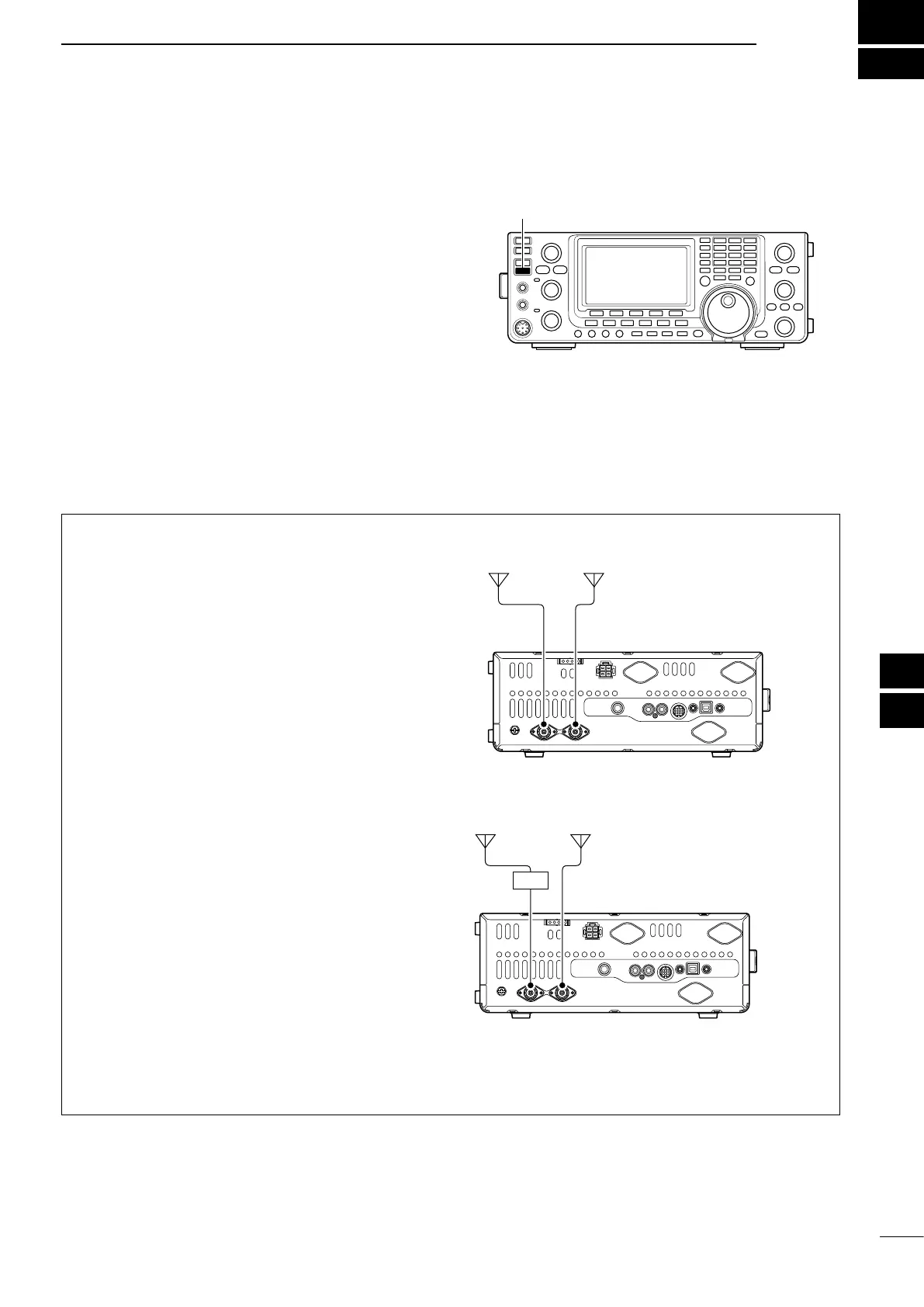
The IC-7410 has 2 antenna connectors for the HF/50
MHz bands, [ANT1] and [ANT2].
You can memorize the antenna for each operating
band the IC-7410 covers.
When you change the operating band, the previously
set antenna connector for that band is automatically
selected. (See below)
This function is especially convenient when you use 2
antennas for HF and 50 MHz band operation.
To use the band memory, set the “[ANT] Switch” item
to “Auto” in the Set mode. (p. 87)
• Antenna selection mode: “Auto” (default)
Once an antenna has been selected for use with a
bandbypushing[ANT•METER],theantennaisauto-
matically selected whenever that band is accessed.
[EXAMPLE]: a 3.5/7 MHz antenna is connected to
[ANT1], a 21/28/50 MHz antenna is connected to
[ANT2]. When the antenna selector function is set to
“Auto,” the correct antenna is automatically selected
when you changes bands.
• Antenna selection mode: “Manual”
[ANT•METER]functions,however,thebandmemory
function is disabled. In this case, you must select an
antenna manually.
[EXAMPLE]: an optional antenna tuner and HF an-
tenna are connected to [ANT1] and a 50 MHz an-
tenna is connected to [ANT2].
• Antenna selection mode: “OFF”
[ANT•METER]doesnotfunction.The[ANT1]con-
nector is always selected for HF and 50 MHz bands
operation.
■ Antenna connection and selection
[ANT2][ANT1]
3.5/7 MHz
bands
21/28/50 MHz
bands
[ANT2][ANT1]
AH-4
HF
bands
50 MHz
bands


 To Next Page