8
■ Scan Set mode
The scan speed and the Scan Resume function can
be set in the Scan Set mode.
q
P
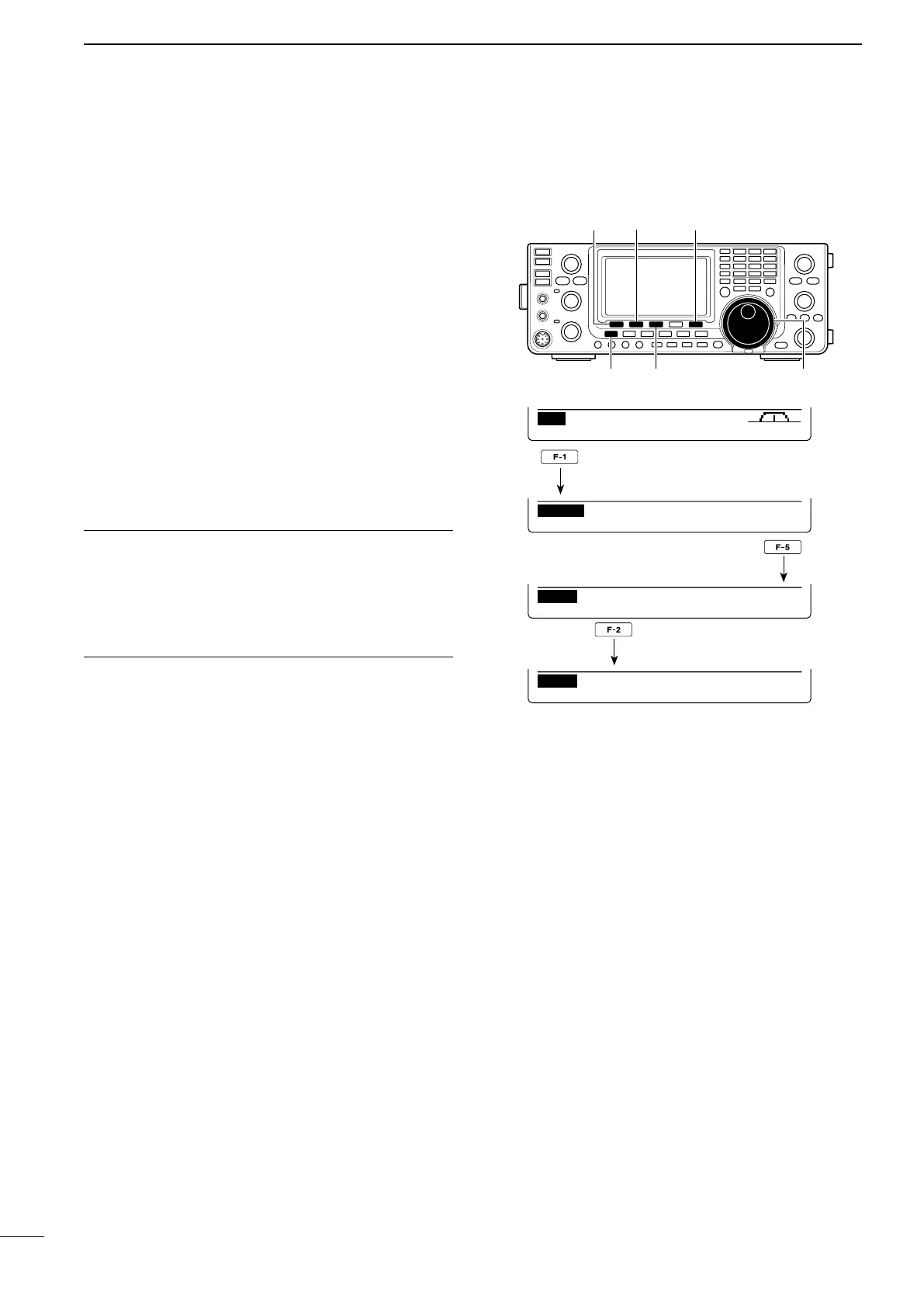
ush [MENU] one or more times to display the “M2”
screen (Menu 2).
w Push [SCAN](F-1) to display the “SCAN” screen.
e Push [SET](F-5) to enter the Scan Set mode.
r Push [Y](F-1) or [Z](F-2) to select the desired
item.
t Rotate [DIAL] to select the desired option.
•Holddown[F-3]for1secondtoresettothedefaultset-
ting.
y Push [MENU] to save, and return to the “SCAN”
screen.
u
Push [MENU] again to return to the “M2” screen.
[SET] [SCAN]/[∫]
[MENU] [F-3] [DIAL]
[√]
SCAN Speed 1. (Default: HIGH)
Select the desired scan speed between high and low.
•HIGH :Thescanisfaster.
•LOW : The scan is slower.
SCAN Resume 2. (Default: ON)
Set the Scan Resume function ON or OFF.
•ON :Whenasignalisdetected,thescanpausesfor
10 seconds, then resumes. When a signal dis-
appears, the scan resumes 2 seconds later.
•OFF:Whenasignalisdetected,thescaniscan-
celled.
PRO
∂ F
SPAN SETFIN
SCAN
∂ F
:
±
10k


 To Next Page