52
4
RECEIVE AND TRANSMIT
1
2
3
4
5
6
7
8
9
10
11
12
13
14
15
16
17
18
19
20
21
D Repeater access tone frequency setting
Some repeaters require a subaudible tone to be ac-
cessed. Subaudible tones are superimposed on your
normal signal and must be set first. You can select 50
tones from 67.0 Hz to 254.1 Hz.
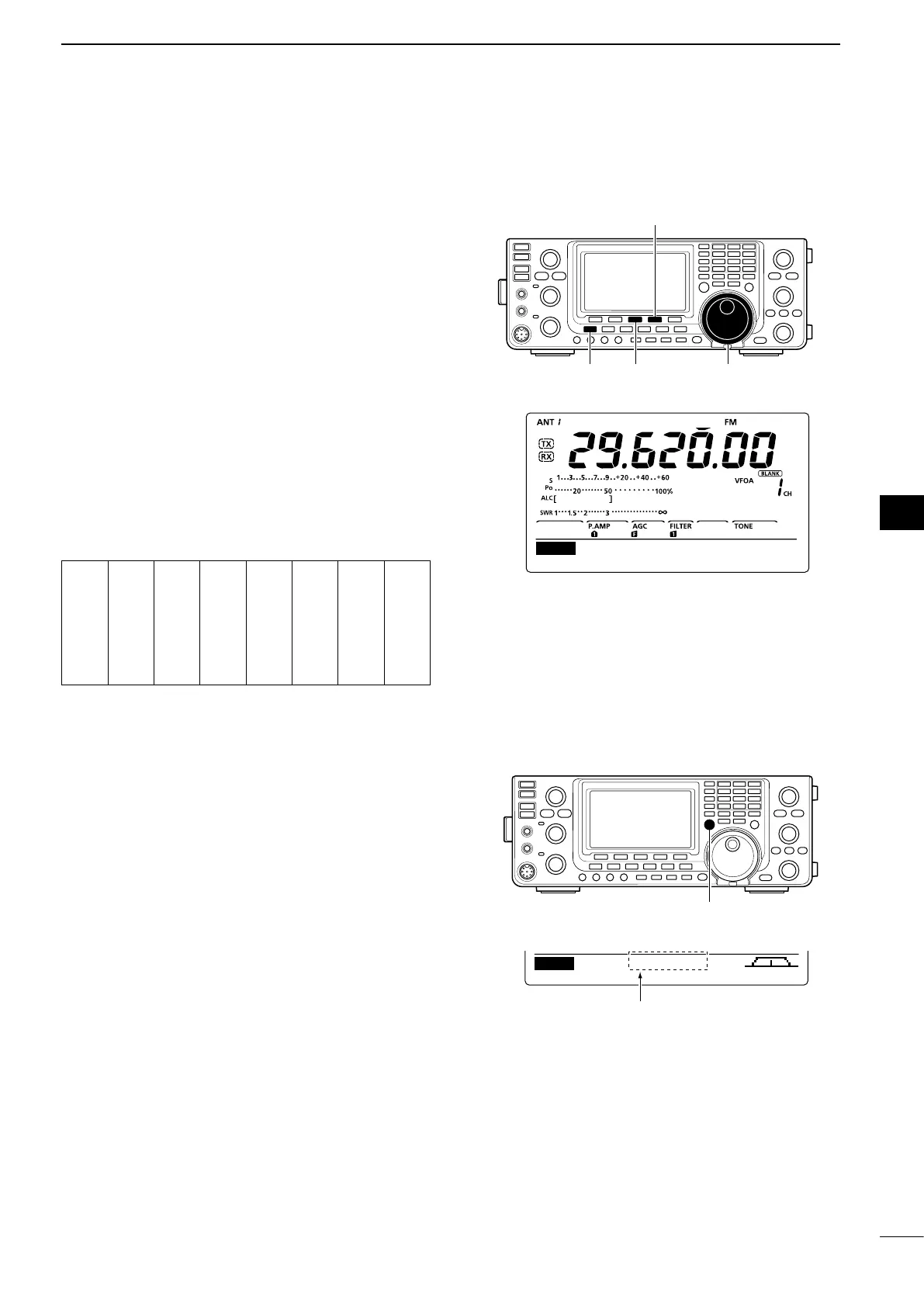
q
In the FM mode, p
ush [MENU] to display the “M1”
screen (Menu 1).
w Push [TON](F-4) one or more times to turn ON the
Tone Encoder function.
•“TONE”appears.
e Hold down [TON](F-4) for 1 second to display the
“TON” screen (Tone).
•“RptrTone”appearsonthefunctiondisplay.
r Rotate [DIAL] to select the desired repeater tone
frequency. (See the table below.)
t Push [MENU] to save, and exit the “TON” screen.
• Available tone frequencies (unit: Hz)
67.0
69.3
71.9
74.4
77.0
79.7
82.5
85.4
088.5
091.5
094.8
097.4
100.0
103.5
107.2
110.9
114.8
118.8
123.0
127.3
131.8
136.5
141.3
146.2
151.4
156.7
159.8
162.2
165.5
167.9
171.3
173.8
177.3
179.9
183.5
186.2
189.9
192.8
196.6
199.5
203.5
206.5
210.7
218.1
225.7
229.1
233.6
241.8
250.3
254.1
D Transmit frequency monitor check
You may be able to directly receive the other party’s
transmitted signal without having to go through a re-
peater. This function helps you to check whether or
not the direct communication can be done.
➥ While receiving, hold down [XFC] to see if you can
directly receive the other party’s transmitted signal.
•Whileholdingdown[XFC],theoffsetdirectionandfre-
quency offset are displayed on the function display.
Offset direction and frequency
AGC TON SCP
M1
–100.0k
[XFC]
SCANTON 88.5Hz
Rptr Tone
TON


 To Next Page