42
4
RECEIVE AND TRANSMIT
1
2
3
4
5
6
7
8
9
10
11
12
13
14
15
16
17
18
19
20
21
D Keyer Set mode
This Set mode is used to set the CW sidetone, mem-
ory keyer repeat time, dash weight, paddle specifica-
tions, keyer type, etc.
• Setting contents
q
In the CW mode, p
ush [MENU] to display the “M1”
screen (Menu 1).
w Push [KEY](F-4) to display the “KEY” screen (Mem-
ory Keyer).
e Push [SET](F-5) to enter the Keyer Set mode.
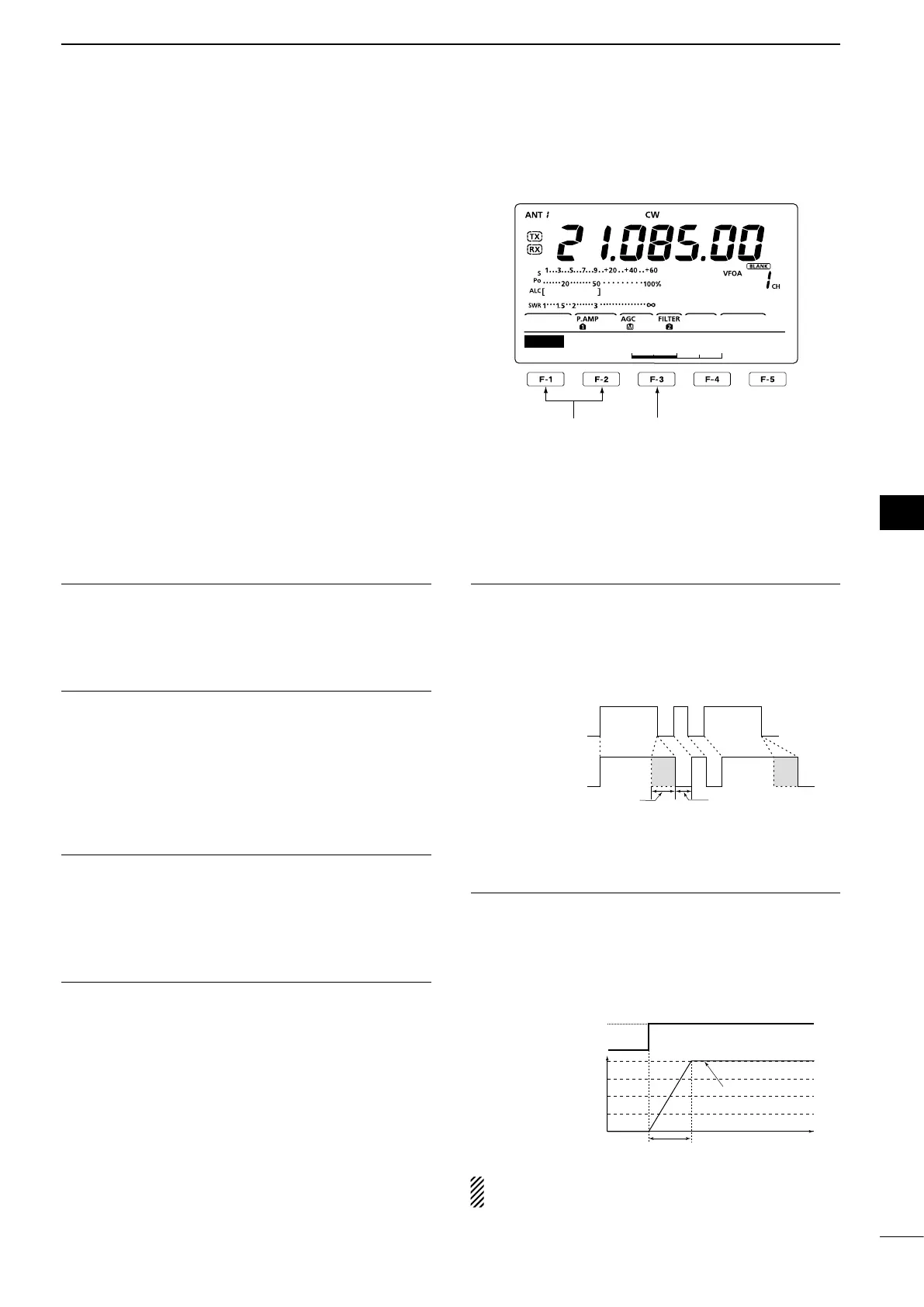
r Push [Y](F-1) or [Z](F-2) to select the desired
item.
t Rotate [DIAL] to select the desired option.
•Holddown[F-3]for1secondtoresettothedefaultset-
ting, if desired.
y Push [MENU] to save, and return to the “KEY”
screen.
u
Push [MENU] again to return to the “M1” screen.
Side Tone Level 1. (Default: 50%)
Select the CW sidetone output level.
•0to100%in1%stepscanbeselected.
Side Tone L-Limit 2. (Default: ON)
Set the CW sidetone level limit. When the [AF] con-
trol is rotated above a specified level, the CW sidetone
does not increase.
•ON :CWsidetonelevelislimited.
•OFF:CWsidetonelevelisnotlimited.
Keyer 3. Repeat Time (Default: 2s)
When sending CW using the repeat timer, this item
sets the time between transmission.
•1to60secondsin1secondstepscanbeselected.
Message Display4. (Default: Normal)
When you are in the “SEND” screen (Keyer Send),
channel numbers are displayed above the function
keys. However, you can display the first three charac-
ters of the keyer memory instead of the channel num-
ber.
Select whether to display the channel number or the
first three characters of the keyer.
•Normal :Displaysthechannelnumber.
•Message:Displaystherstthreecharactersofthe
keyer memory.
Dot/Dash Ratio5. (Default: 1:1:3.0)
Set the dot/dash ratio.
•1:1:2.8to1:1:4.5(in0.1steps)canbeselected.
Keying weight example: Morse code “K”
DASH
Weight setting:
1:1:3 (default)
Weight setting:
Adjusted
DASH
DOT (fixed*)
Adjustable range SPACE (fixed*)
*SPACE and DOT length can be
adjusted with only [KEY SPEED].
Rise Time6. (Default: 4ms)
This item sets the rise time of the transmitted CW en-
velope.
•2,4,6or8millisecondscanbeselected.
About rise time
Key action
Tx output power
Rise time
Tx
Rx
Set Tx power level
Time
0
If the rise time of a CW waveform is too short, key
clicks on nearby frequencies can be generated.
☞ Continued on the next page.
∫
1
√
50%
SET
Side Tone Level
Select the item
Reset to the default
setting


 To Next Page