47
4
RECEIVE AND TRANSMIT
■ RTTY functions (continued)
D Twin Peak Filter
The Twin Peak Filter changes the receive frequency
response by boosting 2125 and 2295 Hz for better
copying of RTTY signals.
q In the RTTY mode, push [MENU] to display the “M1”
screen (Menu 1).
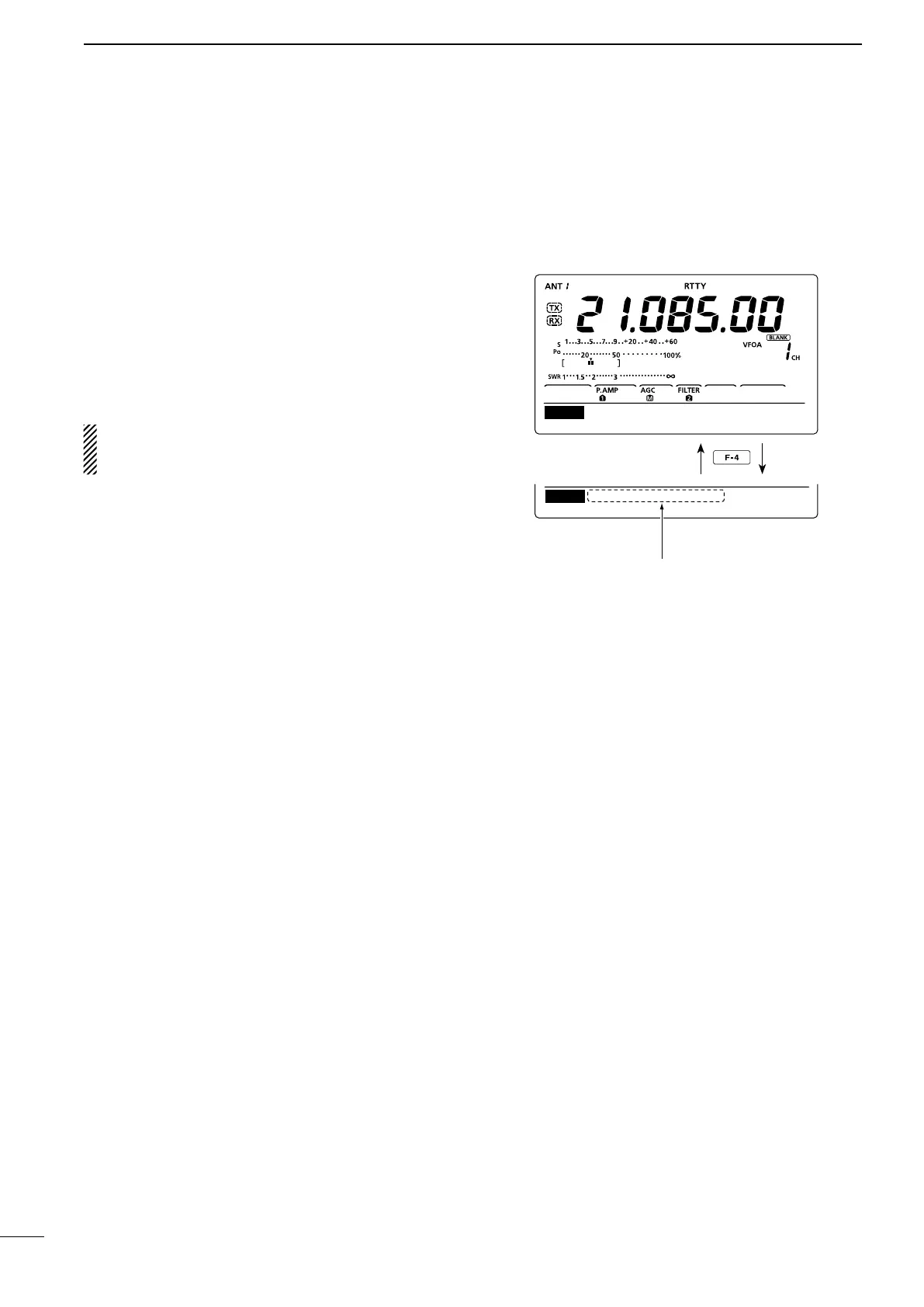
w Push [RTTY](F-4) to display the “RTTY” screen.
e Push [TPF](F-4) to turn the Twin Peak Filter ON or
OFF.
r Push [MENU] to save, and return to the previous
display.
NOTE: When the Twin Peak Filter is in use, the re-
ceived audio output may increase. This is normal;
not a malfunction.
DEC TPF SET
RTTY
RTTY
RTTY–TPF ON
DEC TPF SET
Appears when the Twin Peak
Filter is ON.


 To Next Page