80
SCANS
1
2
3
4
5
6
7
9
10
12
13
14
15
16
17
18
19
20
21
11
8
8
D Select Memory scan
Select Memory scan searches for signals through
Memory channels programmed as “Sel” (Select).
NOTE: To start a Select Memory scan, two or more
Memory channels must be designated as Select
Memory channels.
q Start a Memory scan.
•Followstepsq through t on the previous page.
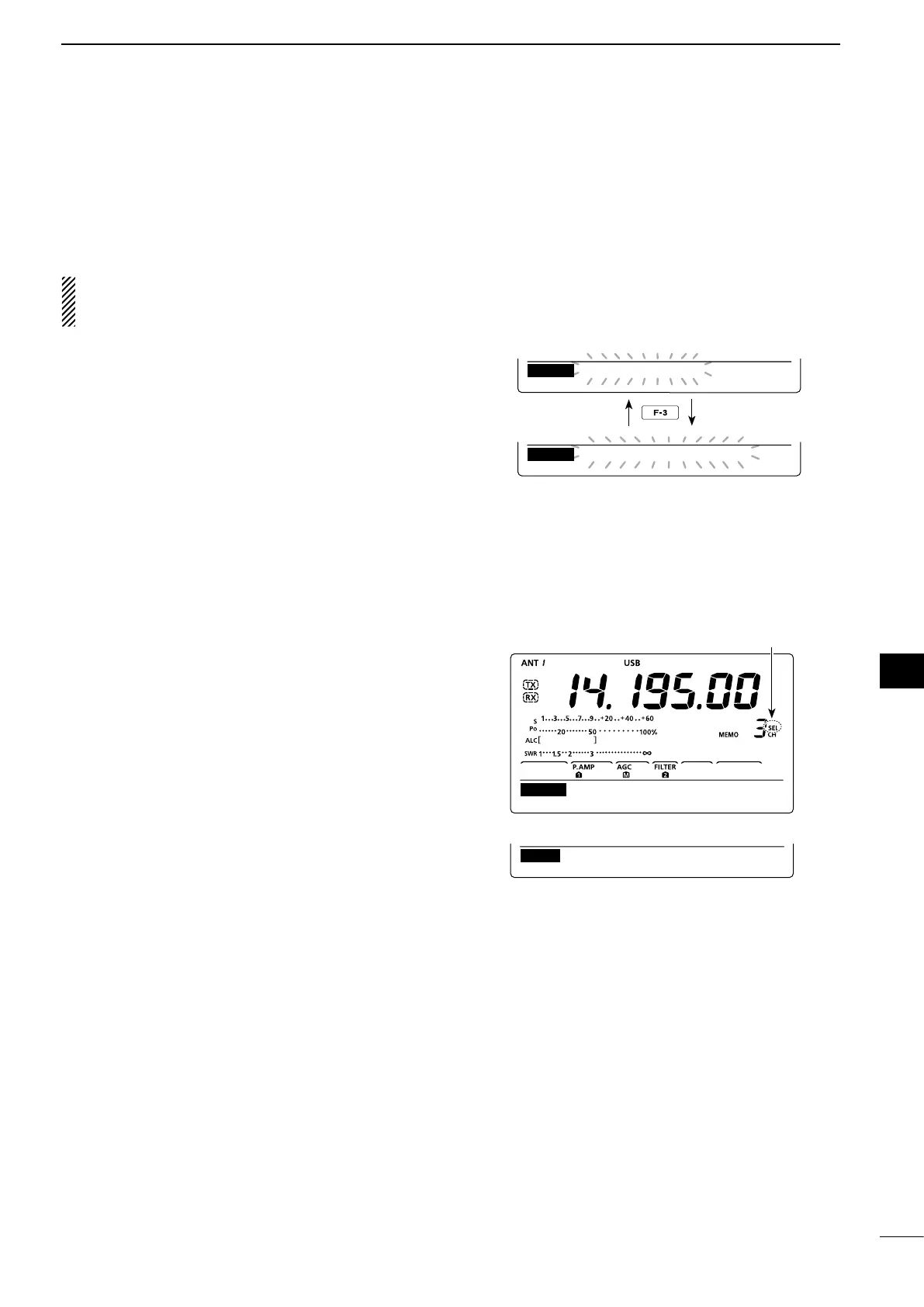
w While scanning, push [SEL](F-3) to switch the scan
function between a Memory scan and a Select
Memory scan.
•“SEL-MEMOSCAN”blinkswhileSelectMemoryscan-
ning.
e Push [MEM](F-1) to cancel the scan.
•Rotating[DIAL]alsocancelsthescan.
All Memory channels can be set as Select Memory
channels, except for the Scan Edge channels.
➥ When the “SCAN” screen is displayed, push [SEL]
(F-3), or when the “MEM” screen (Memory Menu)
is displayed, push [SEL](F-5) to set or cancel the
displayed Memory channel as a Select Memory
channel.
•“SEL” appears when the channel is setas aSelect
Memory channel.
•An error beep sounds when the displayed Memory
channel is a blank channel.
•Holdingdown[SEL](F-3)or[SEL](F-5)for1seconddis-
plays “SEL ALL Clear?.” Hold down [YES](F-4) to clear
all Select Memory channel settings.
MEM
∂ F
SPAN SETSEL
SCAN
MEMO SCAN
MEM
∂ F
SPAN SETSEL
SCAN
SEL−MEMO SCAN
MEM
∂ F
SPAN SETSEL
SCAN
∂ F
:
±
10k
Appears
“SCAN” screen
“MEM” screen (Memory Menu)
While Select Memory scanning
D Setting/Cancelling Select Memory channels


 To Next Page