34
3
BASIC OPERATION
1
2
3
4
5
6
7
8
9
10
11
12
13
14
15
16
17
18
19
20
21
■ Basic transmit operation
Before transmitting, monitor the operating fre-
quency to make sure transmitting won’t cause
interference to other stations on the same fre-
quency. It’s good amateur practice to listen
rst, and then, even if nothing is heard, ask “Is
the frequency in use?” once or twice, before
you begin operating on that frequency.
D Transmitting
CAUTION: Transmitting without an antenna will
damage the transceiver.
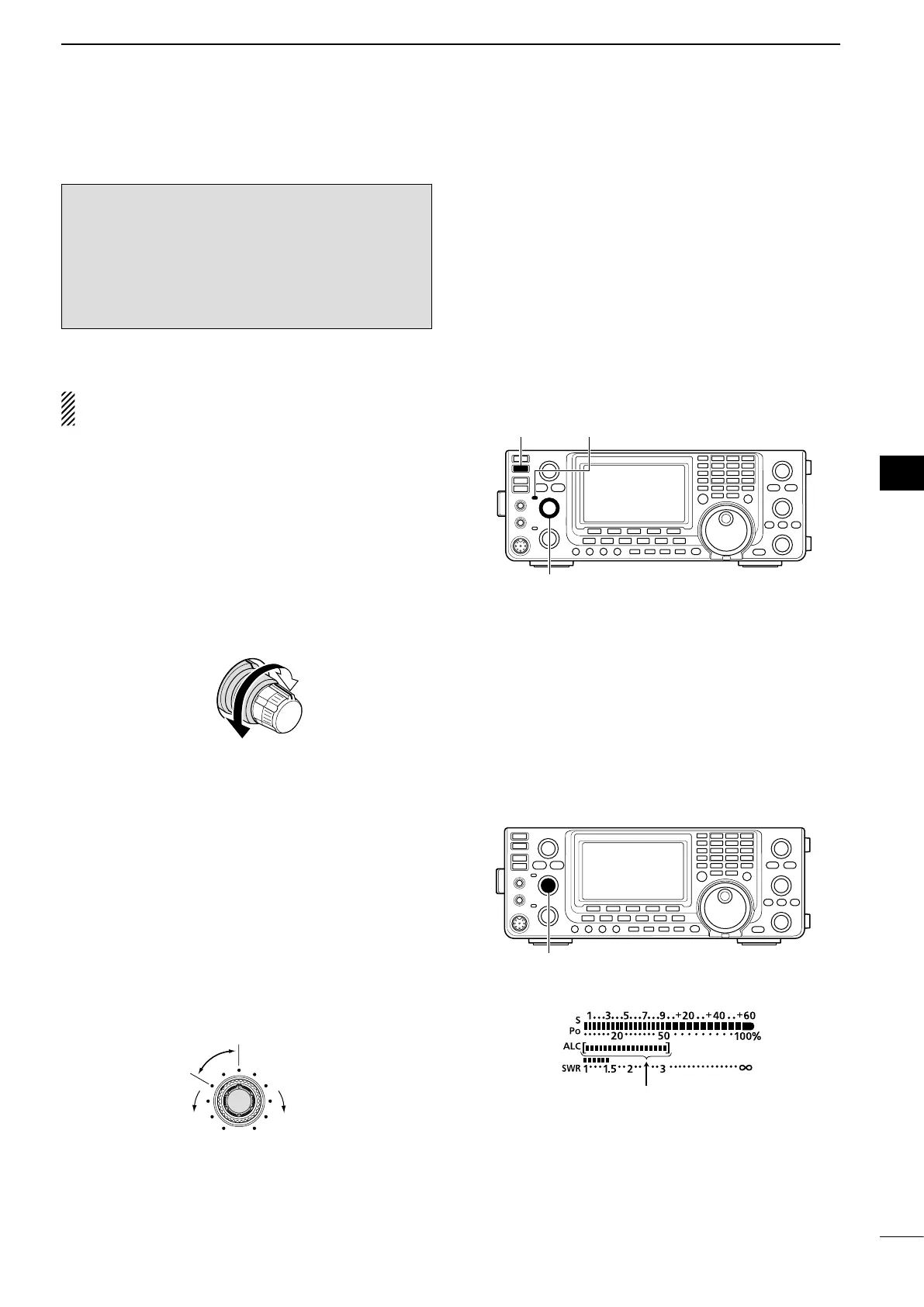
q Push [PTT] on the microphone to transmit (or
[TRANSMIT] on the transceiver).
•TheTXindicatorlightsred.
w Release [PTT] to receive (or push [TRANSMIT]
again).
✔ Adjusting the transmit output power
➥ Rotate [RF PWR].
•Adjustablerange:2Wto100W
(2 W to 27 W in the AM mode)
D Microphone gain adjustment
(Mode: SSB/AM/FM)
q Push [PTT] on the microphone to transmit.
•Speakintothemicrophoneatyournormalvoicelevel.
w In the SSB mode:
While speaking into the microphone, rotate the
[MIC] control so that the ALC meter reading stays
within the ALC zone.
In the AM and FM modes:
While speaking into the microphone, rotate the
[MIC] control with another station listening to your
voice for clarity.
Recommended level for
an Icom microphone
Increases
Decreases
e Release [PTT] to receive.
[TRANSMIT]
[RF PWR]
TX indicator
ALC zone


 To Next Page