10
Bluetooth
®
OPERATION
10-3
Pairing with a Low Energy
device
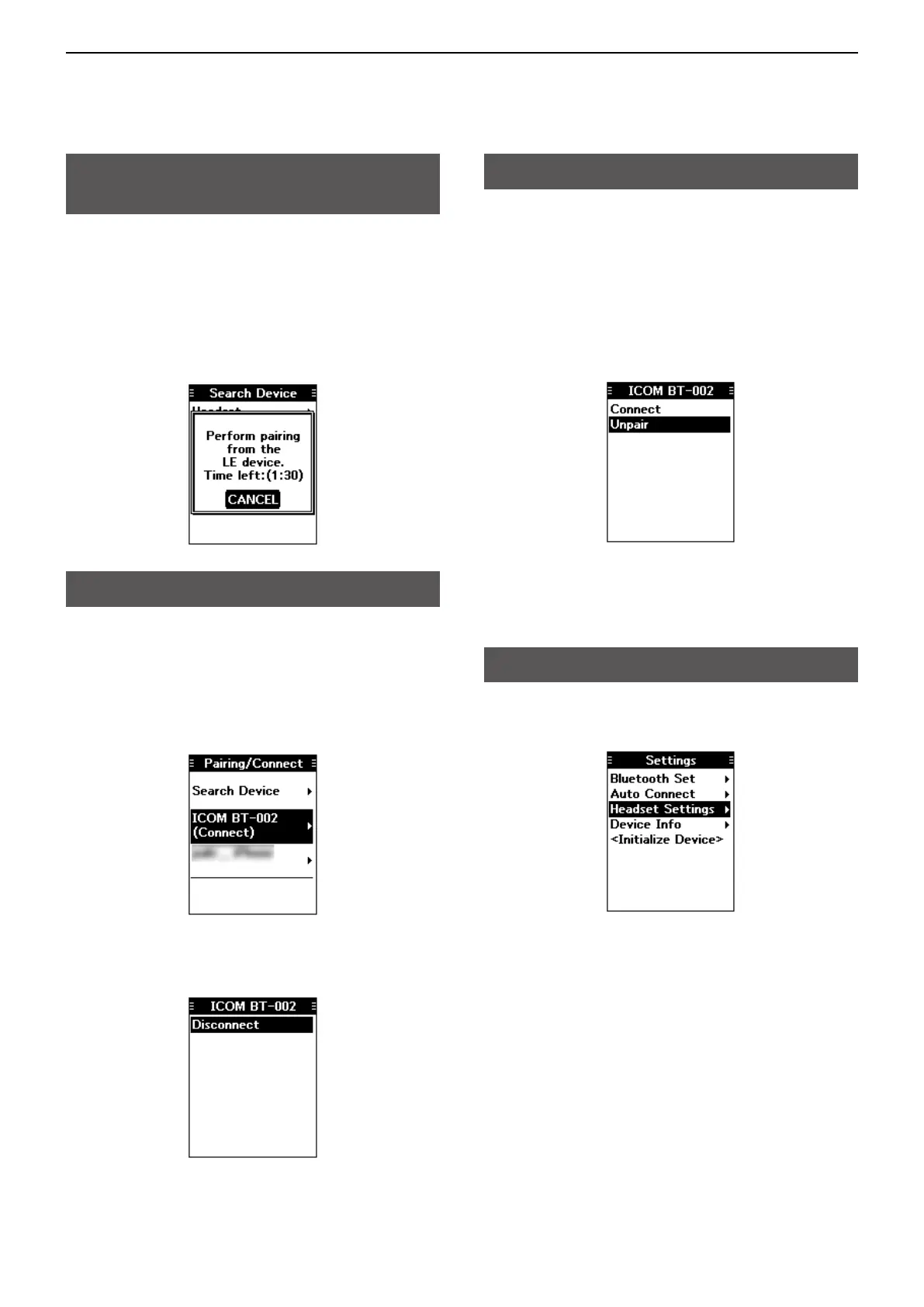
Pair a Low Energy (LE) device, as shown below.
1. Push [MENU].
2. Select “LE Device,” and then push [ENT].
( Bluetooth > Pairing/Connect > Search Device
> LE Device)
3. Perform pairing from the LE device within 2
minutes.
L The remaining time is displayed.
Disconnecting a paired device
You can disconnect a paired Bluetooth device if it is
not used.
1. Push [MENU].
2. Select “Pairing/Connect.”
(Bluetooth > Pairing/Connect)
• Paired devices are displayed.
L “(Connect)” is displayed, if a device is connected.
3. Select a device to disconnect, and then push
[ENT].
• The screen shown below is displayed.
4. Push [ENT].*
*Aconrmationdialogisdisplayed.
5. Push [MENU] to return to the Main screen.
Unpairing a device
Before unpairing a connected headset or device,
disconnect it.
1. Push [MENU].
2. Select “Pairing/Connect.”
(Bluetooth > Pairing/Connect)
• Paired devices are displayed.
3. Select a device to disconnect, and then push
[ENT].
• The screen as shown below is displayed.
4. Select “Unpair,” and then push [ENT].*
*Aconrmationdialogisdisplayed.
5. Push [MENU] to return to the Main screen.
Bluetooth settings
You can customize the Bluetooth settings on the
“Settings” screen. (p. 11-5)



 To Next Page