15
5
SCAN OPERATION
New2001
■ Setting tag channels
For more efficient scanning, add desired channels as tag
channels or clear the tag for unwanted channels.
Non-tag channels will be skipped during scanning. Tag chan-
nels can be assigned to each channel group (USA, INT,
CAN) independently.
q Select the desired channel group (USA, INT, CAN) by
pushing [CH/WX•U/I/C] for 1 sec., if desired.
w Select the desired channel to set as a tag channel.
e Push both [Y] and [Z] for 1 sec. to set the displayed
channel as a tag channel.
• “ ” appears in the function display.
r To cancel the tag channel setting, push both [Y] and [Z]
for 1 sec.
• “ ” disappears.
✔ Clearing all tag channels in the selected channel group
While pushing and holding both [Y] and [Z], turn power ON
to clear all tag channels in the channel group.
■ Starting a scan
Set the weather alert function, priority scan function, scan
resume timer and auto scan function in advance, using SET
mode. (pgs. 18, 19)
q Select the desired channel group (USA, CAN, INT) by
pushing [CH/WX•U/I/C] for 1 sec., if desired.
• When the weather alert function is in use, select the desired
weather channel with [CH/WX•U/I/C] and [Y]/[Z].
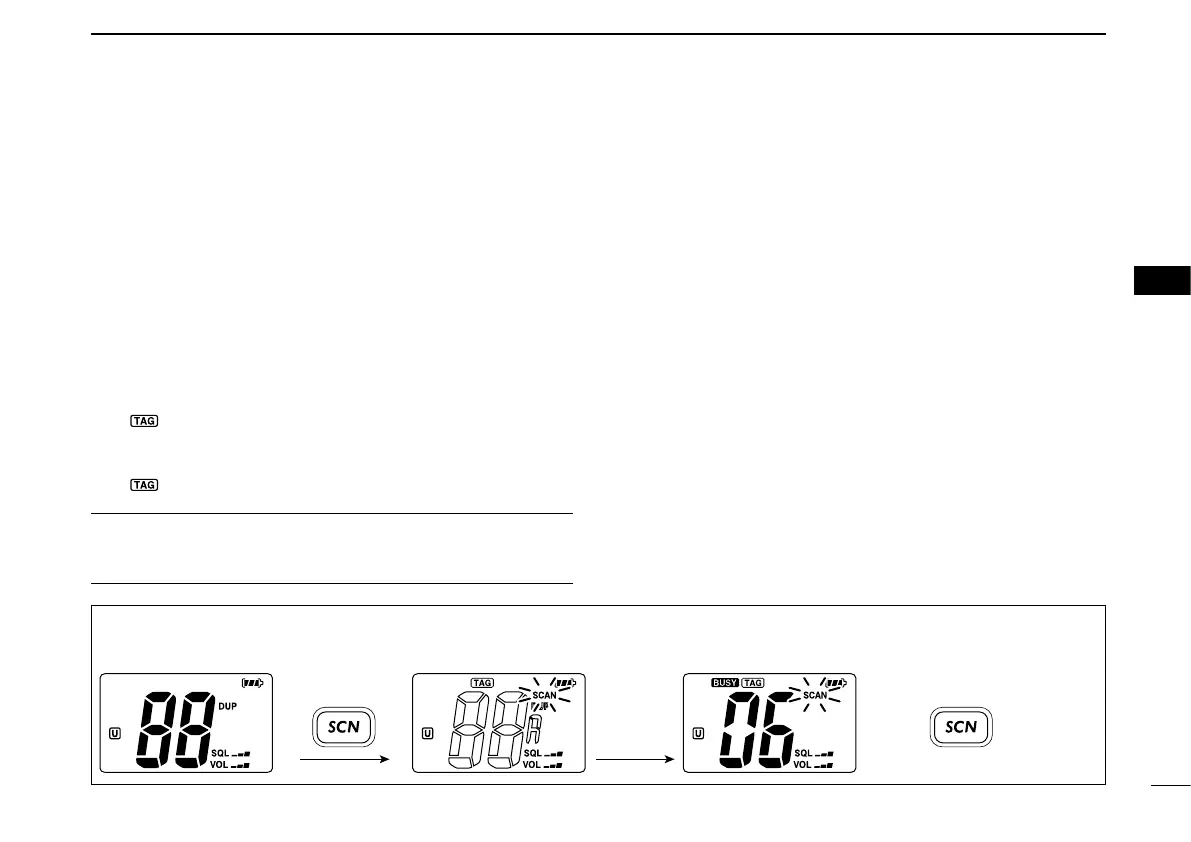
w Push [SCN•DUAL] to start priority or normal scan.
• “SCAN” blinks in the function display.
• “16” appears on the sub channel readout during priority scan.
• When a signal is received, scan pauses until the signal dis-
appears or resumes after pausing 5 sec. according to scan
resume timer setting. (Channel 16 is still monitored during prior-
ity scan.)
• Push [Y]/[Z] to check the scanning tag channels, change the
scanning direction or resume the scan manually.
e To stop the scan, push [SCN•DUAL].
• “SCAN” disappears.
• Pushing [PTT], [16•9] or [CH/WX•U/I/C] also stops the scan.
[Example]: Starting a normal scan.
5
Scan starts.
DUAL DUAL
Push Push
to stop the scan
Receiving a signal
and audio is emitted.



 To Next Page
 Loading...








