27
9
SWIVEL BELT CLIP
8
9
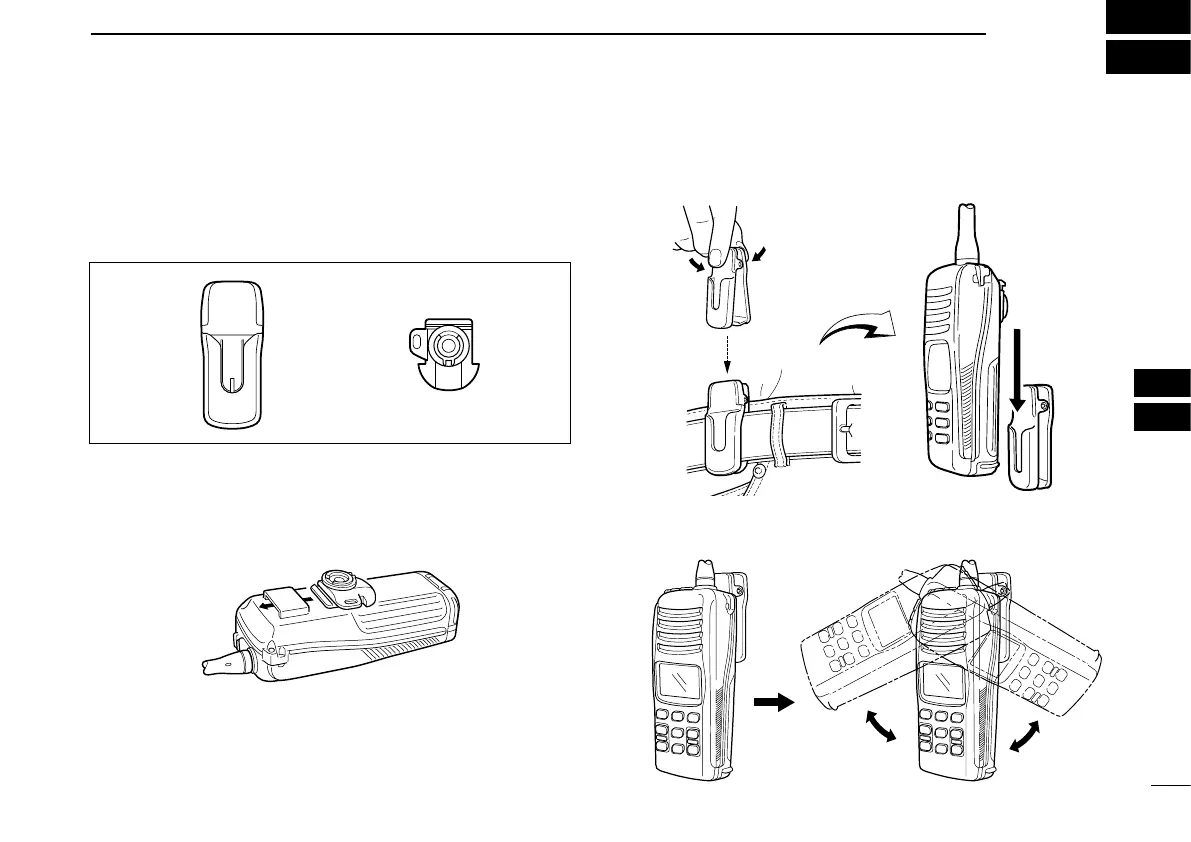
■ MB-87 contents
Qty.
q Belt clip .......................................................................... 1
w Base clip ........................................................................ 1
■ To attach
q Slide the base clip into the plastic loop on the back of the
transceiver as illustrated below.
w Clip the belt clip to a part of your belt and insert the trans-
ceiver into the belt clip until the base clip fitting into the
groove.
e Once the transceiver is locked in place, it swivels as illus-
trated below.



 To Next Page