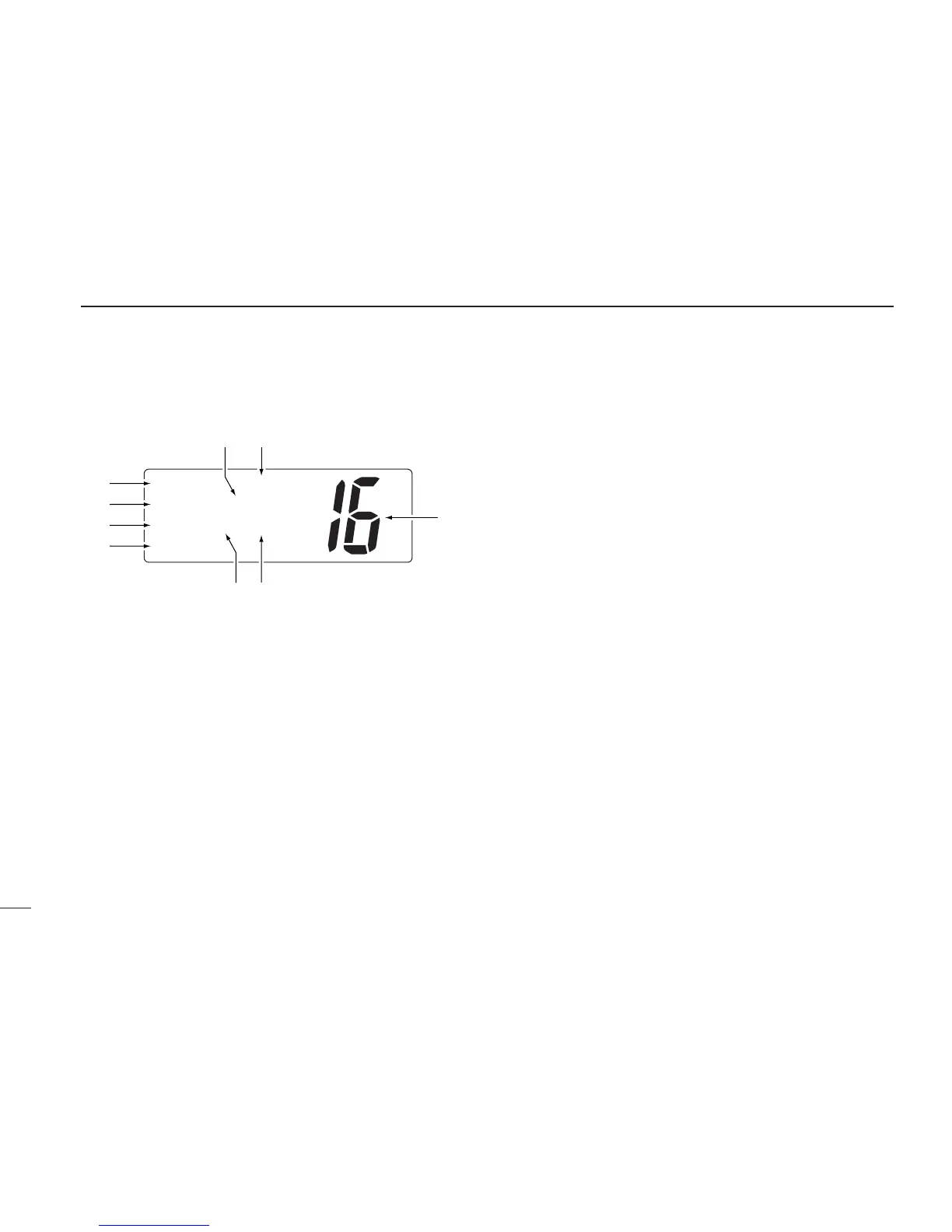
■ Function display
q BUSY/TRANSMIT INDICATOR (p. 8)
➥“BUSY” appears when receiving a signal or when the
squelch opens.
➥“TX” appears while transmitting.
w POWER INDICATOR (p. 8)
➥“25W” appears when high power is selected.
➥“1W” appears when low power is selected.
e TAG CHANNEL INDICATOR (p. 13)
Appears when a tag channel is selected.
r CHANNEL NAME INDICATOR
➥Channel comment appears if programmed. (p. 9)
➥“Low battery” flashes when the battery voltage drops to
approx. 10 V DC or below.
➥“DUAL” appears during dualwatch; “TRI” appears dur-
ing tri-watch. (p. 11)
t SCRAMBLER INDICATOR (p. 10)
Appears when an optional voice scrambler is activated.
y DUPLEX INDICATOR (p. 6)
Appears when a duplex channel is selected.
u CHANNEL NUMBER READOUT
➥Indicates the selected operating channel number. “A”
appears when a simplex channel is selected. (p. 6)
➥In set mode, indicates the selected condition. (p. 30)
i CHANNEL GROUP INDICATOR (p. 6)
Indicates whether an International (INT), U.S.A. (USA),
Canadian (CANADA) or weather (WX) channel is selected.
o CALL CHANNEL INDICATOR
➥
“CALL” appears when the call channel is selected. (p. 6)
➥“SP OFF” appears when the internal speaker is turned
OFF in set mode. (p. 32)
➥ “LOCAL” appears when the attenuator is in use. (p. 8)
•The order of indication precedence is “LOCAL,” “SP OFF” and
“CALL.”


 To Next Page