38
9
CONNECTIONS AND MAINTENANCE
■ Optional unit installation
CAUTION: DISCONNECT the DC power cable from the
transceiver before performing any work on the transceiver.
Otherwise, there is danger of electric shock and/or equip-
ment damage.
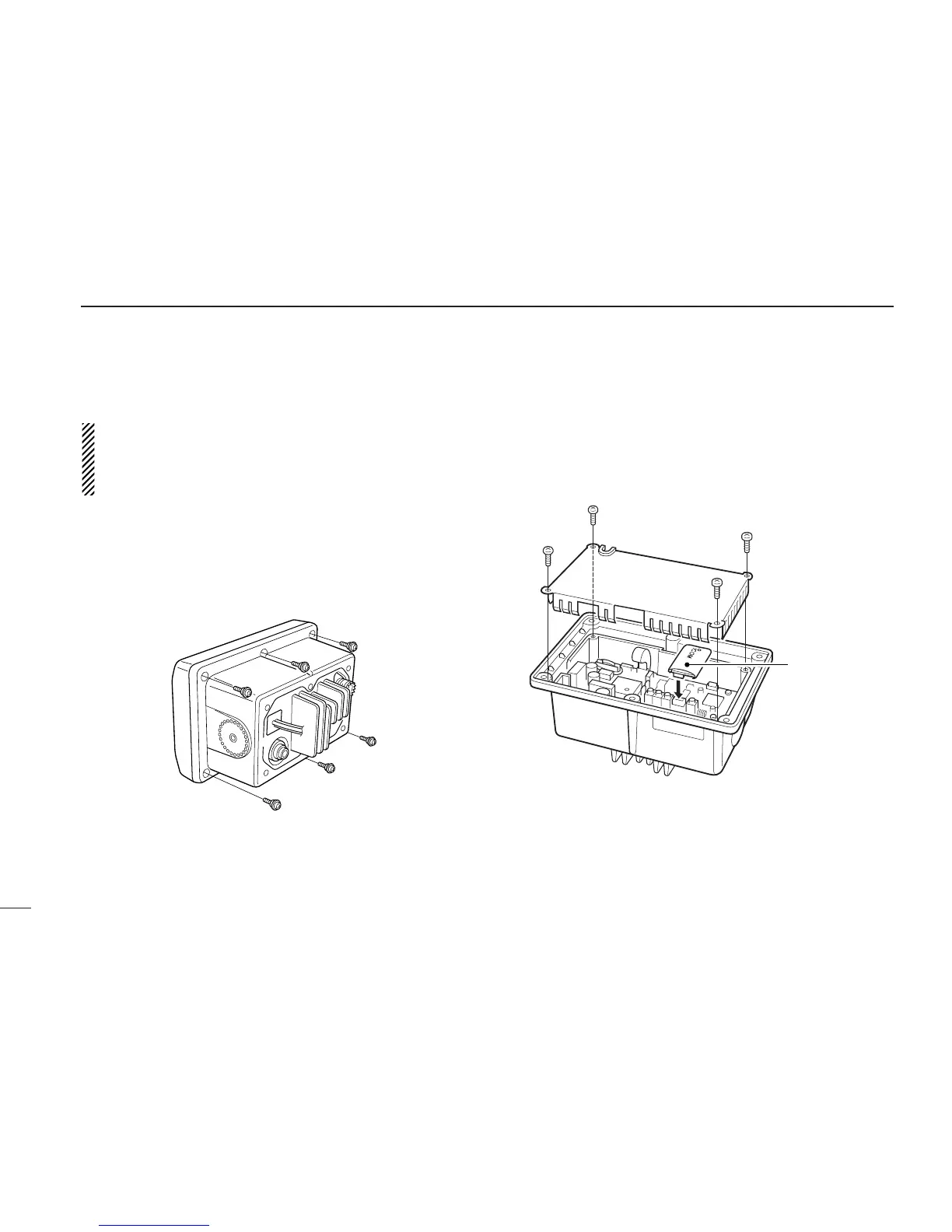
Follow the case opening procedure shown here when you
want to install an optional unit, etc.
q Remove the 6 screws as shown below and open the trans-
ceiver.
w Remove the 4 screws from the shielding plate, then lift up
the shielding plate.
e Plug an optional unit to J6 on the MAIN unit as shown
below.
r Return the shielding plate and assemble the units to their
original positions.



 To Next Page