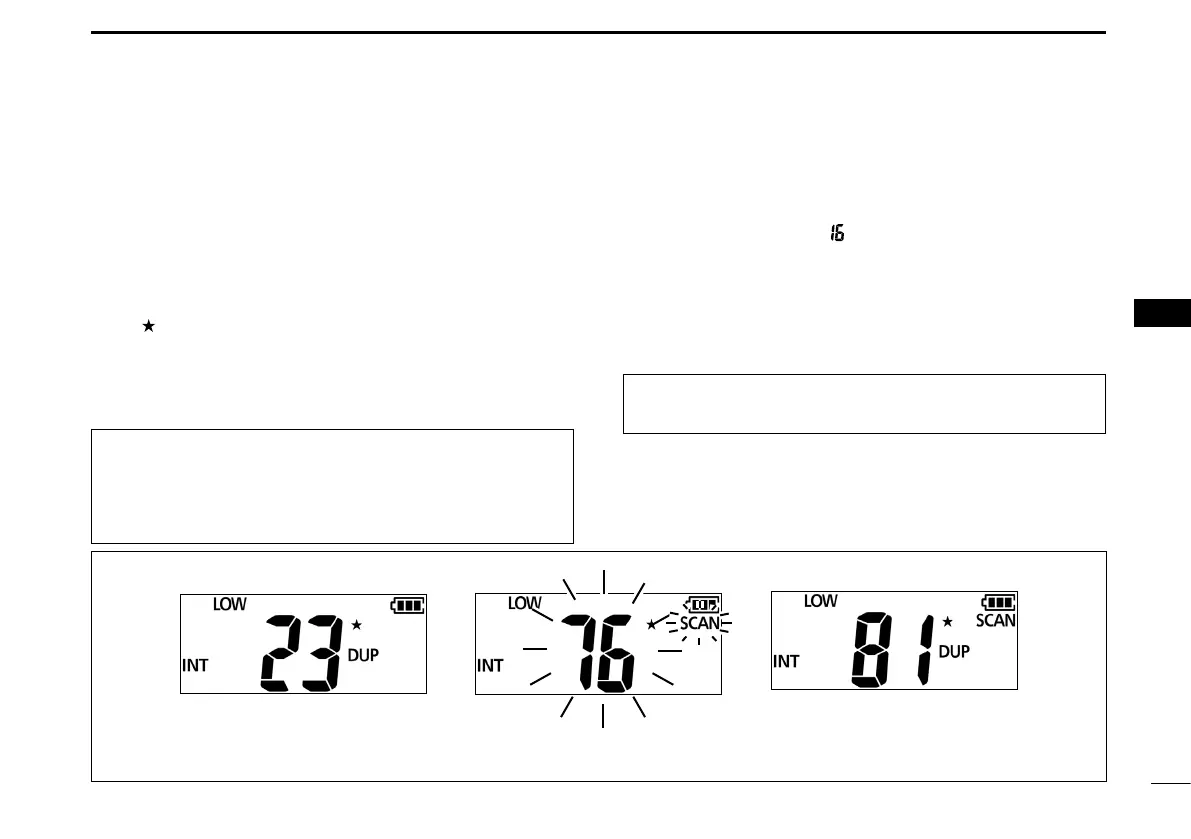
Example: Starting a Normal Scan
16
6
SCAN OPERATION
New2001
1
2
3
4
5
6
7
8
9
10
11
12
13
14
15
16
New2001
■ Favorite channels
You can quickly recall often-used channels by setting them
as Favorite channels.
D Setting/Clearing
1. Rotate [DIAL] to select a channel.
2. Push [FAV] to set or clear the channel as a Favorite
channel.
• “ ” is displayed, when the channel is set as a Favorite
channel.
■ Starting a scan
1. Push [SCAN] to start a scan.
• During a Normal scan, “SCAN” blinks.
• During a Priority scan, “ ” is also displayed.
L When a signal is received, the scan pauses until the signal
disappears, or resumes after pausing for 5 seconds,
depending on the Set mode setting (p. 20).
L Rotate [DIAL] to change the scanning direction.
2. Push [SCAN] again to cancel the scan.
D Selecting
z Push [FAV].
L Non-Favorite channels are skipped and not displayed.
TIP: In order to properly receive signals, be sure to adjust
the squelch to a suitable level.
Push [SCAN]. “ SCAN” is displayed while
scanning.
Status indicator lights green
when a signal is received.
TIP: You can clear all Favorite channels.
L If there are no favorite channel, all channels will be set as
favorite channels.
1. Turn OFF the transceiver.
2. While holding down [FAV], turn ON the transceiver.



 To Next Page