20
9
SET MODE
New2001
1
2
3
4
5
6
7
8
9
10
11
12
13
14
15
16
New2001
■ Set mode items
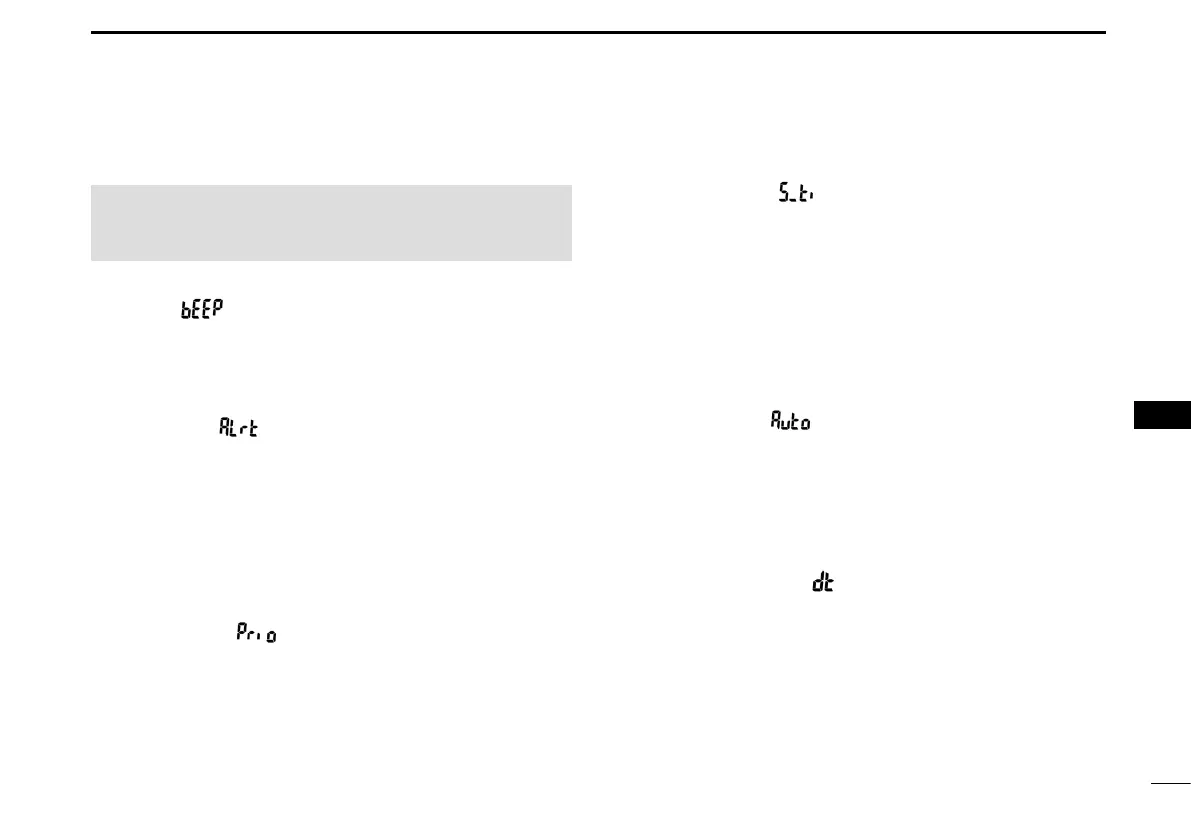
D Beep “ ”
Turns the Key Beep function ON or OFF.
• OFF: Turns OFF the function for silent operation.
• ON: When a key is pushed, a beep sounds.
D WX Alert “ ”
(Except the European, UK, and German versions.)
Turns the Weather Alert function ON or OFF.
This function detects the Weather Alert tone on Weather
channels.
• OFF:
The transceiver does not detect a Weather Alert tone.
• ON: The transceiver detects the 1050 Hz Weather Alert
tone on a Weather channel.
D Scan Type “ ”
Turns the Priority Scan function ON or OFF.
• OFF: The scan type is set to “Normal,” which sequentially
searches all Favorite channels in the channel group.
• ON: The scan type is set to “Priority,” which sequentially
searches all Favorite channels in the channel group,
while also periodically checking Channel 16 (Priority
channel).
D Scan Timer “ ”
Turns the Scan Resume Timer ON or OFF.
• OFF: When a signal is detected on a channel, the scan
pauses until the signal disappears, and then
resumes.
• ON: When a signal is detected on a channel, the
scan pauses for 5 seconds, and then resumes. If
the signal disappears in less than 5 seconds, the
scan immediately resumes.
D Auto Scan “ ”
Turns the Automatic Scan function ON or OFF.
• OFF: The function is OFF.
• ON: Scan automatically starts when no signal is
received, or no operations are carried out for 30
seconds.
D Dual/Tri-watch “ ”
Selects the watch type.
• d- (Dual): The watch type is set to Dualwatch, which
monitors Channel 16, even while receiving a
signal on another channel.
• t- (Tri): The watch type is set to Tri-watch, which
monitors Channel 16 and the Call channel, even
while receiving a signal on another channel.
NOTE: The Set mode items contained in the transceiver
may be different, depending on the transceiver’s version or
presettings. Ask your dealer for details.



 To Next Page