Section 4
6
USER SET MODE
User Set mode
The User Set mode enables you to change various set-
tings. You can “customize” the transceiver operation to
suit your preferences and operating style.
Entering the User Set mode:
Hold down ➥ [P0] to enter the User Set mode.
• While in the User Set mode, push [P0] again to select
an item, and then change the value or setting by pushing
[CH Up] or [CH Down].
Hold down ➥ [P0] again to exit the User Set mode.
Beep: Any sound except ringers.
Ringer: Sounds when receiving a call.
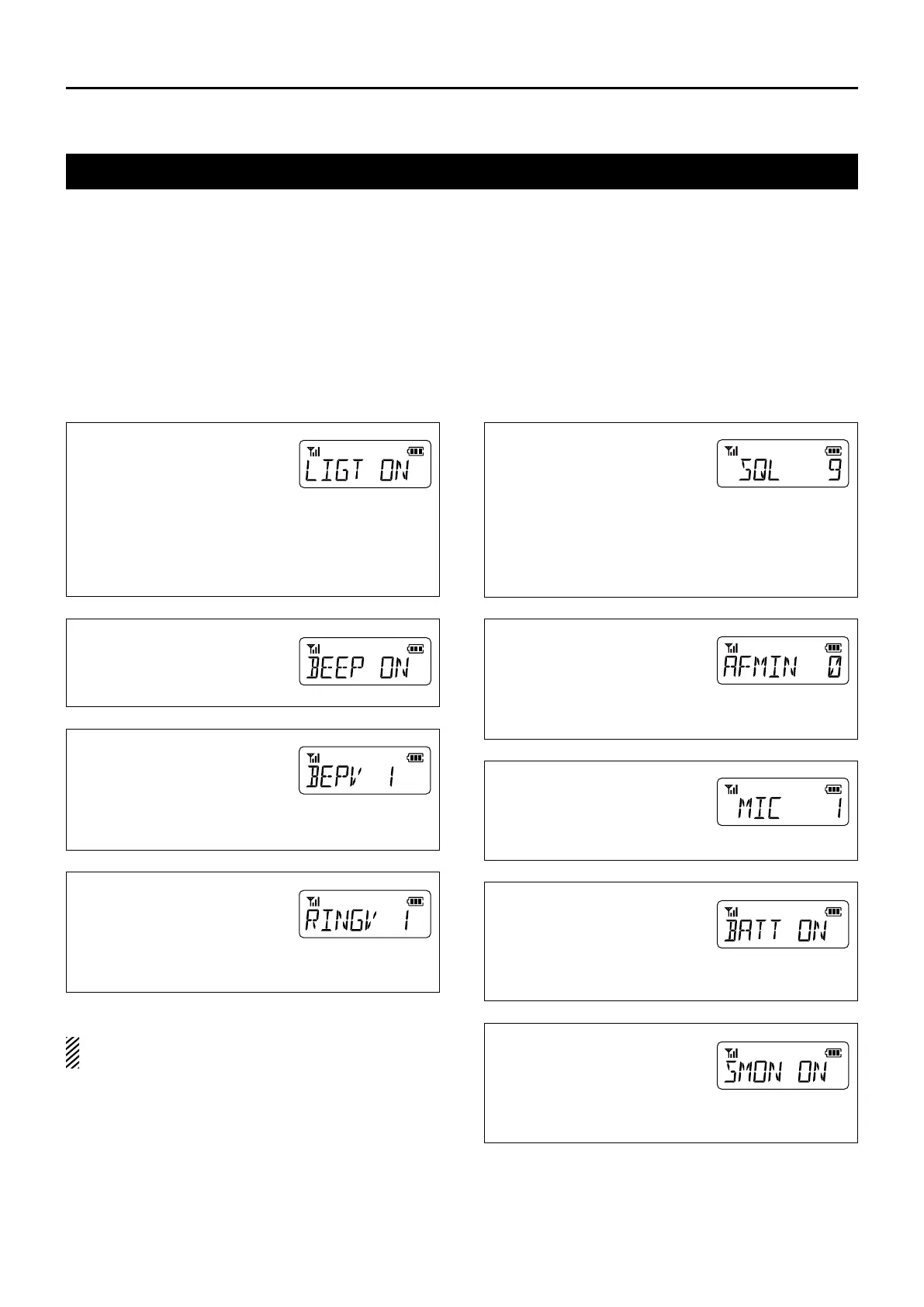
Backlight
The LCD and key backlight lights
according to this setting.
ON: Always lights.•
AUT: • Lights for 5 seconds when
pushing any key except [PTT].
AU2: Lights for 5 seconds every time the display •
changes the contents.
OFF: Does not light.•
Beep ON/OFF
ON: Beeps sound.•
OFF: No beeps sound.•
Beep Level
1 (minimum) – 5 (maximum)•
•
1 (minimum) – 5 (maximum)
Linked with the audio level.
Rotate [VOL] to adjust the beep
audio level.
Ringer Level
1 (minimum) – 5 (maximum)•
•
1 (minimum) – 5 (maximum)
Linked with the audio level.
Rotate [VOL] to adjust the
ringer audio level.
SQL (Squelch) Level
Set the SQL level to between 0
to 9. The squelch function sup-
presses the noise output from
a speaker when no signal is re-
ceived.
0: SQL Open•
2: SQL Threshold•
9: SQL Tight•
AF Min Level
(Minimum audio output level)
Set the audio output level when
you rotate [VOL] to the mini-
mum point.
0 (minimum) – 255 (maximum)•
Mic Gain
Higher levels make the micro-
phone more sensitive to the
user's voice.
1 (minimum) – 4 (maximum)•
Battery Voltage Display
ON: •
Battery voltage is dis-
played when turning ON
the transceiver.
OFF: •
Battery voltage is not dis-
played when turning ON the transceiver.
Signal Moni
While using a DTMF code sig-
naling, select whether or not to
sound DTMF tones.
ON: DTMF tones sound.•
OFF: No DTMF tones sound.•



 To Next Page