EasyManua.ls Logo

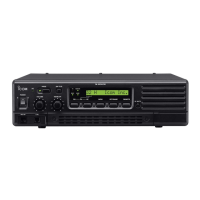
Icom ID-RP2010V - User Manual

Icom ID-RP2010V
24 pages
Print Icon
To Next Page IconTo Next Page
Loading...
This device complies with part 15 of the FCC
Rules. Operation is subject to the condition that
this device does not cause harmful interference.
INSTRUCTION MANUAL
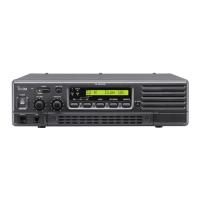
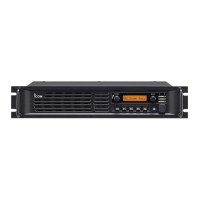
VHF REPEATER
ID-RP2010V
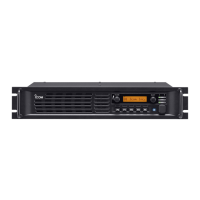
UHF REPEATER
ID-RP4010V
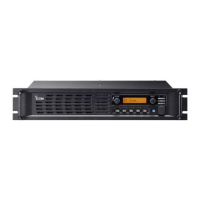
1.2 GHz REPEATER
ID-RP1200VD

Other manuals for Icom ID-RP2010V

Questions and Answers

  • T
    thomas41Aug 12, 2025
    Why Icom ID-RP2010V does not turn ON?
    • A
      Alicia KingAug 12, 2025
      The Icom Repeater might not be turning on due to several reasons: a poor connection with the connector or DC power cable (check the connector pins and reconnect the DC power cable), the external power unit being turned off (confirm the external power unit is turned on), or a blown fuse (fix the problem and then replace the fuse).
  • L
    Linda ByrdAug 16, 2025
    Why Icom ID-RP2010V sensitivity is low and only strong signals are heard?
    • O
      osheaAug 16, 2025
      Low sensitivity on your Icom Repeater, where only strong signals are audible, can be due to issues with the antenna or coaxial cable. Inspect the coaxial cable and antenna connector, and replace them if necessary.
  • C
    Christopher RichardsonAug 20, 2025
    What to do if Icom Repeater does not repeat the received signal?
    • J
      jeffreymorrisAug 20, 2025
      If your Icom Repeater isn't repeating the received signal, there might be incorrect settings. Verify the mode setting (FM or DV), the operation frequency setting, the tone setting, the callsign setting, and the IP address setting.
  • L
    Lauren WeberAug 25, 2025
    What to do if both [TX] and [RX] indicators blink at same time on my Icom ID-RP2010V Repeater?
    • N
      Nicole ManningAug 25, 2025
      If both the [TX] and [RX] indicators are blinking simultaneously on your Icom Repeater, it indicates that the repeater settings have been reset to default. You should set the operation frequency and tone.
  • R
    rwheelerAug 27, 2025
    What to do if Icom Repeater does not transmit output power, or transmits low output power?
    • J
      John ArroyoAug 27, 2025
      If your Icom Repeater is not transmitting output power, or the output power is low, the issue might be with the antenna or coaxial cable. Check these components and replace the coaxial cable or the antenna connector if needed.
  • B
    Bridget BlackAug 31, 2025
    How to turn OFF Icom ID-RP2010V?
    • K
      Kerry DiazAug 31, 2025
      To turn off the Icom Repeater, hold down the [POWER] button until its green indicator turns off.
  • M
    Mark ScottSep 3, 2025
    What to do if there was a problem with the operation of Icom ID-RP2010V?
    • P
      pamela78Sep 4, 2025
      If you experience an operational problem with the Icom Repeater, possibly due to external factors like static electricity, turn OFF the repeater, remove and reattach the external power unit, and then turn the repeater back ON.
  • D
    Daniel HannaSep 7, 2025
    Why I cannot connect to other Icom ID-RP2010V sites?
    • J
      Jennifer FosterSep 8, 2025
      If you're unable to connect to other repeater sites using your Icom Repeater, the cause might be that you cannot connect to the Gateway server from the WAN port. Confirm that accessing from a WAN port is enabled on your router.

Summary

Important Safety Information

Product Features

RF Direct Sampling System

Repeater uses RF direct sampling for digital data conversion.

DD Mode Operation

ID-RP1200VD supports DD mode for data and internet access at 128kbps.

SD Card Slot Functionality

Usable for storing/writing data, updating firmware, and backup/restore.

Connectivity Options

Supports connection to ID-RP2C and analog FM mode operation.

Technical Definitions

Voice Cording Technology

Explains AMBE+2TM voice coding technology and user restrictions.

Supplied Accessories

Safety Precautions

Electrical and RF Safety Warnings

Warnings about RF voltage, power connection, polarity, and wet hands.

Operational and Environmental Cautions

Cautions on temperature, dust, cleaning, placement, and heat dissipation.

Security and Usage Advice

Advice on leaving the repeater in secure places and unauthorized use.

System Network Outline

Front Panel Overview

Rear Panel Connectors

Installation and Connection Guide

Location Selection Criteria

Guidelines for choosing a suitable installation location, avoiding extreme conditions.

Power Source Connection

Instructions for connecting a 13.8 V DC external power source, with specifications.

Grounding and Rack Mounting

Grounding Procedure

Importance of grounding for safety and interference prevention, with connection advice.

System Rack Installation

Guidance on installing the repeater in a standard EIA 19-inch rack.

Attaching Rubber Feet

Instructions for attaching rubber feet for desktop installations and a warning.

Software and Mode Settings

Utility Software Connection

How to connect the repeater to a PC using USB for settings via Utility software.

DV;DD Switch Operation

Explains the usage of the DV/DD switch and its effect on antenna connectors.

Network Connectivity

Connecting Multiple Repeaters

How to connect multiple repeaters using LAN cables for network expansion.

Connecting to ID-RP2 C Controller

How to connect the repeater to the ID-RP2C controller for gateway or assist functions.

Gateway Operation Mode

Gateway Server Configuration

Connects repeater, gateway server, and router, with notes on specific configurations.

Gateway System Requirements

Outlines PC, network, and router requirements for gateway operation.

SD Card Usage and Compatibility

SD Card Handling

SD Card Insertion

Instructions for inserting an SD card into the slot, with notes on formatting.

SD Card Removal

Instructions for removing an SD card, with a note on unlocking.

Maintenance and Fuse Replacement

Cleaning the Repeater

How to clean the repeater's surfaces using appropriate methods.

Fuse Replacement Guide

Detailed steps for replacing DC power cable and circuitry fuses with diagrams.

Firmware Updates and Troubleshooting

Firmware Update Process

Steps for updating the repeater's firmware using an SD card.

Troubleshooting Common Issues

A systematic guide to identify and resolve operational problems.

Specifications Summary

General Specifications

Lists general parameters like frequency range, emission type, and dimensions.

Receiver and Connector Information

Receiver Specifications

Details receiver sensitivity, selectivity, and intermodulation characteristics.

Connector Functions and LED Indicators

Describes the purpose and LED indications for various connectors.

Antenna and Regulatory Information

Antenna Connector Details

Details TX and RX antenna connectors, impedance, and usage in DD mode.

Regulatory Compliance and Disposal

Information on CE marking, EU directives, and disposal guidelines.

Optional LTE Unit

Mentions the UX-262 LTE unit for LTE network operations.

FCC Compliance Information

Software Licensing Details

Icom ID-RP2010V Specifications

General IconGeneral
BrandIcom
ModelID-RP2010V
CategoryRepeater
LanguageEnglish

Related product manuals