EasyManua.ls Logo

Icom M700PROE - User Manual

Icom M700PROE
28 pages
Print Icon
To Next Page IconTo Next Page
Loading...
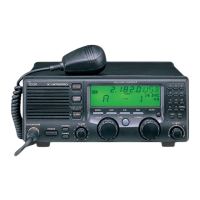
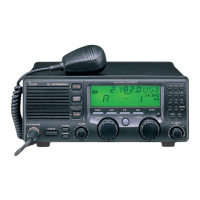
INSTRUCTION MANUAL
SSB RADIO TELEPHONE
iM700PRO

Questions and Answers

  • J
    jeffersonelizabethSep 9, 2025
    Why is the received audio unclear or distorted on my Icom Telephone?
    • J
      James RobinsonSep 9, 2025
      If the received audio on your Icom Telephone is unclear or distorted: * Ensure the correct operating mode is selected by pushing [MODE]. * If receiving a strong signal, activate the AGC function by pushing [AGC]. * Turn OFF the noise blanker by pushing [NB] if it's ON while receiving a strong signal. * Adjust the [CLARITY] control to achieve proper audio output.
  • A
    Ashley SteeleSep 12, 2025
    Why is my Icom Telephone sensitivity too low?
    • M
      melanie58Sep 12, 2025
      If the sensitivity of your Icom Telephone is too low, and only strong signals are audible, it could be caused by: * The antenna not being properly matched to the operating frequency. Push [TUNE] to tune using the antenna tuner, or select 'automatic tuning' in the set mode when using an optional AT-130. * The wrong tuner being selected in the set mode. Set the proper tuner for the connected tuner. * The squelch being set too deep. Adjust the squelch to the proper level.
  • G
    grahamlauraSep 14, 2025
    What causes unclear or distorted transmit signal on Icom Telephone?
    • C
      Christina ArroyoSep 14, 2025
      If your transmit signal on the Icom Telephone is unclear or distorted: * Ensure that the correct operation mode is selected by pushing [MODE]. * Make sure you are speaking into the microphone naturally and not holding it too close to your mouth.
  • N
    nashpaulSep 16, 2025
    What to do if all indicators appear on Icom Telephone?
    • J
      Juan Anderson DDSSep 16, 2025
      If all indicators appear on your Icom Telephone and the channel number cannot be read, set to the proper display contrast, because the highest contrast is selected in the set mode.

Icom M700PROE Specifications

General IconGeneral
BrandIcom
ModelM700PROE
CategoryTelephone
LanguageEnglish

Related product manuals