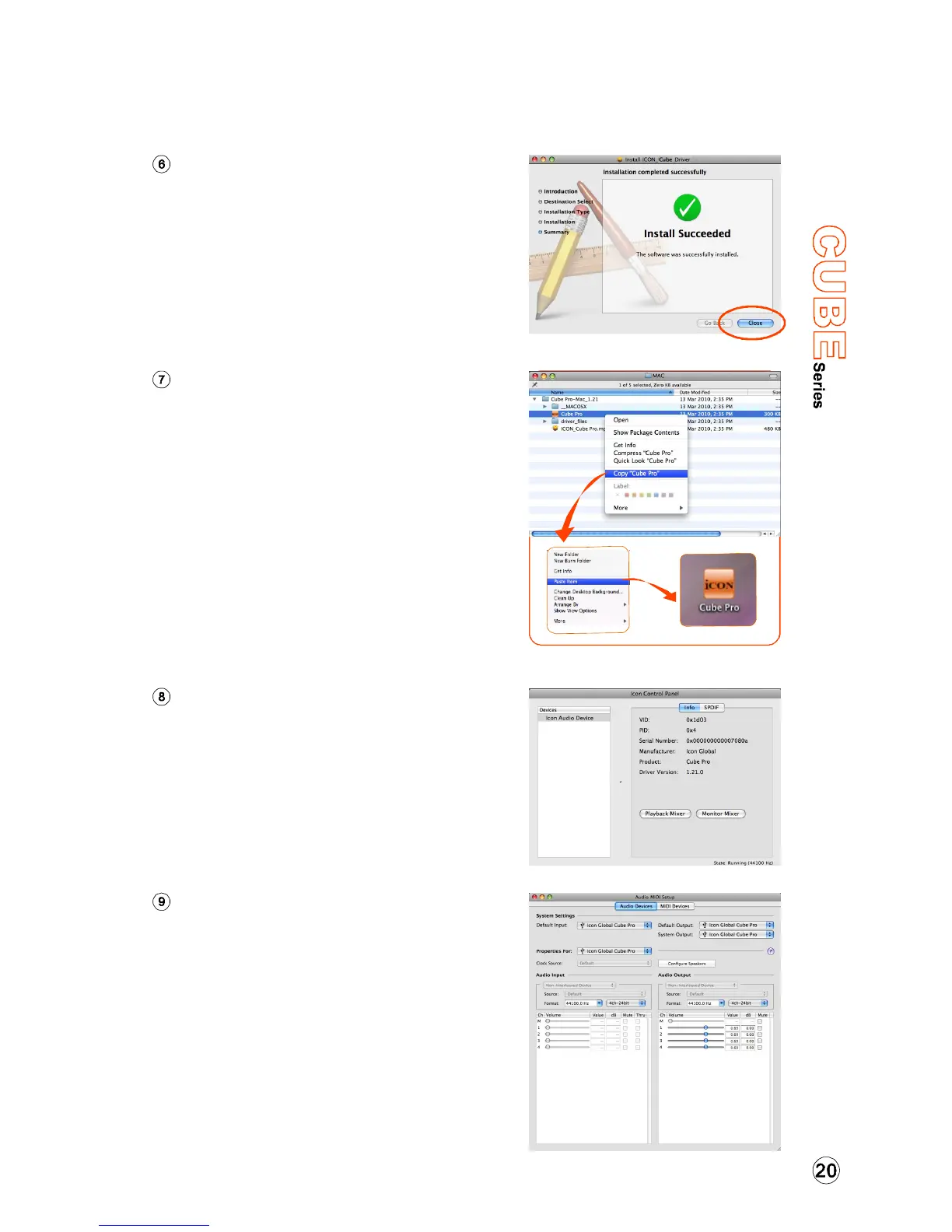
Diagram 6
Installation completed
The driver installation has completed
successfully. Click the “Close” button.
Mac driver installation
Copy the software control panel
shortcut logo to your desktop
Open the previous “Mac” folder.
Copy the 'Cube” software panel
shortcut logo and paste it to your
desktop.
Diagram 7
Launch the software control panel
Click the Cube's software control
panel shortcut logo you have just
copied to your desktop to launch
the software control panel.
Diagram 8
Audio MIDI setup
Open the “Audio MIDI setup” window
and check if the Cube device has
setup properly as shown below in
diagram 9. If your Cube device does
not appear on the system settings. It
means the driver did not install
properly, go through the “Driver
Installation” procedure again.
Diagram 9


 To Next Page