Driver setup
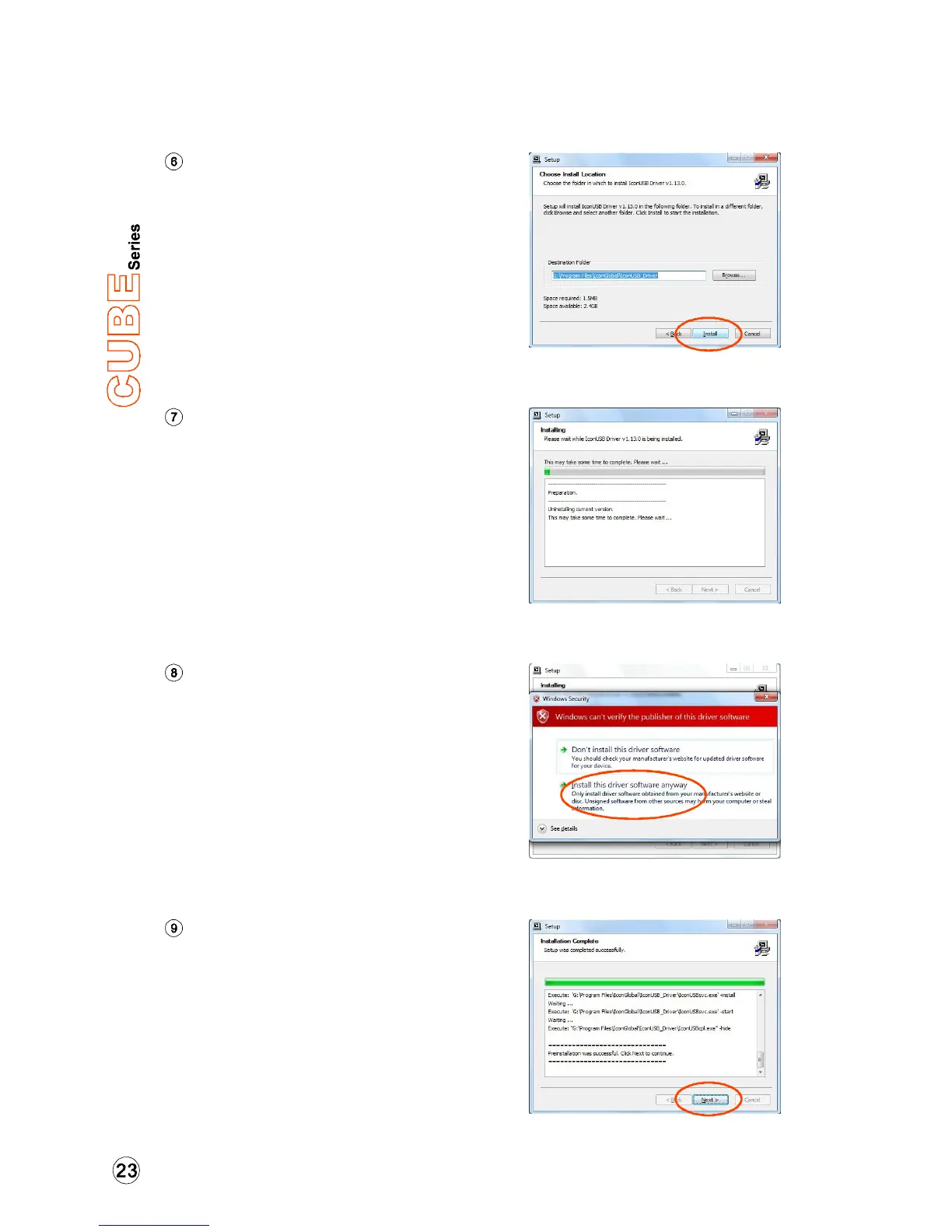
Choose the location of the driver
and click "Next" as shown in
Diagram 5
Diagram 5
Diagram 6
Software installation window
A window as shown in Diagram 7
shoould appear. Choose "Install this
driver software anyway"
Note: Although this message appears, the
Cube series driver is fully tested and
supports Windows XP, Vista & Windows 7
Installation start
The installation process has started,
the process may take some time
depending on your computer
performance, please be patient and
wait for the process to finish.
Diagram 7
Diagram 8
Setup completed
A window as shown in Diagram 8
should appear. Choose "Next”.
Windows driver installation


 To Next Page