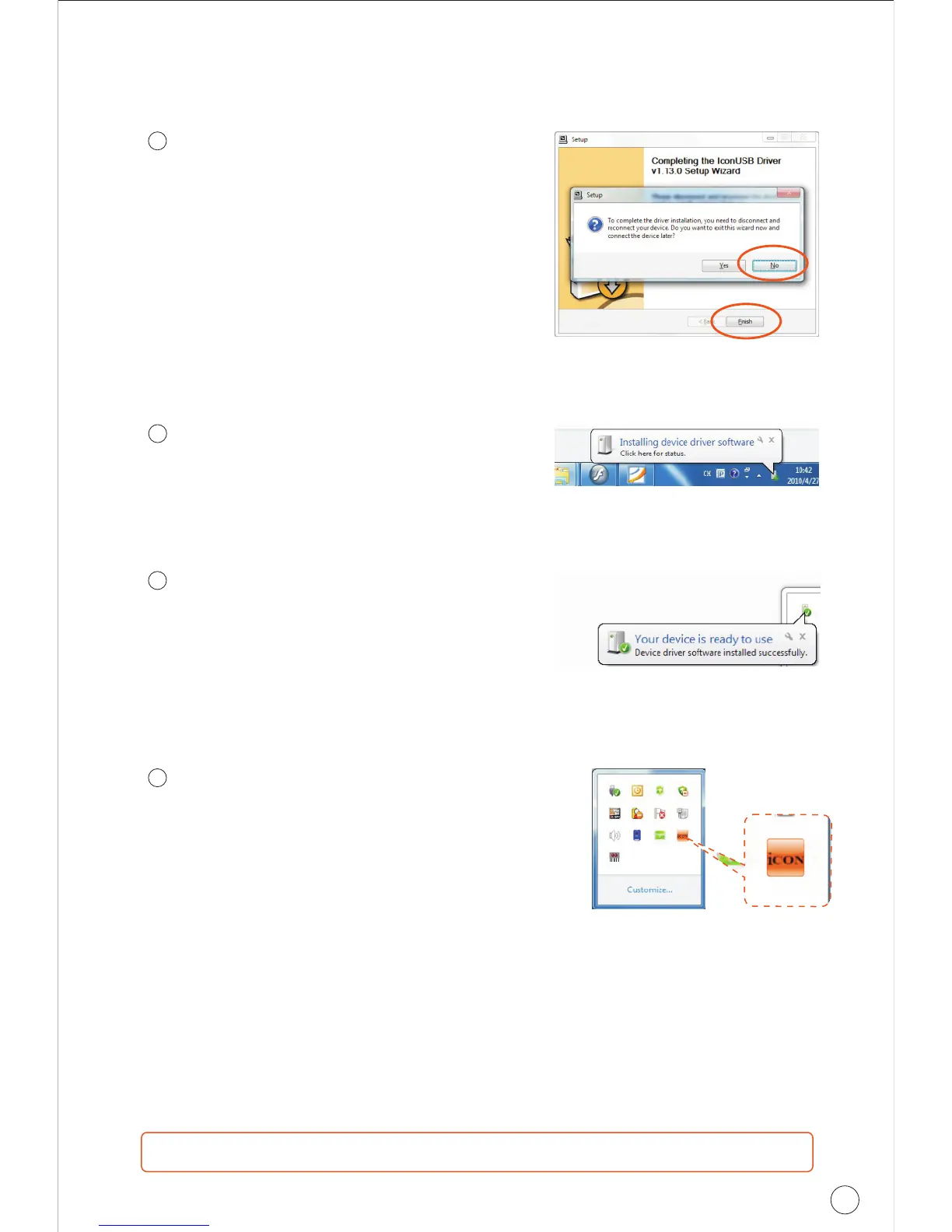
Connect your Cube series digital
audio interface
Now connect the Cube series digital
audio interface to your computer's
USB port and click "Finish".
Note: Cube series audio interfaces only
support USB 2.0. Your computer must
have an USB2.0 port.
Driver installation completed
Cube/CubePro/CubeG/Cube Mini/Cube
4 Nano/Cube DJ driver installation has
completed and is ready to use.
Diagram 9
10
Note: For the latest driver updates please check www.icon-global.com
12
11
Installing device driver software
The Cube driver is installing
Diagram 10
Launch the software control panel
You may click the Cube logo on the
system tray to launch the software
control panel (Page 25).
13
Diagram 11
Diagram 12
Windows driver installation
24
CUBE
Series


 To Next Page