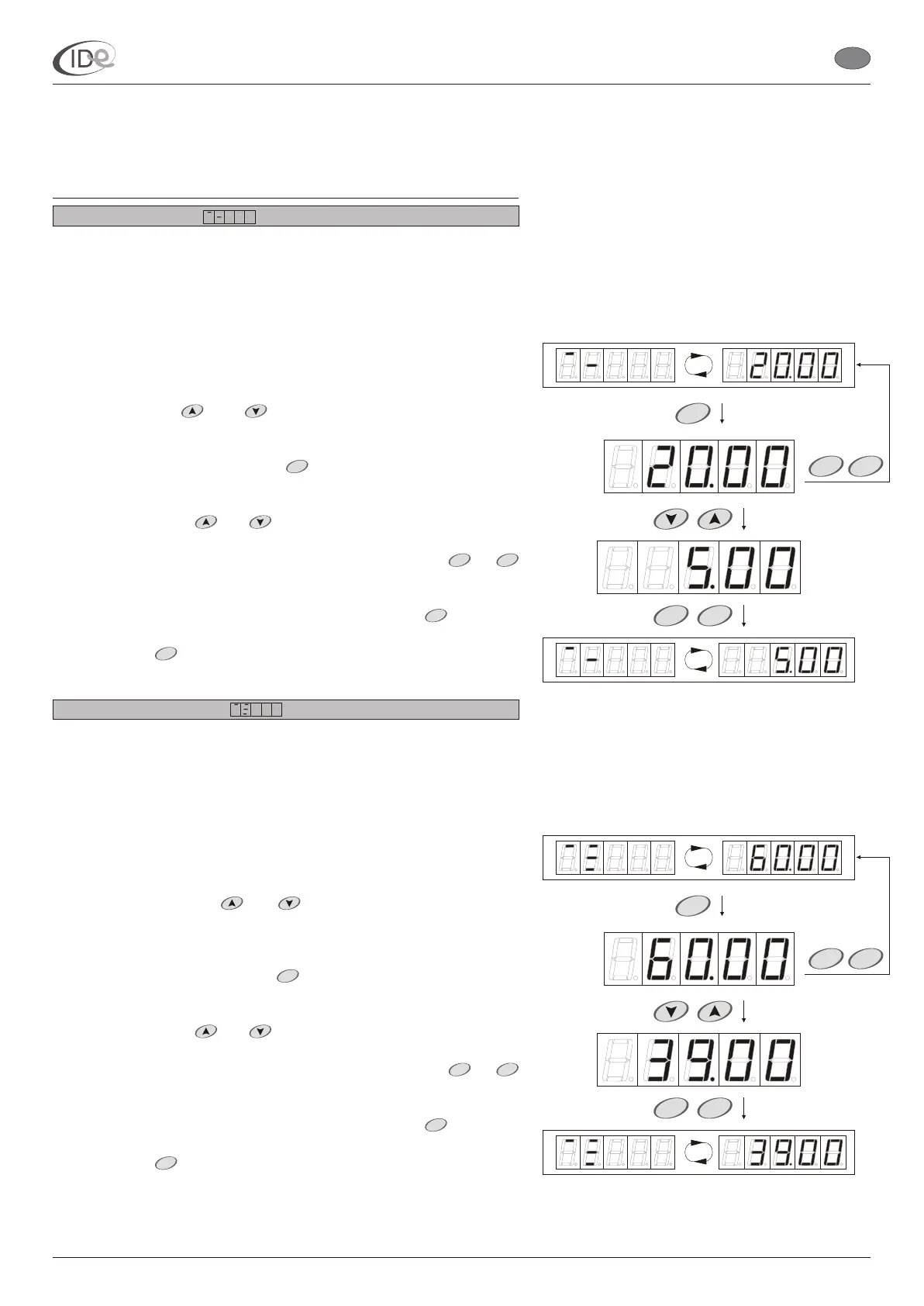
Maximum time delay
Maximum time delay is the maximum time delay value (Time delay,
see page 6), that can be set in the operating mode (see page 4).
Range of setting: 00 ; 20.00 > (min)
Default setting: 20.00
Step: 10 sec
To browse and/or change maximum time delay:
1. When the controller is in the programming mode (see page 5), in the
Programming options submenu (see page 14), select Maximum time
delay option with buttons.
2. To change the setting, press button. Maximum time delay
setting .
3. Set new value with buttons.
4. To save new setting in the temporary memory, press or
buttons.
To return to the Programming options submenu, press button. To
leave the programming mode and save new setting in the long term
memory, press button or wait 60 seconds.
Maximum session time
Maximum session time is the maximum time of single session, that
can be set in the operating mode (see page 4).
Range of setting: 00 ; 60.00 > (min)
Default setting: 60.00
Step: 1 min
To browse and/or change maximum session time:
1. When the controller is in the programming mode (see page 5), in the
Programming options submenu (see page 14), select Maximum
session time option with buttons. session
time session time
2. To change the setting, press button. Maximum session time
setting .
3. Set new value with buttons.
4. To save new setting in the temporary memory, press or
buttons.
To return to the Programming options submenu, press button. To
leave the programming mode and save new setting in the long term
memory, press button or wait 60 seconds.
and
and
and
and
The maximum time delay
symbol and the maximum time delay setting is displayed alternately.
will be displayed
The maximum
symbol and the maximum setting is displayed
alternately.
will be displayed
START
START STOP
STOP
MENU
START
START STOP
STOP
MENU
I.D.E. Systemy Elektroniczne 15
P
START
STARTSTOP
START
STOP
P
PageVersion 1.1 07/2005
I.D.E. e1.01 sunbed controller
EN
P
START
STARTSTOP
START
STOP
P
Part II Operating manual
2. Programming mode



 To Next Page